Apple Releases iMac EFI Update 2.0 to Fix Sleep and Thunderbolt Issues
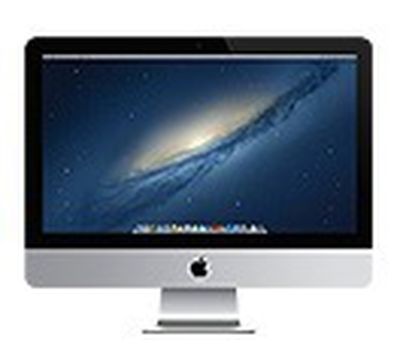 Apple has released an update for late 2012 iMac models that fixes issues related to sleep and Thunderbolt, as well as compatibility when using 5GHz Wi-Fi frequencies. The update is recommended for all "late 2012" iMacs.
iMac EFI Update 2.0 can be downloaded from Apple's support site or through the Mac App Store on affected iMacs.
About iMac EFI Update 2.0
This update is recommended for all iMac (late 2012) models. This update contains general performance fixes pertaining to sleep and Thunderbolt, and improves compatibility when using the 5GHz band in Wi-Fi.
Boot ROM or SMC Version Information: After Update is complete:
Build version: 010A.05
ROM version: IM131.88Z.010A.B05.1211151146
It's not clear if this is in addition to the Wi-Fi Update released earlier today, or if it includes that fix as well as a few more iMac-specific ones.
Update: Apple has released a similar MacBook Pro Retina EFI Update v1.1 for the 13-inch Retina MacBook Pro.
Popular Stories
iOS 26.4 was released today, and it includes a couple of new features for CarPlay: an Ambient Music widget and support for voice-based chatbot apps.
To update your iPhone 11 or newer to iOS 26.4, open the Settings app and tap on General → Software Update. CarPlay will automatically offer the new features so long as the iPhone connected to your vehicle is running iOS 26.4 or later....
Apple today released new firmware for the AirPods Pro 2, AirPods Pro 3, and the AirPods 4. The firmware has a version number of 8B39, up from 8B34 on the AirPods Pro 3, 8B28 on the AirPods Pro 2, and 8B21 on the AirPods 4.
There is no word on what's included in the firmware, but Apple has a support document with limited notes. Most updates are limited to bug fixes and performance...
Apple this week released tvOS 26.4, and the software update includes a handful of new features and changes for the Apple TV.
tvOS 26.4 is compatible with all Apple TV 4K and Apple TV HD models released since 2015. To update your Apple TV, open the Settings app on the device, navigate to System → Software Updates, and select Update Software.
Below, we have recapped what is new in tvOS...






















