Apple Rolls Out 'Express Lane' for Customized Product Support
As
noted by The Next Web, Apple has launched a new feature known as
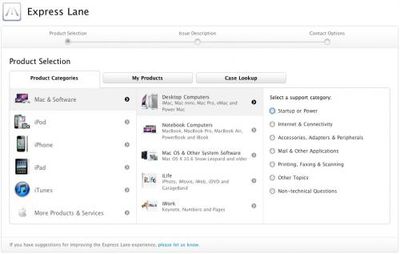
Express Lane on its support website, offering users a faster way to document issues with their Apple products and reach appropriate support solutions and personnel.
Express Lane is really 3 sections of support, rolled into one neat package. You can search by Apple product, search your own products (that you've registered) or look up cases that you've submitted previously.
The process, it seems, streamlines what you would normally have to do in order to find support answers for your devices. Clicking through, the My Products section is really handy and includes all devices you've registered along with the respective serial numbers.
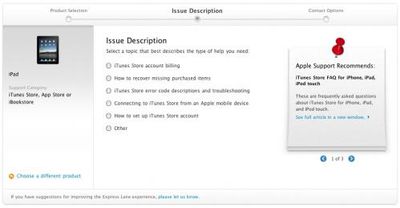
Express Lane allows users to drill down to find support documents specifically related to their issues, along with contact options. Users are required to enter their hardware serial numbers for certain symptoms to help gauge warranty status and direct users to the proper support channels.
Popular Stories
iOS 26.4 was released today, and it includes a couple of new features for CarPlay: an Ambient Music widget and support for voice-based chatbot apps.
To update your iPhone 11 or newer to iOS 26.4, open the Settings app and tap on General → Software Update. CarPlay will automatically offer the new features so long as the iPhone connected to your vehicle is running iOS 26.4 or later....
Apple today released new firmware for the AirPods Pro 2, AirPods Pro 3, and the AirPods 4. The firmware has a version number of 8B39, up from 8B34 on the AirPods Pro 3, 8B28 on the AirPods Pro 2, and 8B21 on the AirPods 4.
There is no word on what's included in the firmware, but Apple has a support document with limited notes. Most updates are limited to bug fixes and performance...
Apple this week released tvOS 26.4, and the software update includes a handful of new features and changes for the Apple TV.
tvOS 26.4 is compatible with all Apple TV 4K and Apple TV HD models released since 2015. To update your Apple TV, open the Settings app on the device, navigate to System → Software Updates, and select Update Software.
Below, we have recapped what is new in tvOS...