

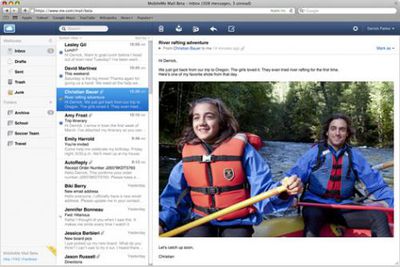
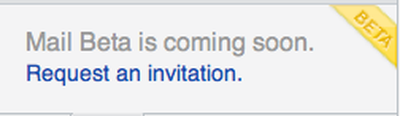
Apple has announced that they are introducing the beta of an all new MobileMe Mail web application. Customers may apply by logging into MobileMe mail and clicking on the "Request Invitation" link found on the bottom left of the screen.
The new MobileMe beta introduces a number of new features including:
- Widescreen and compact views. When reading your mail at me.com, the new widescreen view lets you see more of each message with less scrolling. Choose compact view to hide your folders or classic view to see more of your message list.
- Rules to keep your email organized everywhere. Mail rules help you reduce inbox clutter by automatically filing messages into folders you select ahead of time. Set them up at me.com, and your rules organize your incoming email on the web and everywhere else -- on your iPhone, iPad, iPod touch, Mac, and PC.
- Single-click archiving. Click the Archive button and the selected message is quickly filed into the Archive folder where it's always available for future reference.
- Formatting toolbar. You can create great-looking email messages using formatting buttons to bold or italicize text, change font color, insert images, and more. You can even create formatted web links to hide long URLs.
- Improved performance. Mail at me.com loads your inbox and messages faster. And with interface refinements such as the ability to scroll through your entire inbox without having to manually click to load the next set of messages, you'll be able to work more efficiently.
- Increased security with SSL. With the MobileMe Mail beta, accessing your email on the web is more secure than ever. Your inbox is protected to prevent anyone from eavesdropping on your webmail. As always, you receive SSL protection when you use your MobileMe Mail account on your iPhone, iPad, iPod touch, Mac, and PC.
A Beta FAQ is also available.



















