Android-Based Tablet Spotted Running Flash
In his "Thoughts on Flash" letter last week, Apple CEO Steve Jobs noted his company's frustration with Adobe's slow pace at getting Flash working well on mobile devices, citing missed timelines and a sense of relief that Apple didn't wait for Adobe to deliver the technology.
We have routinely asked Adobe to show us Flash performing well on a mobile device, any mobile device, for a few years now. We have never seen it. Adobe publicly said that Flash would ship on a smartphone in early 2009, then the second half of 2009, then the first half of 2010, and now they say the second half of 2010. We think it will eventually ship, but we're glad we didn't hold our breath. Who knows how it will perform?
In answer to that question, Zedomax reports that Adobe at this week's Web 2.0 conference in San Francisco is showing off an Android-based tablet running Flash, as well as the company's AIR cross-platform runtime.
Despite the author's claim that Flash and AIR apps run "flawlessly" on the tablet,
Daring Fireball's John Gruber
points out that the device's browser crashes while the user is accessing YouTube in one
video clip.
Popular Stories
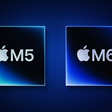
Apple today unveiled a new Mac mini with M6 and M5 Pro chip options, a new Mac Studio with M5 Max and M5 Ultra chip options, a new version of the Polishing Cloth with a lower price, and updated Magic Keyboards for Macs.
To learn more about these products, read our coverage below:
Apple Announces New Mac Mini With M6 and M5 Pro Chips and More
Apple Unveils New Mac Studio With M5 Max and M5...
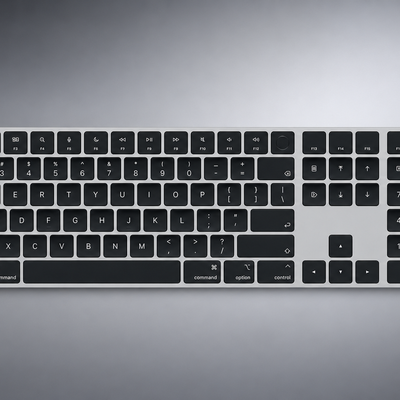
Apple today quietly introduced updated Magic Keyboard models with revised U.S. English key labeling.
On the new keyboards, the tab, caps lock, shift, return, and delete keycaps are labeled with glyphs rather than edge text. On the full-size models with a numeric keypad, the change goes further, with the home, page up, page down, end, clear, and enter keys also swapping their text labels for...
It is now late August, meaning that Apple's annual iPhone event is just around the corner. Below, we take a look at when the event might be held this year.
This September, Apple is expected to unveil the iPhone 18 Pro, iPhone 18 Pro Max, and an all-new foldable iPhone that will reportedly be named the iPhone Ultra. The regular iPhone 18, a lower-end iPhone 18e, and the iPhone Air 2 are not...