Got a tip for us? Share it...

Apple Addresses Graphics Issues on Mid 2011 iMacs With Firmware Update
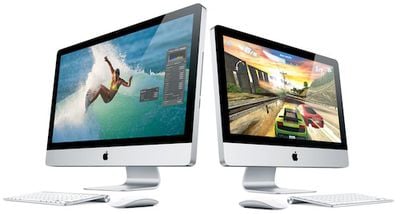

Apple today released iMac Graphic FW Update 2.0, a firmware update to addresses graphics issues on the company's latest iMac models.

About iMac Graphic FW Update 2.0

This firmware update fixes an issue that in rare cases may cause an iMac to hang during startup or waking from sleep.

Do not shut off the power on your iMac during this update. Loss of power could result in your iMac failing to start up.

Apple has also posted a support document noting that the update addresses issues arising as a white screen during startup or vertical lines on the screen while in use.

In certain circumstances, your iMac (Mid 2011) may become unresponsive on startup, with a white or gray background on the display. You may also notice vertical lines on the display while using your iMac.

iMac Graphic FW Update 2.0 weighs in at 699 KB and requires Mac OS X 10.6.7.

Top Rated Comments

(View all)

9 months ago

Anyone have any tips?


yes.

Do not do this:

I hit the power button and nothing happened, but I could hear the fans whirring, so I held the power button down to power down the computer, waited a few seconds, then turned it back on.


when updating firmware. The worst thing you can do when updating firmware is to not let it cook through, or interrupt the installation, power down and back up. That is just asking for a brick.

Don't second guess the firmware upgrade. Let it do its thing... it will sometimes take awhile, reboot itself to apply the upgrade, and then reboot itself again. The last thing in the world you wanna do is "hey... maybe this isn't working right... I'll try a hard power down and see if that fixes it." Major facepalm there.
Rating: 2 Positives / 0 Negatives
9 months ago

Has anyone with the 6970M and an i5 processor had this upgrade be installable?


yes, i have the 3.1 GHz i5 with 6970M and i got the update.
Rating: 1 Positives / 0 Negatives
9 months ago
Interesting...it says my system is not supported (iMac 27" Core i7 mid-2011).
Rating: 0 Positives / 0 Negatives
9 months ago
Ya same here. I have the same model. I wonder if it is for older iMac's
Rating: 0 Positives / 0 Negatives
9 months ago
Just for fun tried it on my Corei7 iMac (2.8 ghz version - iMac 11,1) and it said it wasn't supported either. Interesting.
Rating: 0 Positives / 0 Negatives
9 months ago
I wonder what iMac this firmware addresses? I'm wondering it might be the 21 inch line (I also have the top-of-the-line i7 imac).


When I arrived home last night I ran software update and it found nothing for the AMD Radeon HD 6970M 2GB on my iMac.
Rating: 0 Positives / 0 Negatives
9 months ago
It came down in software update and installed on my 27" 2.7 I5 Mid 2011.
Rating: 0 Positives / 0 Negatives
9 months ago
I installed it on my 2011 21.5 imac this evening. I left the room while it was running the update and restarting. I came back a few minutes later and the screen was blank (I assumed the computer was off). I hit the power button and nothing happened, but I could hear the fans whirring, so I held the power button down to power down the computer, waited a few seconds, then turned it back on. I could hear the tone as it restarted, the CD drive did it's little dance, and it seemed like the computer was booted up, but still no screen.

At this point called Apple Support, who had me reset the PRAM, which didn't work. Then I booted up the computer, did a ctrl+eject+return restart, which didn't do anything. Then I turned the computer off, unplugged for 15-20 seconds, and restarted, again with no screen.

Now I have to take my day old iMac to a service center to have it looked at. And I just finished getting all my data transferred over from my old PC...alas.

Anyone have any tips?
Rating: 0 Positives / 0 Negatives
9 months ago
FWIW, it installed without a hitch on my 21.5" Mid 2011 model.
Rating: 0 Positives / 0 Negatives
9 months ago

I installed it on my 2011 21.5 imac this evening. I left the room while it was running the update and restarting. I came back a few minutes later and the screen was blank (I assumed the computer was off). I hit the power button and nothing happened, but I could hear the fans whirring, so I held the power button down to power down the computer, waited a few seconds, then turned it back on. I could hear the tone as it restarted, the CD drive did it's little dance, and it seemed like the computer was booted up, but still no screen.

At this point called Apple Support, who had me reset the PRAM, which didn't work. Then I booted up the computer, did a ctrl+eject+return restart, which didn't do anything. Then I turned the computer off, unplugged for 15-20 seconds, and restarted, again with no screen.

Now I have to take my day old iMac to a service center to have it looked at. And I just finished getting all my data transferred over from my old PC...alas.

Anyone have any tips?


WISH I had a tip Spencer. I already returned one of 12 because it had the "jailbird" motif on boot the Firmware update was supposed to fix.

Now applying the Firmware borked another that's out in my car waiting a trip to the Genius Bar.

Thanks for the posting. I wont' try to fix it myself tonight, but will just call up and get an appointment tomorrow.

FYI three others took the update just fine, when I ran out of time needed to kill the other eight.

Cheers!
Rating: 0 Positives / 0 Negatives

[ Read All Comments ]