

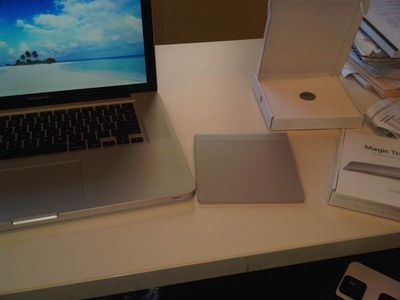
Announced earlier today, Apple's Magic TrackPad is already making its way into the hands of reviewers and customers, and a few tidbits of interest have been coming out about the Bluetooth device.
One of the first observations made by purchasers who have been able to get their hands on the device is that it requires a software update to enable full functionality, an update that has just been posted on Apple's site in Mac OS X, Windows 64-bit, and Windows 32 -bit versions.
To use the Trackpad, you need to install a software update that Apple will release later Tuesday. The software update enables full multitouch and gesture customization, including tap-to-touch and program-launching clickzones. Even without the software update, the Trackpad works like a regular non-multitouch trackpad. While Apple geared its full suite of multitouch gestures toward Macs, the Magic Trackpad will perform in its basic functions when paired via Bluetooth to a Windows PC--we tried it.
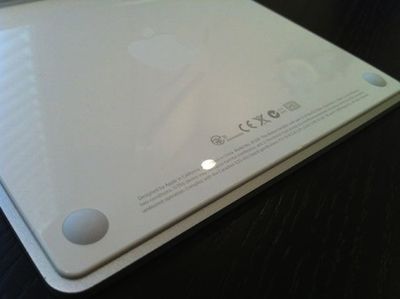
Macworld notes that the trackpad does support a physical click but that it is generated by two feet near the front edge of the bottom of the device rather than with a movable surface on the body of the device.
Despite the Magic Trackpad's thinness and its support for the same tap-to-click feature as MacBook trackpads, you can also click by pressing down. The trackpad surface itself doesn't depress, though--instead, when you press on the trackpad, the force from the surface it's sitting on will depress the two round feet at the trackpad's base. That's what registers a click.
Finally, Engadget reports that the Magic Trackpad comes with an optional new three-finger gesture that allows users to easily drag windows around the screen, a feature not present on trackpads integrated into Apple's current notebook computers.
There's also a new gesture, if you're keeping track -- a three-finger move that lets you drag windows around (very helpful), though you give up the functionality of being to navigate stuff like iPhoto galleries with a swipe (it's an option you can toggle in preferences -- you have a choice).
Apple's Magic Trackpad is priced at $69 and requires two AA batteries, available as part of Apple's new battery charger set also released today.















