

As information on the iPad continues to spill out from Apple in the wake of the launch of pre-orders in the U.S., more screenshots and feature information on iWork applications for the iPad have surfaced on Apple's site. Announced alongside the iPad's introduction in late January, iWork for iPad will offer multi-touch versions of Apple's Keynote, Pages, and Numbers productivity applications priced at $9.99 each through the App Store.
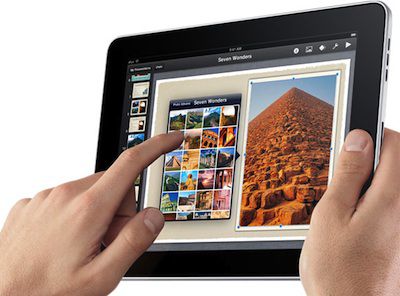
Keynote features 12 Apple-designed themes for users to choose from as a basis for their presentations, as well as tap-to-add functionality supporting photos, video, shapes, tables, charts, and text. Items can be easily dragged, resized, or rotated using the iPad's multi-touch technology. Keynote also supports animations, as well as routing to external video displays using an optional iPad Dock Connector to VGA Adapter.
Document editing on the iPad is performed using Pages, which offers 16 templates for easy creation of simple text documents, newsletters, brochures, flyers, and other content. In landscape mode, Pages offers a large on-screen keyboard that enables rapid text entry, which is also facilitated by the iPad's auto-correct feature that corrects spelling, inserts punctuations, and suggests words. Finally, Pages offer a number of page layout tools, allowing users to add and resize images, create lists, format text, and set margins, tabs, headers, and footers.
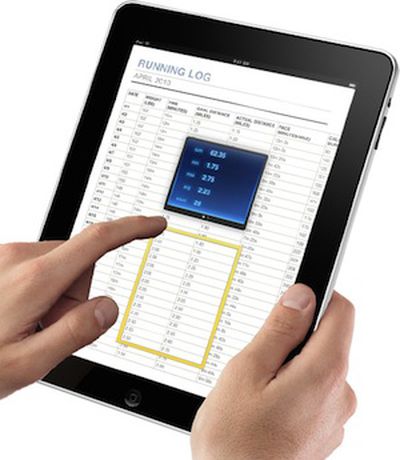
For Numbers, Apple highlights the 16 included templates for spreadsheet formatting, table functionality with automatic sum, min, max, and count display for data selections, and simple forms for easily entering data on the go and automatically updating spreadsheets. Finally, Numbers offers high-quality charts in a number of different styles that can be copied and pasted into Pages or Keynote documents, and multiple intelligent keyboard layouts to allow users to take full advantage of Numbers' more than 250 functions.
All iWork applications for the iPad support import of their respective traditional iWork file formats, as well as the corresponding Microsoft Office formats. Users have the option of exporting their finished documents in iWork, Office, or PDF formats.















