Prior to the iPhone 3GS, the 2-megapixel camera with a fixed focus lens in previous iPhone models was a pain point for many users frustrated with its inability to capture detail within short distances, particularly compared to cameras in other less expensive cell phones. Developers who created apps using the iPhone's camera often received the brunt of this ire.
In particular, this shortcoming affected barcode reader apps, and many such apps made available in the App Store before the release of the iPhone 3GS suffered from poor reviews by users who had disappointing experiences trying to use them. With the improved 3-megapixel camera with an auto-focus lens in the iPhone 3GS, this appears to have changed for the better. When it comes to the current crop of barcode reader apps, RedLaser by Occipital stands out - it was recently updated to version 2.2.0 and it works very well. In our informal tests, it had a 100% success rate of reading barcodes on a variety of items using an iPhone 3GS.
RedLaser's feature list includes the following:
- Scans UPC, EAN, and UPC-E barcodes
- Finds prices using Google Product Search, and Amazon
- Email a list of products
- Send barcodes as email attachment
- Search ANY website using a custom URL (How-To coming soon)
- Automatic search localization for USD, EUR, and GBP, as well as Amazon (.com/.co.uk/.de/.co.jp/.fr/.ca/.cn) autoselection
Scanning a barcode goes quickly and there are on-screen guide bars to help you place the barcode in a position to be scanned. Once the barcode is in the correct position, the guide bars turn green and the barcode is scanned - there is no need to actually capture an image of the barcode or press any other virtual buttons to prompt the scan.
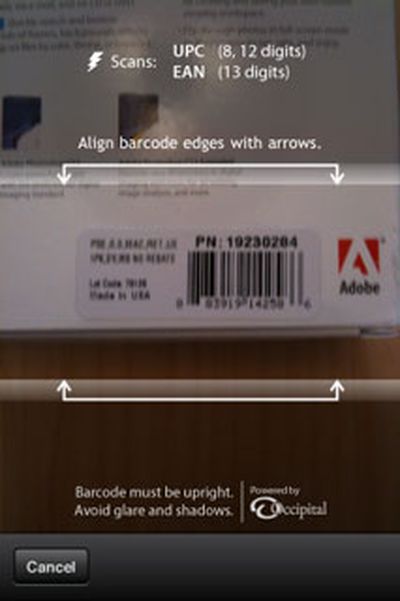
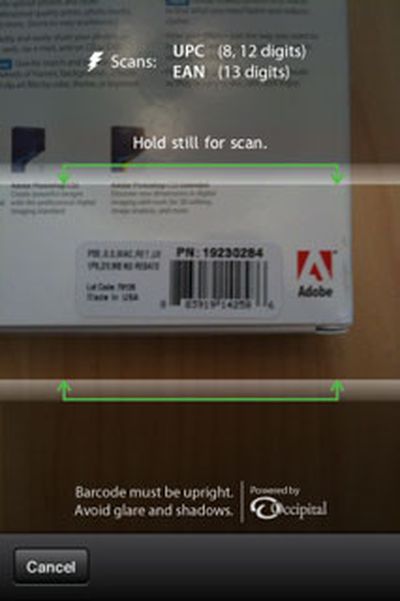
Lining up a barcode to scan
By default, the app automatically conducts a search on Google and Amazon to find pricing and product information, though this automatic search following a scan can be turned off in the main settings pane.
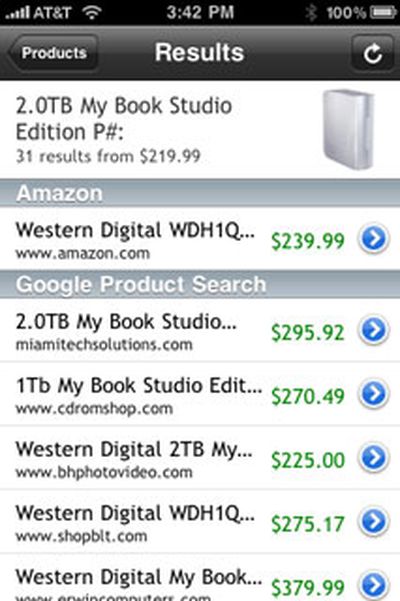
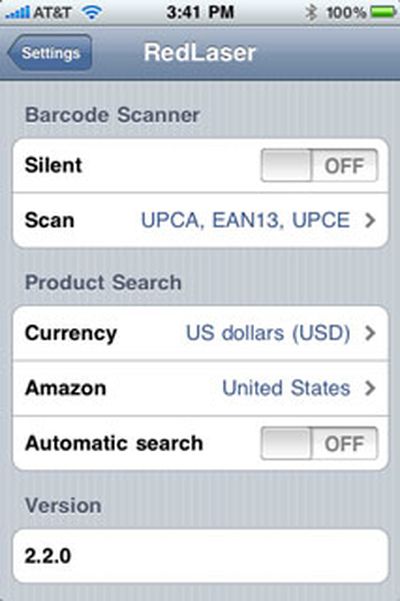
Search results after scanning a barcode and the settings pane
RedLaser's description states that it works on all iPhone models, though informal testing with a first-generation iPhone yielded fewer successful scans than with an iPhone 3GS, as expected, though it still works well enough that its $1.99 price [App Store] makes it a good buy if you like to comparison shop online as you browse in a brick-and-mortar store.