How to Make Apple Card the Default Card on Your Apple Watch - MacRumors
Skip to Content

How to Make Apple Card the Default Card on Your Apple Watch

by

If you've just had your Apple Card application approved then you'll likely want to start using it right away. Using your iPhone, you can make ‌Apple Card‌ purchases in retail stores wherever you see the Apple Pay logo or the contactless symbol.
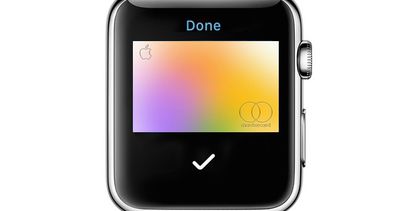
apple card apple watch
But if it's more convenient, you can always use your Apple Watch instead. To do so, you'll want to make ‌Apple Card‌ the default card on your Apple Watch. The following steps show you how.

How to Make Apple Card Your Default Card

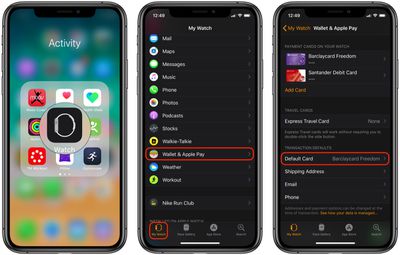
  1. Launch Apple's stock Watch app on your iPhone.
  2. Tap the My Watch tab.
    make apple card default card on apple watch

  3. Tap Wallet & Apple Pay.
  4. Under Transaction Defaults, tap Default Card, then choose your ‌Apple Card‌.

Once you've made ‌Apple Card‌ your default card on Apple Watch, you can start paying for things with it. Simply double-click the side button and hold the display of your Apple Watch within a few centimeters of the contactless reader, and the transaction will be processed with an accompanying audible ding.

Popular Stories

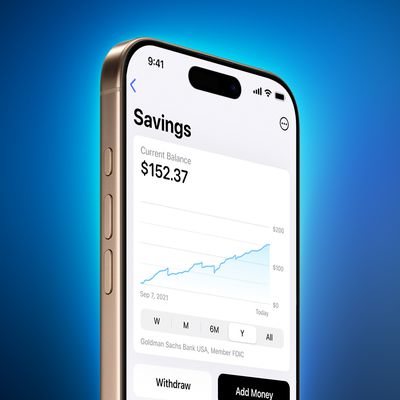
apple card savings account

Apple Lowers Savings Account Rate for Apple Card Users

Thursday April 23, 2026 8:07 am PDT by
The interest rate on Apple Card's savings account was today lowered from 3.65% to 3.50%. Push notifications regarding the cut were sent to ‌Apple Card‌ users on Thursday. Savings account interest rates often fluctuate with changes made by the Federal Reserve, and when rates are lowered, banks cut their annual percentage yield (APY). That said, today's cut doesn't appear tied to a...


Four iPhone 18 Pro Colors Mock Feature

iPhone 18 Pro Launching in September With These 10 New Features

Monday April 20, 2026 7:13 am PDT by
While the iPhone 18 Pro and iPhone 18 Pro Max are not launching until September, there are already plenty of rumors about the devices. It was initially reported that the iPhone 18 Pro models would have fully under-screen Face ID, with only a front camera visible in the top-left corner of the screen. However, the latest rumors indicate that only one Face ID component will be moved under the...
Tim Cook Rainbow

Apple CEO Tim Cook Stepping Down, John Ternus Taking Over

Monday April 20, 2026 1:33 pm PDT by
Apple CEO Tim Cook is stepping down as Apple's chief executive officer, and hardware engineering chief John Ternus is set to take over, Apple announced today. Cook will continue on as Apple CEO through the summer, with Ternus set to join Apple's Board of Directors and take over as CEO on September 1, 2026. Cook is going to transition to executive chairman, and he will "assist with certain...