

How to Make Apple Card the Default Card on Your Mac - MacRumors
Skip to Content

How to Make Apple Card the Default Card on Your Mac

by

If you've signed up for Apple Card, you may want to use it to make some online purchases. The main thing to know is that you can purchase things online with ‌Apple Card‌ wherever you see the Apple Pay symbol in checkout.
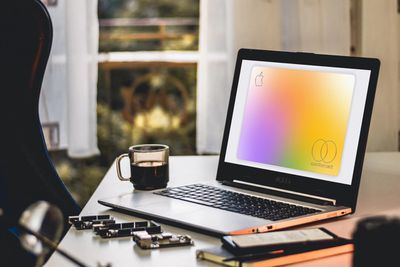
Apple Card on Mac
While ‌Apple Card‌ is chiefly made for use on iPhone, if you tend to do most of your online shopping on your Mac, then you'll want to set up Apple's credit card in macOS.

Once you've done that, consider making it the default card on your Mac. That way it will be automatically selected whenever you use ‌Apple Pay‌. It'll also make ‌Apple Card‌ your preferred card for Mac App Store, Apple Music, and Apple services. The following steps show you how.

  1. Launch System Preferences from your Mac's Dock, from the Applications folder, or from the Apple menu bar ( -> System Preferences...).
  2. Click Wallet & Apple Pay.
  3. Select your ‌Apple Card‌ from the Default Card pop-up menu at the bottom of the preference pane.

And that's it. Note that for added convenience, you can also make ‌Apple Card‌ the default card on Your iPhone. Click here to learn how.

Popular Stories

Apple Card iPhone 16 Pro Feature

Apple Card Turns Seven With Big Change Ahead

Thursday August 20, 2026 9:18 am PDT by
Today marks the seventh anniversary of the Apple Card becoming widely available in the U.S., following a more limited preview period. Apple's credit card can be managed in the iPhone's Wallet app, with key benefits including color-coded spending summaries, no fees, and Daily Cash cash back paid out daily. Apple Card holders can also open a high-yield savings account. The anniversary comes ...

8 CarPlay Features in iOS 27 Feature

Which iOS 27 CarPlay Features Actually Work in Your Car?

Thursday September 17, 2026 4:17 am PDT by
In iOS 27, available now, CarPlay gets its biggest update in years, but some features depend on what type of car you have rather than your iPhone model. Some of the biggest additions won't do anything in the vast majority of vehicles on the road today. Here's how the new features pan out. Works in Any CarPlay Vehicle Custom widgets: In iOS 27, CarPlay is no longer limited to Apple's handful ...
Apple Watch New Charging Puck

Here's Why a New Apple Watch Charging Puck Was Just Released

Wednesday September 16, 2026 8:53 am PDT by
The new Apple Watch Series 12 and Apple Watch Ultra 4 have hardware changes that allow for faster charging, but you will need to use the new version of the Apple Watch Magnetic Fast Charger included in the box in order to achieve this boost. If you need extra ones for your own charging stands or travel or so forth, Apple released the new version of the charger on its online store last week, with...











































