If you're a frequent user of FaceTime, you may have relocated the FaceTime app to your main Home screen for convenience. Or perhaps you've set up the Phone app widget for quick-access to your favorite FaceTime contacts.
Alternatively, you could always use your voice to make a FaceTime call using Apple's Siri virtual assistant. It really couldn't be easier – the following steps show you how it's done.
- Press and hold the Side button (or the Home button on older iPhones), or say "Hey Siri" to activate Siri.
- Say "FaceTime..." followed by the name of the contact you want to call. As another option, just say "FaceTime" and wait for Siri to ask you who you want to call.
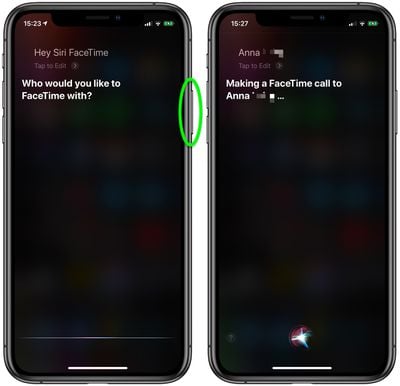
Once your command is parsed by Siri, all you have to do is wait for the FaceTime call to connect.
Tags: FaceTime Guide, Siri Guide