

If you have an iPhone 15 Pro or iPhone 16, you can shoot spatial photos and video for viewing in the Photos app on Apple's Vision Pro headset. Keep reading to learn how it's done.
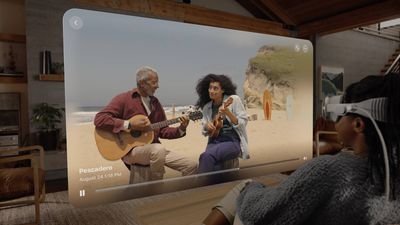
Apple's Vision Pro headset launched in February 2024 in the United States, and has since been released in several countries around the world. One of the many features of the device is its ability to display spatial photos and play back spatial videos captured on iPhone 15 Pro and iPhone 16 models.
When played on an iPhone in the Photos app, spatial photos and videos (marked with a "spatial" label) appear as regular 2D photos and videos without any extra depth effect. But viewed on Apple Vision Pro, they take on a 3D depth that is far more lifelike, intimate, and immersive.
For best results when recording Spatial Video, the iPhone should be held stable in landscape orientation while capturing video. Video is recorded at 30 frames per second at 1080p, and one minute of video takes up 130MB of storage space.
Here's how to capture spatial photo and video on iPhone 15 Pro and later models:
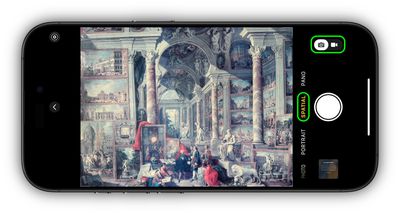
- Open the Camera app on your iPhone.
- Swipe left to Spatial in the mode options below the viewfinder.
- Tap the camera/film camera toggle to switch between photo and video.
- Hold your phone in landscape orientation, then tap the shutter to take a photo or start recording video.
- If you're shooting video, tap the shutter again to stop.
Note that on the Vision Pro headset, Spatial Videos are not shown full screen by default. If you expand the video, Apple warns that the video "has excess motion" and "could cause discomfort if expanded."
























![Apple Pulls Keynote, Pages and Numbers From App Store [Update: Back]](https://images.macrumors.com/t/Okb7kitB_gNr6qe5Pex9nQIysD8=/112x112/article-new/2026/01/Apple-Creator-Studio-iWork-suite.jpg)





















