Apple Releases macOS Golden Gate Beta 8 - MacRumors
Skip to Content

Apple Releases macOS Golden Gate Beta 8

Apple today provided developers with the eighth beta of macOS Golden Gate, with the update coming a week after Apple seeded the seventh beta.

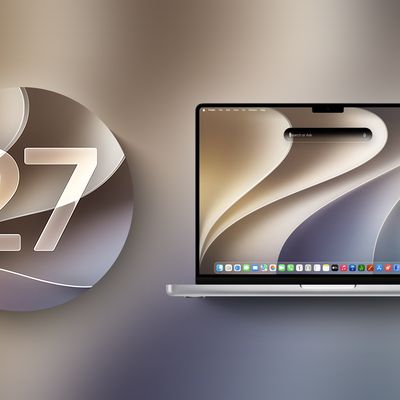
macOS 27 next to MacBook Pro Running macOS 27
Developers can download ‌macOS Golden Gate‌ by going to System Settings > General > Software Update. Beta Updates will need to be enabled, and a free developer account is required.

‌macOS Golden Gate‌ includes multiple design improvements. Liquid Glass opacity has been improved to increase readability, there's a slider for controlling the level of transparency, and changes to shadowing make it easier to tell when a window is active. Apps now have uniform toolbars, edge-to-edge sidebars, and less rounded corners, and there are fewer icons in menu bars.

Siri has been transformed into ‌Siri‌ AI, a chatbot-style assistant that combines general world knowledge, your personal data, and onscreen awareness to answer questions about anything and find information for you. ‌Siri‌ lives in Spotlight, and you can ask questions with the new Search or Ask interface.

There's also a ‌Siri‌ app where you can chat with ‌Siri‌ and view past conversations, and on newer Macs, you can set a custom voice for ‌Siri‌ with personalized pace and expressivity. Visual Intelligence is now on the Mac so ‌Siri‌ can answer questions about what's on your screen, and a Write with ‌Siri‌ feature lets ‌Siri‌ generate text or give feedback on your writing.

There are AI photo editing tools in the Photos app, AI tab organization in Safari, an option to use AI to automatically update weak passwords in the Passwords app, and a revamped Image Playground app that can generate photorealistic images.

More on all of the new features in ‌macOS Golden Gate‌ can be found in our macOS Golden Gate roundup.
Related Roundup: macOS Golden Gate

Popular Stories

macOS 27 next to MacBook Pro Running macOS 27

Apple Releases macOS Golden Gate Beta 5

Monday August 10, 2026 10:27 am PDT by
Apple today provided developers with the fifth beta of macOS Golden Gate, with the update coming two weeks after Apple seeded the fourth beta. Developers can download macOS Golden Gate by going to System Settings > General > Software Update. Beta Updates will need to be enabled, and a free developer account is required. macOS Golden Gate includes multiple design improvements. Liquid Glass ...

macOS 27 Public Beta Thumb 2

Third macOS Golden Gate Public Beta Now Available

Tuesday August 11, 2026 10:26 am PDT by
Apple today released the third public beta of macOS Golden Gate, allowing non-developers to test the software ahead of its fall release. You can sign up to test the update on Apple's beta website, and then download it by going to System Settings > General > Software Update and toggling on the macOS 27 beta. macOS Golden Gate includes the same Siri AI features as iOS 27 and iPadOS 27, but you ...
macOS 27 next to MacBook Pro Running macOS 27

Apple Releases macOS Golden Gate Beta 6

Monday August 17, 2026 10:18 am PDT by
Apple today provided developers with the sixth beta of macOS Golden Gate, with the update coming a week after Apple seeded the fifth beta. Developers can download macOS Golden Gate by going to System Settings > General > Software Update. Beta Updates will need to be enabled, and a free developer account is required. macOS Golden Gate includes multiple design improvements. Liquid Glass...

Top Rated Comments

6 minutes ago at 10:24 am
No more time to wait
It’s macOS Golden Gate
And it’s beta version eight

And since we are on Mac rumors, people will hate
Score: 5 Votes (Like | Disagree)
zapmymac Avatar
2 minutes ago at 10:29 am
I am looking forward to a clean install to GG after .1 hits Ill be coming from Sonoma on my M2
Score: 2 Votes (Like | Disagree)
Jakol Avatar
7 minutes ago at 10:23 am
2 weeks out.
Score: 2 Votes (Like | Disagree)
cmdrkeen Avatar
8 minutes ago at 10:23 am
Getting close to RC
Score: 2 Votes (Like | Disagree)
Statusnone88 Avatar
2 minutes ago at 10:28 am

They better fix the damn bugs this time !
Signing an xcode build with xcodebuild in CLI has been a nightmare. Hope they fixed it. 🤞
Score: 1 Votes (Like | Disagree)
Astuces iOS Avatar
13 minutes ago at 10:17 am
They better fix the damn bugs this time !
Score: 1 Votes (Like | Disagree)