Google Brings Vertical Tabs and Improved Reading Mode to Chrome
Google today updated its Chrome browser with support for vertical tabs, which are displayed in a sidebar instead of at the top of the browser.
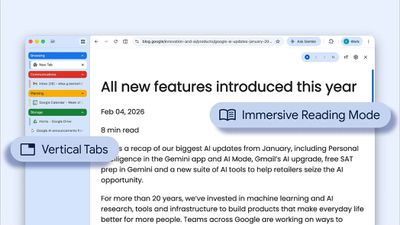
The tab layout can be changed by right clicking on any Chrome window and choosing the "Show Tabs Vertically" option. Sidebar tabs feature full page titles and make it simple to organize tab groups.
Google has also added a new full-page interface for reading mode. Right clicking on a webpage and choosing the "Open in reading mode" option will remove distractions and initiate a full-page viewing experience rather than the current side panel default.
Google says the two new features are rolling out on the desktop version of Chrome starting today, so they should be available for all users soon.
Popular Stories
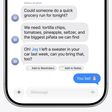
Google today said its digital wardrobe option is available in the Google Photos iOS app in the U.S., India, and Brazil.
Google first announced the feature back in April, but it was limited to Android users until now. The wardrobe option uses AI to pull images of clothing from the Google Photos library, organizing them into a digital closet.
Users can put items together to create outfits ...
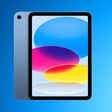
Earlier this week, we began tracking early Prime Day deals on Apple-related accessories, and now Amazon has introduced major early deals on Apple products as well. This includes AirPods, iPads, MacBooks, and more, all available at some of the lowest prices of the year so far.
Note: MacRumors is an affiliate partner with Amazon. When you click a link and make a purchase, we may receive a small...
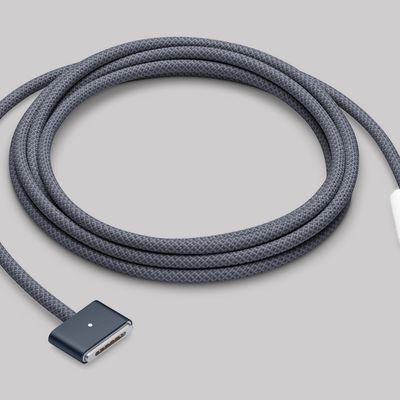
For the first time since February 2023, Apple has released a firmware update for the MagSafe 3 charging cable for the MacBook Pro and MacBook Air.
Specifically, Apple last week released firmware version 3.2.0 for the USB-C to MagSafe 3 Cable. The previous firmware version for the cable was 3.1.12.
It is unclear what is included in the latest firmware, as Apple does not publish release...