Apple Seeds Second Beta of watchOS 11.1 to Developers - MacRumors
Skip to Content

Apple Seeds Second Beta of watchOS 11.1 to Developers

Apple today seeded the second beta of an upcoming watchOS 11.1 update to developers for testing purposes. The second beta comes a week after Apple released the first watchOS 11.1 beta alongside iOS 18.1 and iPadOS 18.1 betas.
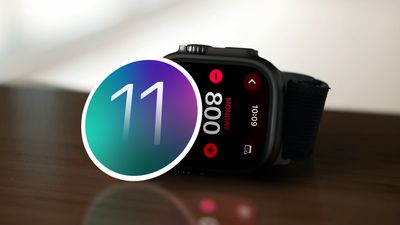
watchOS 11 Activities Day of the Week
To install the ‌‌watchOS 11‌.1 update, developers need to open the Apple Watch app, go to the Software Update section under "General" in Settings, and toggle on the ‌watchOS 11‌ Developer Beta. An Apple ID linked to a developer account is required.

Once beta updates have been activated, ‌watchOS 11‌.1 can be downloaded under the same Software Update section. To install software, an Apple Watch needs to have 50 percent battery life and it must be placed on an Apple Watch charger.

It's not yet clear what new features are included in the watchOS 11.1 update at this time, as the update primarily focuses on Apple Intelligence, and ‌Apple Intelligence‌ features are not available on watchOS.

Related Roundups: watchOS 26, watchOS 27
Related Forum: Apple Watch

Popular Stories

General visionOS watchOS and tvOS Betas Feature Redux

Apple Releases First watchOS 26.6, tvOS 26.6 and visionOS 26.6 Betas

Tuesday May 26, 2026 10:03 am PDT by
Apple today provided developers with the first betas of upcoming watchOS 26.6, tvOS 26.6, and visionOS 26.6 betas for testing purposes. The software two weeks after Apple launched the 26.5 versions of each platform. The software updates are available through the Settings app on each device, and because these are developer betas, a free developer account is required. There's no word on...
Apple Watch Ultra 2 Black Titanium

watchOS 27 Will Add These New Features to Your Apple Watch

Sunday May 24, 2026 11:53 am PDT by
Apple will unveil watchOS 27 during its WWDC 2026 keynote on Monday, June 8, and a handful of new features have been rumored already. The first developer beta of watchOS 27 should be available immediately following the keynote, and a public beta typically follows in July. The update should be released to all users with a compatible Apple Watch model in September. Below, we recap watchOS...
Apple Watch Ultra 2 Black Titanium

watchOS 27 Will Add These New Features to Your Apple Watch

Thursday May 28, 2026 10:01 am PDT by
Apple will unveil watchOS 27 during its WWDC 2026 keynote on Monday, June 8, and a handful of new features have been rumored already. The first developer beta of watchOS 27 should be available immediately following the keynote, and a public beta typically follows in July. The update should be released to all users with a compatible Apple Watch model in September. Below, we recap watchOS...

Top Rated Comments

22 months ago

I’m hoping they update the Siri interface and do the glow on the edge when Siri is activated. I’m pretty sure iPhones aren’t getting the new interface except the 15 and 16 but it would still be nice.
Sorry the Apple Watch simply doesn't have the raw computing horsepower required to create a colourful glow.
Score: 9 Votes (Like | Disagree)
conshok26 Avatar
22 months ago
I’m hoping they update the Siri interface and do the glow on the edge when Siri is activated. I’m pretty sure iPhones aren’t getting the new interface except the 15 and 16 but it would still be nice.
Score: 3 Votes (Like | Disagree)
22 months ago

An Apple ID linked to a dev
Don't you mean "Apple Account" 🤓
Score: 2 Votes (Like | Disagree)
22 months ago

Sorry the Apple Watch simply doesn't have the raw computing horsepower required to create a colourful glow.
I already feel how 11 drains battery quicker on my awu2
Score: 2 Votes (Like | Disagree)
yukari Avatar
22 months ago

I’ll be happy if my battery goes back to lasting more than 10 hours again. It’s been a **** show so far on 11.1
Battery on my AW8 has been pretty bad on all beta 11's. Just barely lasts a day.
Score: 1 Votes (Like | Disagree)
torartc Avatar
22 months ago

I thought it was already there. Go to Health on the phone then tap on your Icon at the top of the page, go to notifications, then sleep apnea and make sure notifications are turned on. I thought this was it. It will measure your breathing disturbances and give a warning if Apnea is detected. Were you thinking of something else?

There are also settings in the watch app. Tap on the Sleep section in the My Watch and make sure track sleep is turned on along with Sleep Apnea notifications.
Sadly it does not. If you are running iOS beta 18.1 with any watchOS, the apnea features are non-existent or listed as unavailable. It's probably a bug.
Score: 1 Votes (Like | Disagree)