Apple Vision Pro Developer App Includes Immersive Environment for WWDC Session Videos
The Vision Pro version of the Apple Developer app has a special immersive Environment included that can be used as a backdrop for watching session videos when WWDC begins next week.
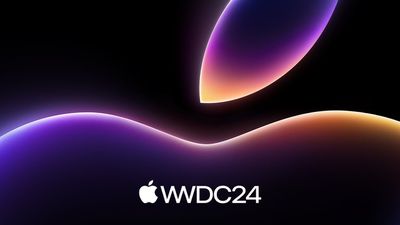
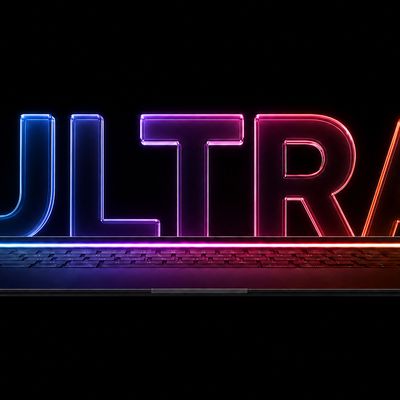
Apple's Environment for the Developer app features a black background with neon light animations in the colors of the WWDC artwork that Apple is using this year. It serves as a visually interesting background that's not too distracting for those who want to watch WWDC content with the world shut out.
The Environment is similar to those that Apple has created for general use, such as Yosemite, Mount Hood, and the Moon. It can be accessed when using the Apple Developer app, and immersion can be adjusted with the Digital Crown.
WWDC is set to begin next Monday, with a keynote event that will take place at 10:00 a.m. Pacific Time. The keynote can be watched in the Apple Developer app, on YouTube, in the
Apple TV app, or on Apple's website. WWDC sessions will be available starting on Monday, with Apple releasing new content throughout the week.
The Vision Pro Developer app can be downloaded from the visionOS App Store for free.
Popular Stories
Apple currently plans to unveil its first smart glasses at WWDC 2027 next June, and privacy will be a focus, according to Bloomberg's Mark Gurman.
For the glasses, Apple is prototyping "a slew of new hardware and software-related privacy features" that are not available on current products, he said. He did not mention any specific features, but he noted that Apple's marketing will likely...
It is now late July, and that means the iPhone 18 Pro and iPhone 18 Pro Max are less than two months away. The devices are expected to look similar to the iPhone 17 Pro and iPhone 17 Pro Max, but there will still be many year-over-year changes, with rumored features including a smaller Dynamic Island, 5G via satellite, and more.
Apple is expected to unveil the iPhone 18 Pro, iPhone 18 Pro...
Apple's first high-end MacBook redesign in five years is expected to arrive in the near future, bringing a run of firsts to the Mac.
Bloomberg's Mark Gurman expects the laptop to arrive between late 2026 and early 2027, with the later window now looking more likely owing to the global memory chip shortage. Analyst Ming-Chi Kuo expects mass production to begin by late 2026.
Apple last...