Apple Seeds Sixth Beta of tvOS 16 to Developers [Update: Public Beta Available]
Apple today seeded the sixth beta of an upcoming tvOS 16 update to developers for testing purposes, with the beta coming one week after Apple seeded the fifth beta of tvOS 16 to developers.
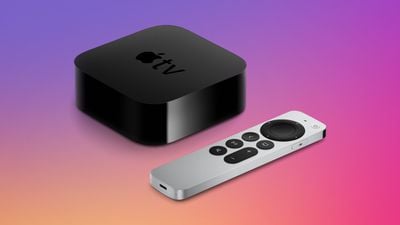
Developers can download the new tvOS 16 beta by downloading a profile onto the Apple TV using Xcode.
tvOS 16 enables cross-device connectivity, a feature that allows developers to integrate Apple TV apps with iPhone, iPad, and Apple Watch apps to unlock new experiences on the TV. Apple has also improved how multiple user profiles work in tvOS 16 by adding a shared keychain, so users won't need to sign in and choose their profile when launching an Apple TV app.
Game controller support has been expanded to the Nintendo Joy-Cons and Pro Controller, and HDR10+ support is available in the tvOS 16 Apple TV app. With tvOS 16, the Apple TV will support Matter, an upcoming standard that will improve interoperability between smart home accessories from different companies.
Popular Stories
Apple today seeded the fifth beta of tvOS 27 to developers for testing purposes, with the update coming two weeks after Apple released the fourth beta.
The beta can be downloaded and installed through the Settings app on the Apple TV. A free developer account is required.
tvOS 27 has few new features compared to the other 27 software updates, but it does add a redesigned Podcasts app,...
Apple today released the third public betas of tvOS 27 and watchOS 27, giving Apple TV and Apple Watch users a chance to try the new software ahead of its fall launch. There's also a new HomePod Software 27 beta for the HomePod and HomePod mini.
You can sign up for Apple's public beta testing program on the beta website, and then download the updates through the Settings app on each device.
...
Apple today released tvOS 26.6, the sixth update to the tvOS operating system that came out last fall. tvOS 26.6 is available for the Apple TV 4K, and it comes two months after Apple released tvOS 26.5.
tvOS 26.6 can be downloaded using the Settings app on Apple TV. Open up Settings and go to System > Software Update to get the new software. Apple TV owners who have automatic ...