Apple Says Fourth-Generation iPad Released in 2012 is Now Obsolete
Apple classified the fourth-generation iPad as an obsolete product as of November 1, meaning the device is no longer eligible for hardware service worldwide, according to an internal memo obtained by MacRumors. The fourth-generation iPad has yet to be added to Apple's public-facing vintage and obsolete products list, but it should be soon.
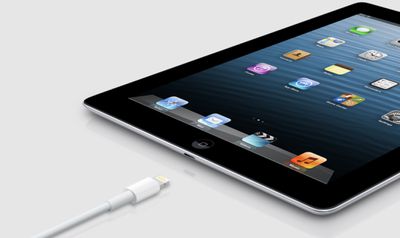
Released in November 2012 alongside the original iPad mini, the fourth-generation iPad did away with Apple's classic 30-pin connector and adopted the Lightning connector that had debuted in the iPhone 5 just weeks earlier. The fourth-generation iPad also gained Apple's A6X chip for up to twice the CPU performance and up to twice the graphics performance of the A5X chip in the third-generation iPad that had launched in March 2012.
Apple also classified the Late 2012 model Mac mini as an obsolete product as of November 1, according to the memo.
Popular Stories
Apple today added the 12-inch MacBook (2017), iPad (6th generation), and BeatsX headphones to the obsolete products list on its website.
Apple considers a product to be obsolete once seven years have passed since it last distributed the product for sale, including to resellers.
Apple Stores and Apple Authorized Service Providers are instructed to discontinue hardware service for obsolete ...
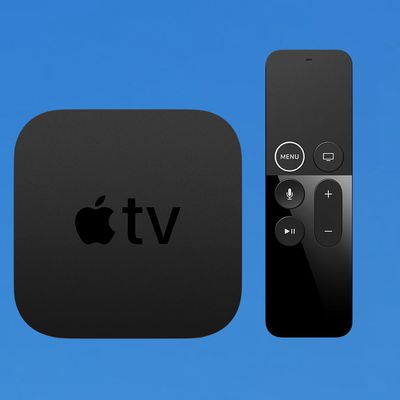
Apple today added the first-generation Apple TV 4K from 2017 to the vintage products list on its website, just four days before a new model is finally expected to debut.
A fourth-generation Apple TV 4K will reportedly be unveiled on Tuesday, October 13, as part of Apple's "Welcome home"...
Apple today announced a new high-end MacBook Pro, which is available in 14-inch and 16-inch sizes. The new device has a PROLED XDR display that supports touch gestures, and a glowing rear Apple logo.
Pricing on the MacBook Pro starts at $2,899 for the 14-inch model and $3,399 for the 16-inch model.
Apple says the MacBook Pro has the "world's best display in a pro laptop." The PROLED...






/https://forums.macrumors.com/attachments/1900515/)

/https://forums.macrumors.com/attachments/1900585/)













































