First Impressions From New MacBook Pro Owners: Benchmarks, Weight, ProMotion - MacRumors
Skip to Content

First Impressions From New MacBook Pro Owners: Benchmarks, Weight, ProMotion

It's officially MacBook Pro launch day, and customers around the world who pre-ordered after last Monday's event are receiving their devices today. We've already seen reviews of the new MacBook Pro models from media sites, but now first impressions from everyday users are available.
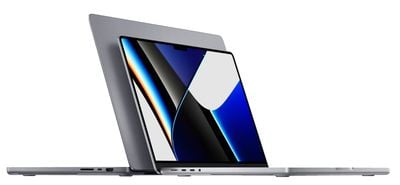
macbook pro sizes space gray
New 14 and 16-inch MacBook Pro owners are sharing their opinions on the MacRumors forums and Reddit, and their insights are useful for those awaiting their own MacBook Pros and for those who are still considering a purchase.

MacRumors reader James C received a 16-inch M1 Pro model with 16GB of memory, which is likely to be a popular configuration. He ran several benchmarks comparing it to a M1 MacBook Air, a 2014 iMac, and a 2016 MacBook Pro. His results are useful for those who are upgrading from an older machine and want to see the possible gains.

macrumors forums james c benchmarks 1

macrumors forums james c benchmarks 2
MacRumors reader Rkuda highlighted how the Menu Bar works with full screen apps on the new models. On older Macs, the Menu Bar would always pop up when you moused up toward it, but on the new MacBook Pro models, that doesn't happen.


For those curious about the weight of the new machines compared to older models, MacRumors forum members are discussing the differences. GrindedDown gave a good overview and said that the weight is more manageable than you might think.

For as big as it is, I was actually shocked at the weight picking it up just now. It's way more manageable than a lot of people seem to be making it out to be. If portability is a high, high priority for you, the 14 is great. The 16 is still plenty portable and because my highest priority is having an optimized workstation laptop for video production, the 16 fits the bill. I'll take the added weight and slightly less portability, for bigger screen, better battery, high power mode and more.

Some readers have been discussing the ProMotion feature of the mini-LED displays on the new MacBook Pro models. Kylo83 said that the ProMotion feature is "really bad" and scrolling in Safari is more choppy than it was on his older 16-inch machine.

Just got the 16 M1 max model and the pro motion is really bad, it's good on the ui like swiping pages but on safari it's actually more choppy than my old 16" i9 also the speakers are not as loud as the older MacBook Pro and it doesn't sound better if anything the highs are better on the last model, also the display is the exact same brightness than the 2019 MacBook and using 4k hdr on YouTube it's only slightly better, so to be honest everything apple said about it is minor I expected a big change with the display but it's just not there; anyone have any views on this

Other readers have also said that there are issues with lag in Safari, so this could be a bug that will be addressed in the future. Still other MacBook Pro owners have had no complaints about the display and the ProMotion.

MacRumors reader LFC2020, who was one of the first to get the new machines in Australia, said that ProMotion is not as noticeable on the MacBook Pro as it is on the iPhone and the iPad, and that the mini-LED screen is "not as good" as the display from the iPad Pro. He also said that the battery life is "awesome" and that overall, it's a great machine.

MacRumors reader Prism, who upgraded from a 2020 MacBook Air with an Intel Core i5 chip, said that the new 14-inch model is "simply night and day" when it comes to responsiveness, display, look, and feel.

I am coming from a 2020 MBA intel i5 and I have to say that responsiveness, display, look and feel are simply day and night.

I am so impressed by the build quality of this "tank" and I am so happy to have chosen silver as it contrasts beautifully with the black keyboard and apple logo! I am also glad of not having purchased the M1 MBA or MBP of last year, I would have felt terrible right about now! All this to say that I am in my element, a happy camper, this machine has pretty much everything I was dreaming of which is why I say good riddance to Jonny Ive, you certainly won't be missed

Over on Reddit, the-cats-pajamas said that the biggest standout on the new MacBook Pro is the display.

The biggest standout so far is the display, I have an LG C8 OLED TV and this easily tops it when it comes to colours and contrast. Using the mouse on the 2012 60hz display almost feels laggy now. Most of my usage has been installing software at this point so I don't have much to talk about performance wise yet, but with regards to the basic user experience it's been nothing but smooth, responsive sailing so far.

Do you have a new MacBook Pro? Let us know your thoughts and first impressions in the comments below.
Related Roundup: MacBook Pro
Buyer's Guide: MacBook Pro (Buy Now)
Related Forum: MacBook Pro

Popular Stories

M5 MacBook Pro

RIP, MacBook Ultra

Monday October 19, 2026 9:37 am PDT by
Apple today sent out invites for an experience in Los Angeles on Wednesday, October 28, and the "Pro and tell" tagline on the invitation likely means that the rumored MacBook models with touch-enabled OLED displays will stick with MacBook Pro branding instead of the once-rumored "MacBook Ultra" name. The long-rumored "iPhone Ultra" ended up being named iPhone Duo, so speculation that Apple...

Apple MacBook Pro with PROLED XDR Display family lineup feature

Apple Announces OLED MacBook Pro With Touch Display

Wednesday October 28, 2026 10:11 am PDT by
Apple today announced a new high-end MacBook Pro, which is available in 14-inch and 16-inch sizes. The new device has a PROLED XDR display that supports touch gestures, and a glowing rear Apple logo. Pricing on the MacBook Pro starts at $2,899 for the 14-inch model and $3,399 for the 16-inch model. Apple says the MacBook Pro has the "world's best display in a pro laptop." The PROLED...
MacBook Pro Ultra Feature 1

Apple to Launch Touchscreen OLED MacBook Pro and OLED iPad mini on October 27

Thursday October 8, 2026 1:31 pm PDT by
Apple will introduce new OLED touchscreen MacBook Pro models and an OLED iPad mini "on or around" Tuesday, October 27, reports Bloomberg. The launch will also include an M6 14-inch MacBook Pro and an M6 iMac. The October 27 follows Apple's October 13 debut of a new smart home hub, a revamped Apple TV 4K, and a refreshed HomePod mini. Earlier this month, MacRumors reported that Apple would do ...

Top Rated Comments

IG88 Avatar
66 months ago

plus can no longer see the line of emojis for texts
Yes, a Pro machine not being able to prioritize emojis is just terrible.
Score: 64 Votes (Like | Disagree)
DesertDrummer Avatar
66 months ago
I have literally never in my life seen a community of people so obsessively driven to find anything to complain about. It's bordering on pathological.
Score: 51 Votes (Like | Disagree)
hammie14 Avatar
66 months ago
Love my new 16" the display is in a different class, and I'm liking the spatial audio so far!

Also I quite like the notch too, don't get in the way at all, and not really noticed it in real world use!
Score: 21 Votes (Like | Disagree)
petvas Avatar
66 months ago
I got a 14" MBP today and I have been using it for the last 4 hours. Here are my first impressions, staring with the positive stuff:

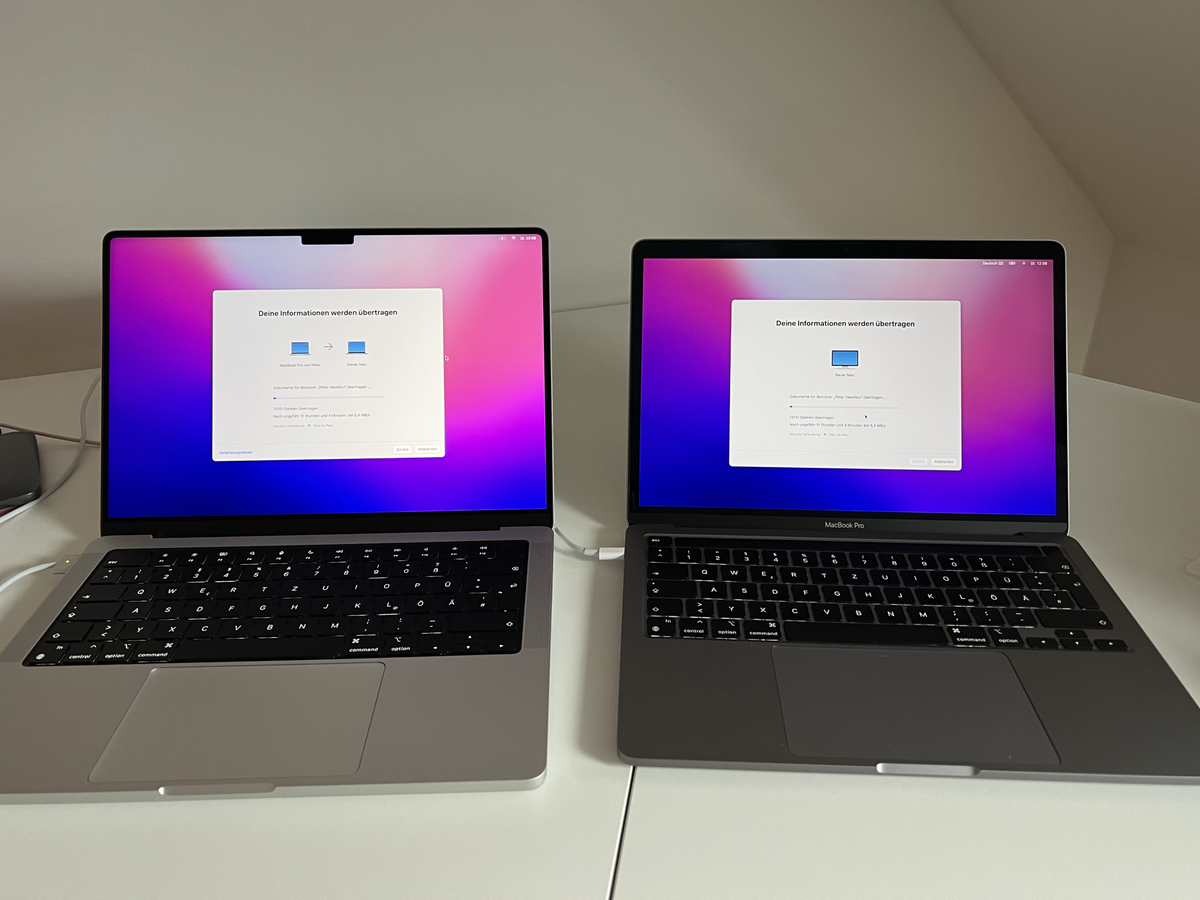
* The display is gorgeous. I put it next to my M1 13" display and really, I shouldn't have done it! It made me think that the display of the M1 13" MBP is somehow defective (which of course isn't).
* Overall responsiveness is great. The ProMotion display does make a difference. I cannot share the comments about Safari though. It works for me great.
* The keyboard is somehow better than the previous keyboard on the M1 MBP. It's a small difference, but it's there
* The design. When I saw the pictures and videos I though that this would be a bulky, thick laptop, but when you hold it on your hands you will appreciate the rounded corners and the overall quality of the hardware. I really like it.
* Audio sounds great for YouTube and watching movies. I haven't tested any music yet though.

So, now the not so great things, especially coming from a M1 13" MBP:

* The new MBP is heavier, and you will immediately feel it. It doesn't bother me though and I cannot say that the difference is very big. The 14" MBP is still portable enough.
* The battery life seems to last around 11 hours when doing standard productivity stuff. I am not a creative professional, so I will not put the system under a lot of stress. Compared to the battery life of the M1 13" MBP there is a significant difference, so if battery life is extremely important to you, then go with the 16" model, or keep your current M1 laptop.
* The notch is visible but it doesn't bother me at all. I didn't expect to say it, but the way it has been implemented is really good. I put this though in the negative things, since it can bother a lot of people.
* The SSD is really fast but doesn't go up to 7,4GB/sec, as Apple advertised. I am getting around 5GB/sec, which is of course great. I don't know how Apple came up with the 7,4GB/sec. Maybe on the Max?
* For normal productivity workloads you will probably notice zero difference in performance when comparing with M1 based devices.

For me the main reason to get the new MBP was the display and it didn't disappoint me at all. It makes a big difference.

Attachment Image
Score: 19 Votes (Like | Disagree)
Caliber26 Avatar
66 months ago
Glad for everyone who finally got what they’ve been asking for! I’m hoping the next-gen MBA and/or entry-level MBP bring exciting changes for the rest of us who don’t need all the extra computing power.
Score: 17 Votes (Like | Disagree)
Slartibart Avatar
66 months ago

some people can't even notice the difference between 60Hz and 120Hz refresh rate.
vision scientists here, I can contribute to that 😌

Flicker fusion frequency for foveal vision (that is the part of the retina where you see something sharp) is on average about 25 frame/pictures per second (25 Hz).

For peripheral vision this is dfferent, many people can see the 50 or 60 Hz flickering of light tube “in the corner of their eye” (aka “peripheral visual field”)

And then there is the difference in colour/day light and greyscale/night vision. Flicker fusion frequency lowers in darkness - that’s why cinemas dim the lights before starting the movie - but visual acuity increases… which brings us to a few observations:

- the photoreceptors in the human eye detect a lot of things the human brain might or might not filter out.

- in the right “environmental” condition your brain will ”recognize” things or not (here ('https://youtu.be/kc1GjIAFdMA') and here ('https://www.telegraph.co.uk/content/dam/science/2017/05/08/opticalillusion-xlarge_trans_NvBQzQNjv4Bqz0FILhSVaz4BDNEYZVm_803tgPgPru9Nx_UiZf1KXOA.PNG') - yep, that’s the same colors in the picture, but your brain does not agree 😎).

And that’s why some people sensitive/receptive to e.g. PWM by the way.
Score: 15 Votes (Like | Disagree)
Latest Stories
Apple Releases Safari Technology Preview 256 With Bug Fixes and Performance Improvements
5 hours ago
Apps Can Now Try to Stop You From Canceling Subscriptions
6 hours ago
'Super Mario Odyssey' Can Now Run on Apple TV Thanks to AI
6 hours ago
How 'Resident Evil' Director Zach Cregger Uses His iPhone to Make Movies
7 hours ago
HomePod Mini 2's Amount of RAM Confirmed
8 hours ago
Apple TV's '12 Days of Snoopy' Special Arrives November 13
8 hours ago
Apple is Putting Employees on an AI Budget
9 hours ago
Apple Releases Xcode 27.3 Beta With Three New Features
10 hours ago
Apple Will Check Public iCloud Links for Harmful Content Starting in iOS 27.3
10 hours ago
macOS 27.3 Brings Live Activities to Macs Without Dynamic Island
12 hours ago
Apple TV Reportedly Planning 'Silo' Spinoff
13 hours ago
Is It Worth Buying a Titanium Apple Watch?
13 hours ago
macOS 27.3 Includes an Important Security Fix
13 hours ago
Massive Sale Hits Apple Watch Ultra 3 With Record Low $250 Discounts
14 hours ago
Does HomePod Mini 2 Have Improved Sound? Here's What Reviews Say
15 hours ago
macOS 27.3 Makes Markdown Files Easier to Read
15 hours ago
HomeView Pre-Order Returns to $289.99 on Amazon
16 hours ago
Apple May Phase Out Non-Touch High-End MacBook Pros
16 hours ago
Apple's Insider Trading Policy Now Covers Prediction Markets
17 hours ago
'Stick' Season 2 Premieres Today on Apple TV
17 hours ago
iPhone 18e Rumored to Focus on Chip Upgrade With Few Major Changes
17 hours ago
Google Maps Updated to Fully Support iPhone Duo Displays
17 hours ago
Everything New in the iOS 27.3 Beta
1 day ago
Apple Music's New Selfie Sing Feature Lets You Record Karaoke Videos
1 day ago
iPhone Jailbreak Gets Past Lockdown Mode and Survives an Update
1 day ago
iPadOS 27.3 Expands Siri Mode to Camera App
1 day ago
Veterans Day Apple Watch Activity Challenge Launches November 11
1 day ago
Best Early Black Friday Mac Deals: Save Hundreds on MacBook Air, Mac Mini, and More
1 day ago
Apple Fitness+ Gets Gym Strength Plans in iOS 27.3
1 day ago
iOS 27.3 Adding New StandBy Mode Features to iPhone 11 and Newer
1 day ago