Plex Now Integrates With Apple's TV App on iPhone, iPad, and Apple TV
Plex today confirmed that it now supports Apple's TV app, allowing you to keep track of what you've watched using the built-in "Up Next" feature.
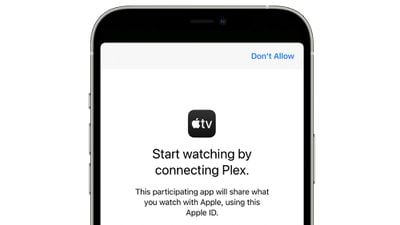
When you watch one of Plex's ad-supported video on demand offerings, which includes both TV shows and movies, you'll be prompted to allow Plex to share what you've watched with the TV app.
From there, Plex content will be visible in Up Next right alongside all other data sources, letting you keep tabs on the Plex content you're viewing.
With the integration, anyone using the TV app or Siri is able to search for a title, and if the show or movie is available as part of the ad-supported video on demand library, Plex will come up as an option where it can be viewed.
All of Plex's ad-supported content is available to watch for free. The Apple TV app integration applies only to video on demand content sourced from Plex and it is not compatible with personal media content, live TV, or other Plex features.
Popular Stories
In a memo shared with Apple Stores and Apple Authorized Service Providers this week, and later obtained by MacRumors, Apple provided technicians with guidance on how to diagnose and address the iPhone Duo's inner display cracking issue.
If a customer reports the issue, Apple advised technicians to inspect the iPhone Duo and repair or replace it in accordance with their standard procedures....
Apple released iOS 27.2 on October 26, bringing enhancements to Siri AI, adding Suggestions in Messages, and sneaking in a string of smaller additions across Photos, Podcasts, Games, Apple TV, and FaceTime.
iOS 27.2 is available to download to your device now via Settings ➝ General ➝ Software Update. Note that some features may not be available in all regions or on all iPhone models....
In the U.S. and most other countries, Apple's website shows the new iPad mini being held by pinched fingers, but this is not the case in South Korea.
The new iPad mini shown with pinched fingers on Apple's website in the U.S.
On its South Korean website, Apple simply shows an image of the iPad mini on its own.
The new iPad mini shown without pinched fingers on Apple's website in South Korea ...



















































