

Over the weekend, MacRumors forum users noted that the most recent YouTube App update added HDR support for the iPhone 11 Pro and iPhone 11 Pro Max. YouTube has supported HDR on its iOS app since the iPhone X but has required updates to support new hardware.
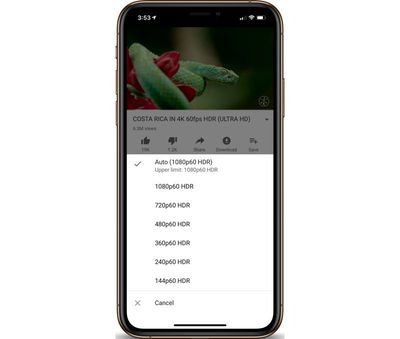
To check to see if you are watching YouTube videos at their highest quality, you can simply press the three dots on the top right of the video, and you should see "HDR" options listed on supported videos. HDR options are also only be available on devices released since 2017 that have OLED displays (so that excludes all iPad models and the iPhone 11 and iPhone XR).
Tag: HDR
Related Forum: iPhone















Top Rated Comments
I recently bought 1Blocker X and enabled all options except ‘block comments’, yet I see ads in the YT app like before. I read in the reviews that it blocks ads for other people, but since there is no dedicated toggle for this, idk how to enable it. :/