

Microsoft Bringing New Dark Mode to Office Apps for iOS Devices - MacRumors
Skip to Content

Microsoft Bringing New Dark Mode to Office Apps for iOS Devices

by

Microsoft today announced plans to bring a new Dark Mode option to its Office apps for iOS devices, expanding on the darker user interface theme that has been available in some of its desktop apps.

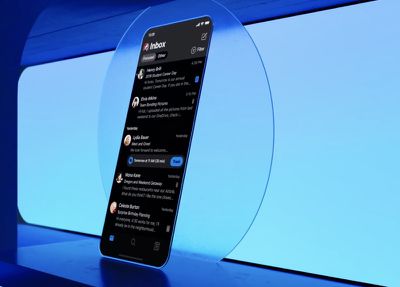
Starting today, Microsoft is rolling out ‌Dark Mode‌ to Outlook for iOS, Android, and Office.com. In the future, when iOS 13 launches, Microsoft plans to extend the ‌Dark Mode‌ option to additional Office apps for iOS.
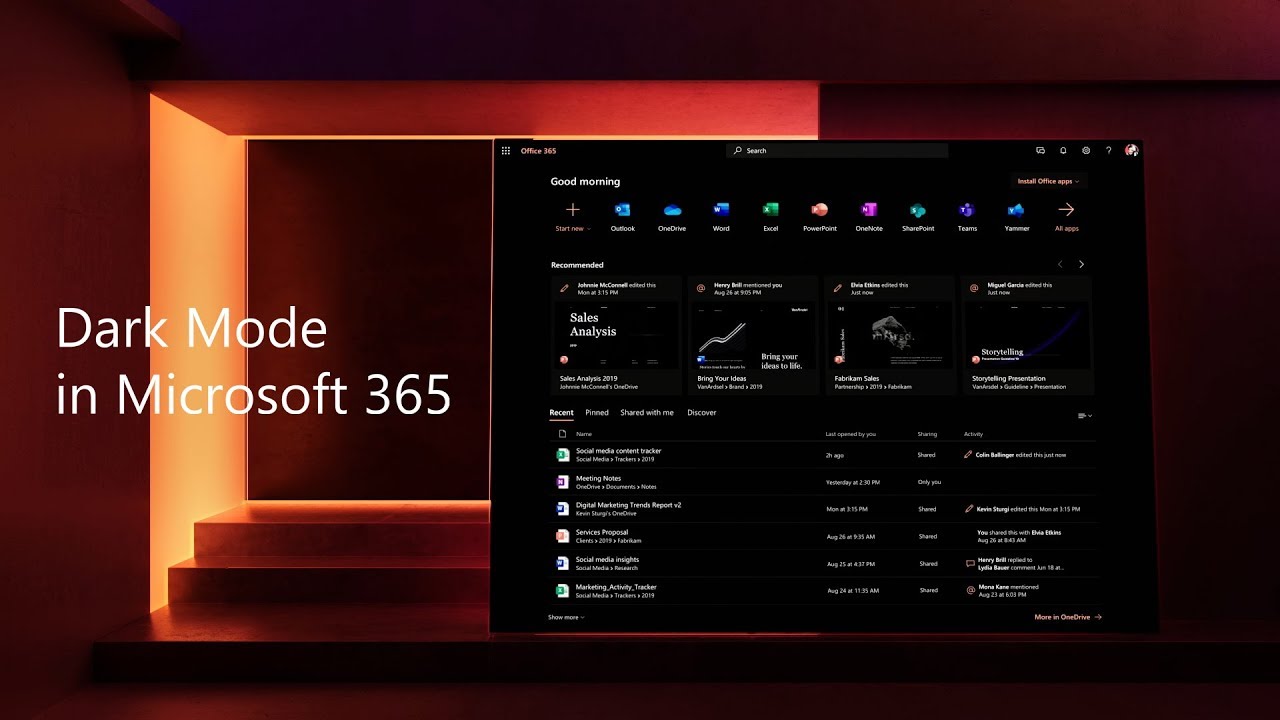

The Word, Excel, PowerPoint, SharePoint, OneDrive, Planner, and To-Do Microsoft apps for iPhones and iPads will be updated with a ‌Dark Mode‌ option that will go well with the ‌Dark Mode‌ that Apple is introducing in iOS 13.

The new ‌Dark Mode‌ options will be able to be set to activate automatically when iOS 13's ‌Dark Mode‌ is turned on, so the darker theme won't need to be manually enabled within the Microsoft app.
microsoftdarkmode
Microsoft said that when designing its ‌Dark Mode‌ option, it thought of people who are viewing email, calendars, files, and more in places like darkened airplanes, movie theaters, or in bed at night.

Our design research specifically focused on these contexts where folks would want to use Dark Mode, and the response was very positive. While some Dark Mode experiences can be neon or overly bright, people felt that Outlook mobile kept the kind of relaxed feeling you might want in a dimly lit living room or bedroom.

Testers who used Microsoft's ‌Dark Mode‌ apparently found it to be "comfortable, crisp, clear, and aesthetically pleasing," plus easier on the eyes because it cuts down on eye strain.

‌Dark Mode‌ will be available starting today in the Outlook app for iOS devices, and it will come to additional apps when iOS 13 and iPadOS launch.

Top Rated Comments

BrettArchibald Avatar
86 months ago
Microsoft said that when designing its Dark Mode option, it thought of people who are viewing email, calendars, files, and more in places like darkened airplanes, movie theaters, or in bed at night.
First of all, NEVER do this in a movie theatre! GTFO here with that!
Secondly, if you're viewing your email and files in bed at night, instead of switching to a dark mode, maybe re-think your priorities instead? Just a thought...
Score: 10 Votes (Like | Disagree)
86 months ago
Don’t be that guy that checks their phone at a movie theater. If you really need to, step out.
It’s so ****ed when people do this, why are you even in here? I’ll catch the phone glare on the corner of my eye and it totally pulls me out of the film. And then they do it over and over again. A few times I’ve gone up to people and told them to put it away as I was so furious, and the whole experience sucked for both me and them, had trouble focusing on the movie for the next 30 minutes. I dunno, just the selfishness, ignorance and lack of respect for everyone else in the theater really gets to me.
Score: 7 Votes (Like | Disagree)
dannyyankou Avatar
86 months ago
Microsoft said that when designing its Dark Mode option, it thought of people who are viewing email, calendars, files, and more in places like darkened airplanes, movie theaters, or in bed at night.
Don’t be that guy that checks their phone at a movie theater. If you really need to, step out.
Score: 6 Votes (Like | Disagree)
gwhizkids Avatar
86 months ago
I'm a big fan of the web version of Outlook's Dark Mode. Desktop, not so much. Looking forward to the iOS version, though.


Score: 4 Votes (Like | Disagree)
Nautilus007 Avatar
86 months ago
Still nothing on my end & looks like there was also an update released...was hoping it would be available.

Score: 2 Votes (Like | Disagree)
86 months ago
Hopefully this means someday Excel for Mac will have a dark worksheet (not just the areas around it) SMH
Score: 2 Votes (Like | Disagree)

Popular Stories

iOS 26

iOS 26.4 Adds Two New Features to CarPlay

Tuesday March 24, 2026 1:55 pm PDT by
iOS 26.4 was released today, and it includes a couple of new features for CarPlay: an Ambient Music widget and support for voice-based chatbot apps. To update your iPhone 11 or newer to iOS 26.4, open the Settings app and tap on General → Software Update. CarPlay will automatically offer the new features so long as the iPhone connected to your vehicle is running iOS 26.4 or later....
Apple Business hero

Apple Unveils 'Apple Business' All-in-One Platform

Tuesday March 24, 2026 8:53 am PDT by
Apple today announced Apple Business, a new all-in-one platform that unifies device management, productivity tools, and customer outreach features. The service is designed to be a consolidated replacement for several of Apple's existing business-focused offerings, including Apple Business Essentials, Apple Business Manager, and Apple Business Connect. It provides organizations with a single...
AirPods Pro Firmware Feature

Apple Releases New Firmware for AirPods Pro 3, AirPods Pro 2 and AirPods 4

Tuesday March 24, 2026 12:31 pm PDT by
Apple today released new firmware for the AirPods Pro 2, AirPods Pro 3, and the AirPods 4. The firmware has a version number of 8B39, up from 8B34 on the AirPods Pro 3, 8B28 on the AirPods Pro 2, and 8B21 on the AirPods 4. There is no word on what's included in the firmware, but Apple has a support document with limited notes. Most updates are limited to bug fixes and performance...






































