

LEGO Launches 'Playgrounds' AR App for iOS, Mixing Physical Sets With Augmented Reality - MacRumors
Skip to Content

LEGO Launches 'Playgrounds' AR App for iOS, Mixing Physical Sets With Augmented Reality

by

Following a demo earlier this year at WWDC, LEGO today launched the LEGO AR Playgrounds app for iPhone and iPad [Direct Link]. The app uses ARKit to place digital LEGO characters and blocks into real-world environments, and the digital creations can also interact with existing physical LEGO sets.
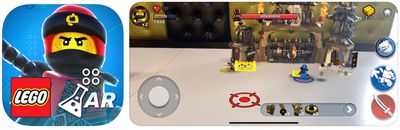
lego ar playgrounds image
There are various "playgrounds" within the app that users will be able to explore, the first being LEGO Ninjago. Using select physical Ninjago Dragon Hunters sets, players will be able to interact with these sets to see special effects, animations, and characters come to life in augmented reality. These select sets include LEGO Ninjago Dieselnaut (70654) and the Lego Ninjago Dragon's Pit (70655).

With multi-user support in ARKit, two people will be able to play together in the same playground. In the Ninjago playground, two users can team up to battle against the Dragon Hunters, share power-ups, and strategize to survive through a wave-based attack mode.

"Children today are mastering the art of finding new moments and forms of play and LEGO Playgrounds will provide a 'live' opportunity to test and learn directly with them. It's truly a unique way to engage with them in a fun and experimental way and bring them close to our innovation process. Having this direct-link to users creates a win for everybody – sharing the latest play experiences is great fun for children and highly useful for our LEGO design and development teams who can take their feedback and use it to make launch experiences even better and more engaging."

If you don't have a physical set, LEGO Playgrounds allows you to play five levels without a set. Users will just need to find a flat surface and they'll be able to play these select levels in AR only. The LEGO Playgrounds app for iOS is free to play and there are no in-app purchases, ads, or marketing messages.

To use the AR features players will need an iPhone 6s and above on the latest version of iOS. Head to the iOS App Store to download LEGO AR Playgrounds for free today [Direct Link].


Tags: Foll, LEGO

Top Rated Comments

fairuz Avatar
98 months ago
Matter of perspective. A $100 set will bring countless hours of fun and family bonding over spending the same mount going out to a couple movies.

Yes, it's totally worth. Lego is one of the most creativity-inducing toys there is. I'm always saddened to hear about their loss of sales.
Score: 3 Votes (Like | Disagree)
shareef777 Avatar
98 months ago
Cool. Just too bad these things are so darn expensive (the Lego sets, not the app).
Matter of perspective. A $100 set will bring countless hours of fun and family bonding over spending the same mount going out to a couple movies.
Score: 2 Votes (Like | Disagree)

Popular Stories

Aston Martin CarPlay Ultra Screen

Apple Says CarPlay Ultra is Coming to These Vehicle Brands

Thursday May 21, 2026 11:53 am PDT by
Last year, Apple launched CarPlay Ultra, the long-awaited next-generation version of its CarPlay software system for vehicles. Nearly a year later, CarPlay Ultra is still limited to Aston Martin's latest luxury vehicles, but that should change fairly soon. In May 2025, Apple said many other vehicle brands planned to offer CarPlay Ultra, including Hyundai, Kia, and Genesis. CarPlay Ultra...
iOS 27 on iPhone 17 1

iOS 27 Beta Available Tomorrow With These 12 New Features

Sunday June 7, 2026 8:39 am PDT by
Apple is set to unveil iOS 27 during its WWDC 2026 keynote this Monday, and there are many rumored features and changes for iPhones. The first developer beta of iOS 27 will likely be available immediately following the keynote, and a public beta typically follows in July. Following beta testing, the software update should be released to all users with a compatible iPhone in September....
ios 26 iphone 16 pro lock screen notifications feature 1

iOS 27 Notifications Will Slide in From Left Side of Your iPhone's Screen

Friday June 5, 2026 7:24 am PDT by
Bloomberg's Mark Gurman today revealed another iOS 27 change: notifications will slide in from the left side of the screen instead of from the top. In addition, accessing Notification Center on iOS 27 will require swiping down on the top-left corner of the screen. If you swipe down on the Dynamic Island area, a new "Search or Ask" interface tied to the revamped Siri will appear, instead of...









































