Apple in October gave us a major surprise with the launch of an entirely revamped, updated version of the MacBook Air, its most popular and affordable notebook option.
We went hands-on with the MacBook Air last week, and this week, we picked up an older MacBook Air to compare the new model to see just what's different and whether it's still worth buying the old version, which sells for $200 less than the current model.
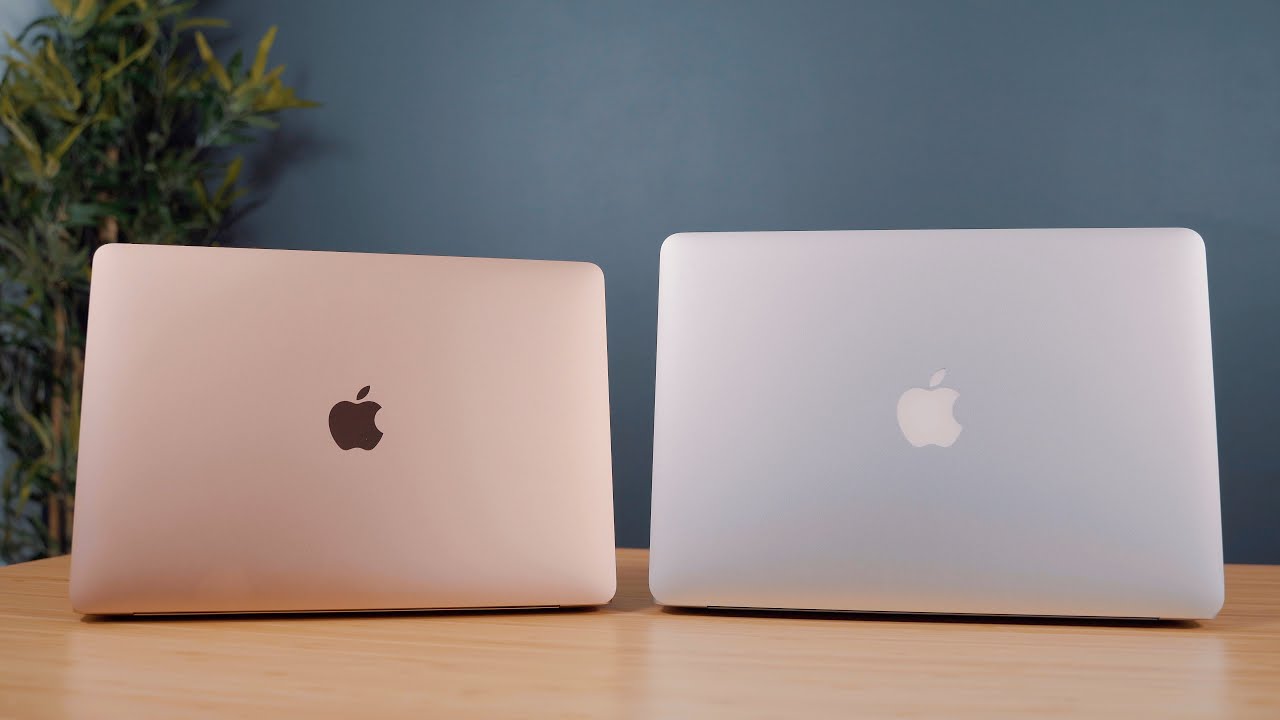

The previous-generation MacBook Air is a 2015 design, but in 2017, Apple introduced 1.8GHz Broadwell-generation chips that were a slight upgrade from the 1.6GHz chips the machine had previously used. No other changes were made, so technically, Apple's old MacBook Air is outdated by several years.
Design wise, the new MacBook Air features a smaller, slimmer body that weighs a bit less, and the slimmer design is noticeable. It continues to feature the same tapered design as the previous models, and we didn't think the weight difference of a quarter of a pound stood out.
Along with a slimmed down body, the new MacBook Air comes in three color options: Space Gray, Gold, and the traditional Silver. Space Gray and Gold are colors that are new to the MacBook Air lineup.
The biggest change to the 2018 MacBook Air models is the display, which is now Retina and a huge improvement over the low-resolution display in the previous MacBook Air. The MacBook Air used to be the sole Apple device sans at least a Retina display option, but now Apple uses higher-resolution displays across its entire product lineup with the exception of the entry-level 21.5-inch iMac.
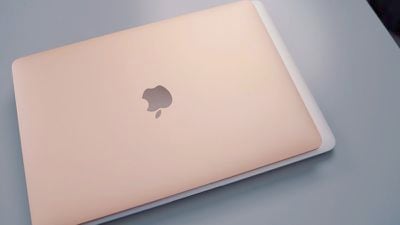
We thought the MacBook Air's new display offered a significant improvement over the previous MacBook Air's display, but it doesn't quite measure up to the display of the MacBook Pro because it's just not that bright. Brightness can be an issue outdoors in sunlight, so that's something to be aware of.
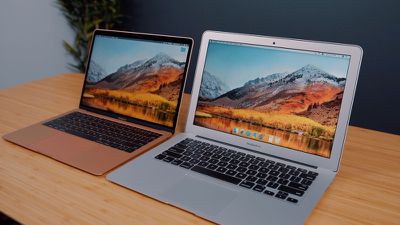
Design wise, the front of the MacBook Air has been overhauled. Those thick silver bezels from the previous version have been replaced with sleek, slim MacBook Pro-style black bezels that look much, much nicer.
Several other MacBook Pro features have been brought to the new MacBook Air and are upgrades over the previous model. There's a larger Force Touch trackpad, a third-generation butterfly keyboard, better speakers, a Touch ID button for authentication purposes, and a T2 chip for improved security.
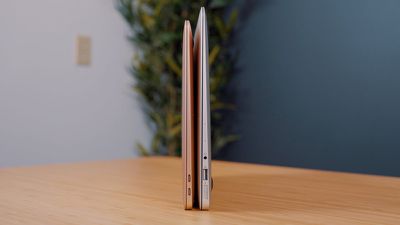
Inside, the new MacBook Air is sporting a 7W 8th-generation 1.6GHz Intel Core i5 processor, and unsurprisingly, it's much speedier than the three-year-old processors used in the prior MacBook Air. Apple used to use 15W chips in the MacBook Air models, but this new, lower power 7W chip is both fast and efficient, allowing for longer battery life than ever.
The last super notable change is to the port setup. The new MacBook Air has two Thunderbolt 3 ports and a 3.5mm headphone jack, with Apple eliminating the USB-A ports and the SD card slot from the older model. The addition of Thunderbolt 3 brings the MacBook Air in line with the rest of the Mac lineup and allows it to connect to 4K and 5K displays, faster Thunderbolt 3 storage, eGPUs, and more.
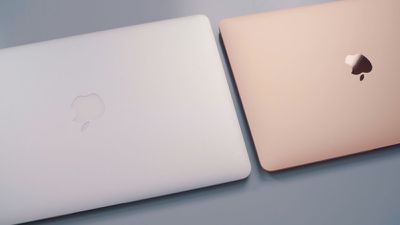
All of these changes have raised the base price of the MacBook Air. Prior to the October update, the MacBook Air sold for $999, but now the base model sells for $1,199, a $200 premium. Given the scope of the revamp, the $200 upgrade fee is well worth paying for anyone thinking of purchasing a MacBook Air.
Apple is still selling the older model at the same $999 price point, but it's just not worth purchasing because the components are so outdated at this point.
What do you think of Apple's new MacBook Air? Let us know in the comments.