Apple Seeds Second Public Beta of tvOS 11 to Public Beta Testers - MacRumors
Skip to Content

Apple Seeds Second Public Beta of tvOS 11 to Public Beta Testers

Apple today seeded the second beta of an upcoming tvOS 11 update to its public beta testing group, two weeks after providing testers with the first beta. The tvOS 11 public beta marks the first time public beta testers have had access to pre-release tvOS software.

Prior to tvOS 11, public betas were limited to iOS and macOS software likely due to the slightly more complicated tvOS beta installation process, but now public beta testers can access all software platforms with the exception of watchOS.

The second public beta of tvOS 11, build number 15J5324f, corresponds to the third tvOS 11 update made available to developers.
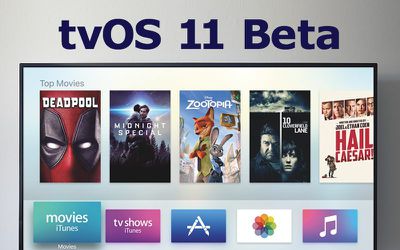
tvos 11 beta
The tvOS 11 public beta can be obtained by going to the Settings app on the Apple TV and navigating to the Software Updates section. "Get Public Beta Updates" will need to be toggled on, and once it is, the Apple TV will download the beta software.

Compared to iOS 11, macOS High Sierra, and watchOS 4, tvOS 11 is a minor update that brings few changes to the tvOS operating system. It's minor enough that it received no time on stage at the Worldwide Developers Conference aside from a mention of an Amazon Prime Video app coming to the Apple TV this fall.

According to Apple's release notes, tvOS 11 introduces automatic light/dark appearance switching based on local time, Home screen syncing options for syncing content between two or more Apple TVs in a household, new background modes and notification support, plus new tools for developers and improvements to Mobile Device Management.

Additional tvOS 11 features may be unveiled ahead of the operating system's public release, which is expected in the fall alongside other software updates.


Related Roundup: Apple TV
Buyer's Guide: Apple TV (Don't Buy)

Popular Stories

apple tv 4k new orange

tvOS 26.4 Adds These New Features to Your Apple TV

Wednesday March 25, 2026 3:33 pm PDT by
Apple this week released tvOS 26.4, and the software update includes a handful of new features and changes for the Apple TV. tvOS 26.4 is compatible with all Apple TV 4K and Apple TV HD models released since 2015. To update your Apple TV, open the Settings app on the device, navigate to System → Software Updates, and select Update Software. Below, we have recapped what is new in tvOS...
tvOS 26 Feature

Apple Releases tvOS 26.4 With Genius Browse

Tuesday March 24, 2026 10:01 am PDT by
Apple today released tvOS 26.4, the fourth update to the tvOS operating system that came out last fall. tvOS 26.4 is available for the Apple TV 4K and the Apple TV HD, and it comes over a month after Apple released tvOS 26.3. tvOS 26.4 can be downloaded using the Settings app on the ‌‌Apple TV‌‌. Open up Settings and go to System > Software Update to get the new software. ‌‌Apple ...
european commission

Apple TV, Siri Targeted in EU Broadcaster Complaint Citing DMA Rules

Tuesday March 24, 2026 6:20 am PDT by
A coalition of Europe's biggest broadcasters is pushing the EU to bring smart TV platforms like Apple TV and virtual assistants like Siri under the bloc's toughest tech regulation, reports Reuters. The Association of Commercial Television and Video on Demand Services in Europe (ACT), whose members include Disney, NBCUniversal, Paramount+, and Sky, sent a letter on Monday to EU antitrust...


Top Rated Comments

115 months ago
Does tvOS 11 actually introduce any stability or fix the bugs that tvOS is just riddled with? Apple TV 4 is the buggiest Apple device I own with constant app crashing and freezing. But I'd heard that tvOS 11 is barely different, which is concerning.
Score: 3 Votes (Like | Disagree)
Fzang Avatar
115 months ago
Does tvOS 11 actually introduce any stability or fix the bugs that tvOS is just riddled with? Apple TV 4 is the buggiest Apple device I own with constant app crashing and freezing. But I'd heard that tvOS 11 is barely different, which is concerning.
Not to mention how insanely slow the interface is. I always end up pressing double because I'm in doubt whether my first command was actually registered.
Score: 2 Votes (Like | Disagree)
115 months ago
I'm really surprised that people are saying the Apple TV 4 is buggy... like at all. I have 7 of them (some 32GB some 64GB). There's almost always one in use in one of our houses at any given time. We use the Channels app for live TV (via HDHomeRun Prime) and Plex for DVR and a 32TB library of movies, along with Netflix and occasionally Hulu, HBO, ShowTime, some game or app like Zillow.

No problems on any of them... ever. At worst, I've had to force quit Plex maybe twice in the past 6 months.

I've upgraded one of the boxes to the first public beta, and yes, as expected there are some issues, but that's what beta is for.

BTW: I like the way that although I've been a user since 2002, I'm still a MacRumors "newbie".
Score: 1 Votes (Like | Disagree)
oneMadRssn Avatar
115 months ago
Not to mention how insanely slow the interface is. I always end up pressing double because I'm in doubt whether my first command was actually registered.
Agreed. tvOS10 reminds me of early version of Android. I was never sure if my input registered.
Score: 1 Votes (Like | Disagree)
Juicy Box Avatar
115 months ago
Does tvOS 11 actually introduce any stability or fix the bugs that tvOS is just riddled with? Apple TV 4 is the buggiest Apple device I own with constant app crashing and freezing. But I'd heard that tvOS 11 is barely different, which is concerning.
I have owned ATV 1, 2, 3, and 4. My family currently still uses ATVs 2, 3, and 4 regularly.

I have to agree with you that the ATV4 is very buggy. While the ATV4 has gotten much better since it was released, many of the bugs are still around, or updates just create new bugs.

None of my other ATVs were nearly as buggy, actually, the ATV3 seems like it is almost flawless. The ATV2 seems to restart randomly every couple weeks, but nothing compared to the ATV4.
Not to mention how insanely slow the interface is. I always end up pressing double because I'm in doubt whether my first command was actually registered.
I am glad that my family isn't the only people to experience this.

For example: double clicking the home button doesn't always register, so we do it again, only to have the "multi screen" to appear then disappear because it was lagging the first time.

Situations similar to the example happens many times daily.
Score: 1 Votes (Like | Disagree)