Apple Releases tvOS 10.1.1 for Fourth-Generation Apple TV - MacRumors
Skip to Content

Apple Releases tvOS 10.1.1 for Fourth-Generation Apple TV

Apple today released a new update for tvOS, the operating system designed to run on the fourth-generation Apple TV. tvOS 10.1.1 comes five weeks after the release of tvOS 10.1, the first major update to the tvOS 10 operating system. Apple only seeded two betas of tvOS 10.1.1 to developers before releasing it to the public.

The tvOS 10.1.1 update can be downloaded on the fourth-generation Apple TV using the Settings app. Go to System --> Software Update to install. For those who have automatic software updates turned on, the Apple TV will be upgraded to tvOS 10.1.1 automatically.
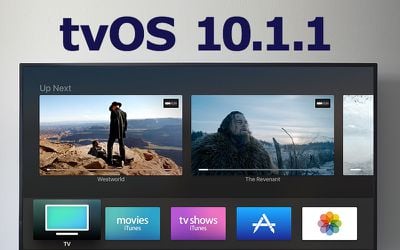
tvos-10-1-1
No new features or changes were discovered in the tvOS 10.1.1 beta, but as a 10.1.x update, it's likely to be minor in scale, primarily focusing on introducing bug fixes and performance optimizations.

Related Roundup: Apple TV
Buyer's Guide: Apple TV (Don't Buy)

Popular Stories

General visionOS watchOS and tvOS Betas Feature Redux

Apple Seeds watchOS 26.5, tvOS 26.5 and visionOS 26.5 Release Candidates

Monday May 4, 2026 10:11 am PDT by
Apple today provided developers with the release candidate versions of upcoming watchOS 26.5, tvOS 26.5, and visionOS 26.5 betas for testing purposes. The software comes a week after Apple released the fourth betas for each platform. The software updates are available through the Settings app on each device, and because these are developer betas, a free developer account is required....
tvOS 26 Feature

Apple Releases tvOS 26.5

Monday May 11, 2026 10:02 am PDT by
Apple today released tvOS 26.5, the fifth update to the tvOS operating system that came out last fall. tvOS 26.5 is available for the Apple TV 4K, and it comes over a month after Apple released tvOS 26.4. tvOS 26.5 can be downloaded using the Settings app on the ‌‌Apple TV‌‌. Open up Settings and go to System > Software Update to get the new software. ‌‌Apple TV‌‌ owners who...
General visionOS watchOS and tvOS Betas Feature Redux

Apple Releases First watchOS 26.6, tvOS 26.6 and visionOS 26.6 Betas

Tuesday May 26, 2026 10:03 am PDT by
Apple today provided developers with the first betas of upcoming watchOS 26.6, tvOS 26.6, and visionOS 26.6 betas for testing purposes. The software two weeks after Apple launched the 26.5 versions of each platform. The software updates are available through the Settings app on each device, and because these are developer betas, a free developer account is required. There's no word on...

Top Rated Comments

122 months ago
Oh people. Apple should really tell the users that we have crappy WIFI devices. It's totally their fault!
I didn't say it was Apple's "fault." It would help non-technical users diagnose the problem. That would help them erroneously coming to the wrong conclusion, returning the Apple TV, wasting Apple's time with support, etc. At the very least, I'd put a wireless indicator on the home screen.
Score: 3 Votes (Like | Disagree)
Fzang Avatar
122 months ago
Why am I still not seeing the new aerials? I use my ATV almost daily.
Score: 3 Votes (Like | Disagree)
Gasu E. Avatar
122 months ago
What Apple TV desperately needs is better diagnostics to show why videos can randomly stop playing and you get the spinner. Happens all too often and it's hard to know if there is a need to reboot ATV, or internet provider issue, or streaming server provider issue...
That used to happen to me all the time. Then I upgraded my home wifi--problem solved. I'm not sure AppleTV could have figured that out.
Score: 3 Votes (Like | Disagree)
ErikGrim Avatar
122 months ago
Why am I still not seeing the new aerials? I use my ATV almost daily.
I finally got a couple of the new aerials this weekend. Dubai and HK.
[doublepost=1485219780][/doublepost]
There's a setting to download new screen savers Daily, Weekly, Monthly, etc.
That is not the issue. Mine was set to Daily and didn't get new ones until now.
Score: 2 Votes (Like | Disagree)
122 months ago
What Apple TV desperately needs is better diagnostics to show why videos can randomly stop playing and you get the spinner. Happens all too often and it's hard to know if there is a need to reboot ATV, or internet provider issue, or streaming server provider issue...
Score: 2 Votes (Like | Disagree)
122 months ago
Were you on WiFi or Ethernet?
Wifi. It's actually same router but one with custom firmware from my ISP and the other one has the original Dlink firmware. So the one with original Dlink firmware got things working smoothly.
Score: 1 Votes (Like | Disagree)