Apple today updated its macOS Server Mac app with a collection of new features in Version 5.2 that bring integration with Apple School Manager, various streamlining updates to the Setup Assistant of some apps, and security restrictions for new macOS features like auto-unlock with Apple Watch.

Specifically, macOS Server users can now choose to skip the new Siri Setup Assistant in Sierra, as well as the setup panes in iOS 10 for iMessage and FaceTime.
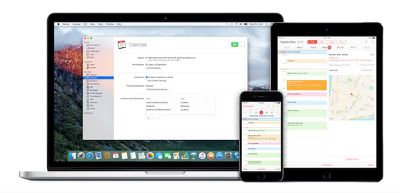
macos-server
Previously dubbed "OS X Server," the app introduces "even more power to your business, home office, or school," by turning any Mac into a powerful server. macOS Server can make it easier to share files, synchronize contacts, host a website, configure iOS devices, remotely access your home network, and more.

What's New in Version 5.2
Profile Manager
• Integration with Apple School Manager to get Managed Apple ID and class information
• Skip the iMessage & FaceTime Setup Assistant pane in iOS 10
• Skip the Siri Setup Assistant pane in macOS Sierra version 10.12
• Choose default app for audio calls for Contacts, Exchange, and Google accounts
• Set Bluetooth Modification restriction on supervised devices
• Set Apple Music; iCloud Keychain Sync; and Sharing to Notes, Reminders, or LinkedIn restrictions for macOS Sierra version 10.12
• Set new IKEv2 authentication method option or specify IPSec disconnect on idle timeout for VPN
• Restrict Cisco fast lane Quality of Service marking or disable captive network detection for Wi-Fi networks
• Restrict unlocking a Mac using Apple Watch
• Configure IP firewall

Caching Server
• Enhanced control over peer replication

SMB
• To improve security, SMB connections now require signing by default.

NFS
• AES is now a supported encryption type for Kerberized NFS

Xsan 5
• macOS Sierra and Server 5.2 include support for the Xsan 5 file system. Xsan 5 is compatible with the Quantum StorNext 5.3 file system.
• See Xsan Compatibility information before upgrading to Xsan 5.

Anyone interested can download macOS Server from the Mac App Store for $19.99. [Direct Link]

Related Forum: macOS Sierra

Top Rated Comments

oneMadRssn Avatar
121 months ago
I still wish one of the servers they offered was a host-your-own iCloud server.
Score: 8 Votes (Like | Disagree)
stukdog Avatar
121 months ago
Would this be useful to use if I am just using my Mac Mini as a Plex and iTunes Server? I am always looking for ways to minimize the OS footprint and optimize the performance.
If nothing else, you should look at installing as a caching server. It's very simple to setup and can really help on big update days like today.
Score: 6 Votes (Like | Disagree)
Zirel Avatar
121 months ago
I still wish one of the servers they offered was a host-your-own iCloud server.
That would be perfect
Score: 4 Votes (Like | Disagree)
kometen Avatar
121 months ago
If nothing else, you should look at installing as a caching server. It's very simple to setup and can really help on big update days like today.
True. With some macs, iphones and ipads it does save some bandwidth. Apple recommend to use the ethernet port. http://help.apple.com/serverapp/mac/5.1.5/#/apd74DDE89F-08D2-4E0A-A5CD-155E345EFB83
Score: 2 Votes (Like | Disagree)
oneMadRssn Avatar
121 months ago
I like this idea, but it would probably such a small fraction of people who would actually make use of it that they probably don't want to put any energy into developing it. Probably so many apps and services that hook into iCloud that just testing all the different use cases would be a nightmare.
I think the appeal is broader than you say. Sure, for individuals, paying the monthly icloud fee is the best way to go for a number of reasons. However, think about all the professionals that like to use iOS devices, but are obligated by various laws or regulations to protect data extra carefully.

Lawyers owe a duty to their clients to keep client data confidential. Doctors and other health-care professionals have to comply with various HIPAA data storage regulations. Anyone doing business with Europeans have to take extra care of personal data per various treaties.

In some of these cases, not knowing exactly where your data is physically stored could be seen as a per se violation. I think it would be quite a good solution to some small businesses, which are too small for a huge IBM or Cisco enterprise software, to just be able to host their own icloud server, and let all their docs, spreadsheets, pictures, and app data live there. They can choose to implement a security policy as strict or as relaxed as they deem appropriate, with some policies that Apple doesn't support in their own icloud (e.g., I would configure my icloud server to only respond to known whitelist of MAC addresses).

I would pay $500+ for a version of OS X Server that had this. Surely many other small businesses that are required to take their data seriously but also like using iOS devices would too.

Notably, there is a good market for this. Netgear's ReadyNAS, Western Digital's MyCloud, Synology, etc. They all offer pretty good hardware/software that does what I described. But none of their solutions integrate with iOS as well as iCloud does. If a business that loves iOS is willing to spend $5000 on a good Synology setup, surely they would spend $1000 to buy OS X Server that includes iCloud server.
Score: 2 Votes (Like | Disagree)
stukdog Avatar
121 months ago
See something on twitter today about a patent for an iServer they may come out with.
Sounds like the infamous iHome ('https://macminicolo.net/10/').
Score: 2 Votes (Like | Disagree)

Popular Stories

apple music chatgpt

ChatGPT's Apple Music Integration Is Now Live

Wednesday December 17, 2025 3:50 pm PST by
There's now a dedicated Apple Music app for ChatGPT, which allows ChatGPT to make music recommendations and build playlists. Apple Music can be added to ChatGPT through the Settings section in the Mac app, website, or iOS app. Apple Music is listed under the apps option, and connecting to it requires signing in with your Apple Account for authorization purposes. ChatGPT can be used to...
iPhone Top Left Hole Punch Face ID Feature Purple

iPhone 18 Pro Features Leaked in New Report, Including Under-Screen Face ID

Tuesday December 16, 2025 8:44 am PST by
Next year's iPhone 18 Pro and iPhone 18 Pro Max will be equipped with under-screen Face ID, and the front camera will be moved to the top-left corner of the screen, according to a new report from The Information's Wayne Ma and Qianer Liu. As a result of these changes, the report said the iPhone 18 Pro models will not have a pill-shaped Dynamic Island cutout at the top of the screen....
top stories 2025 12 20

Top Stories: iOS 26.3 Beta, Major Apple Leaks, and More

Saturday December 20, 2025 6:00 am PST by
You'd think things would be slowing down heading into the holidays, but this week saw a whirlwind of Apple leaks and rumors while Apple started its next cycle of betas following last week's release of iOS 26.2 and related updates. This week also saw the release of a new Apple Music integration with ChatGPT, so read on below for all the details on this week's biggest stories! Top Stories i...
airpods pro 3 new blue

AirPods Pro 3's Static and Noise Issues Haven't Been Resolved

Thursday December 18, 2025 3:44 pm PST by
Since the AirPods Pro 3 launched, there have been complaints from users who have noticed a static-like sound or a crackling issue when using the earbuds, particularly when Active Noise Cancellation is on but no media is playing. Users have also run into strange high-pitched whistling sounds that happen intermittently. We shared the issues back in late October, and despite two subsequent...
apple beta 26 lineup

Apple's 2026 and 2027 Product Roadmap: Foldable iPhone, iPhone 18 Pro, M5 Macs, and More

Tuesday December 16, 2025 4:42 pm PST by
There has been a whirlwind of rumors over the last few days, sourced from leaked internal software designed for the iPhone and the Mac, and news sites like The Information. Below, we have a quick recap of everything we've heard this week, which serves as a guide to Apple's product plans in 2026 and beyond. We've organized the info by likely release date, though there are some products that...
iOS 26 Maps Glass

Apple Quietly Discontinued Flyover City Tours in Apple Maps

Thursday December 18, 2025 1:31 pm PST by
Apple Maps no longer offers a Flyover feature that provides users with automated tours of notable landmarks in major cities. The Flyover option appears to have been nixed around when iOS 26 launched, but its removal went largely unnoticed. Flyover city tours were introduced in 2014 with iOS 8 and OS X Yosemite, using Flyover imagery to generate an aerial tour. Most cities with Flyover...
iOS 26

Apple Releases First iOS 26.3 and iPadOS 26.3 Public Betas

Wednesday December 17, 2025 10:06 am PST by
Apple today provided beta testers with the first releases of upcoming iOS 26.3, iPadOS 26.3, tvOS 26.3, and watchOS 26.3 updates for testing purposes. The public betas come a couple of days after Apple provided the betas to developers. Anyone can download and install public betas, and all that's required is to sign up on Apple's beta site. Once you've opted in, the software can be...