iWork Apps for macOS Sierra Updated With Real-Time Collaboration - MacRumors
Skip to Content

iWork Apps for macOS Sierra Updated With Real-Time Collaboration

by

With the release of macOS Sierra today, Apple also updated its line of iWork apps, including Pages, Keynote, and Numbers. The new update for each app introduces the same real-time collaboration feature, in beta form, brought to the iOS versions of each app last week.

Using real-time collaboration, users are able to edit one document in any iWork app simultaneously, no matter if they're using a Mac, iPhone, iPad, or iCloud.com. Within Pages, Keynote, and Numbers, live updates of each user's cursor and a list of document editors keep everyone up-to-date on the progress of any document, spreadsheet, or presentation.

iwork-for-mac

What's New in Version 6.0
- Real-time collaboration (feature in beta)
- Edit a document with others at the same time in Pages on Mac, iPhone, iPad, and iCloud.com
- Share your document publicly or with specific people
- See who else is in a document
- See participants' cursors as they're editing

- Open and edit Pages '05 documents
- Use tabs to work with multiple documents in one window
- Wide color gamut image support

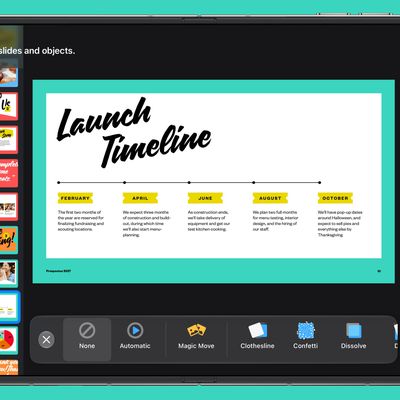
In Keynote, there's a new "Keynote Live" feature that lets users present a slideshow that anyone can follow from a Mac, iPhone, iPad, or iCloud.com. Pages and Keynote also both feature support for opening and editing Pages and Keynote '05 documents.

Apple's line of iWork apps are free to users who have recently purchased a new Mac or iOS device. Otherwise, each iWork app for Mac is available for $19.99 while each iWork app for iOS is available for $9.99.

Pages for macOS [Direct Link]
Keynote for macOS [Direct Link]
Numbers for macOS [Direct Link]
Tag: iWork
Related Forum: macOS Sierra

Top Rated Comments

decimortis Avatar
128 months ago
So now the three guys who use it can all collaborate.

I KID. I KID. Put the flamethrowers down.
Score: 5 Votes (Like | Disagree)
garirry Avatar
128 months ago
Update allowing for older files to start being compatible? By APPLE? THIS IS A MIRACLE! :P
Score: 3 Votes (Like | Disagree)
Mlrollin91 Avatar
128 months ago
Well I just figured out why I can't update. These all require Sierra. Kind of annoying.
Score: 3 Votes (Like | Disagree)
AllergyDoc Avatar
128 months ago
And updated with mirror pages and text flow from box to box and mail merge and...

... and then I woke up.

Still, I use Pages almost daily.
Score: 2 Votes (Like | Disagree)
128 months ago
Hey this works with ElCap too, it got activated the other day and I was running it fine. Maybe a bit overdue but it's a great feature. Happily able to drop google docs now :D
Score: 1 Votes (Like | Disagree)
128 months ago
Pivot Tables
I need them
not colored labels
not even in a horse stable
I need Pivot tables

or something like a table that pivot like a multi dimensional cube.
Score: 1 Votes (Like | Disagree)

Popular Stories

iphone 16 teal

'Siri AI' Lawsuit Update: Apple to Pay Owners of These iPhone Models

Thursday July 9, 2026 7:08 am PDT by
In May, Apple agreed to pay $250 million to settle a U.S. class action lawsuit over Siri AI's delayed launch, and eligible iPhone users could receive up to a $95 payout. This week, the California court overseeing the case held a hearing regarding preliminary approval of the settlement, but the judge has not yet issued a ruling. It will likely be at least a few more months before eligible...
Apple TV Thumb 3

Everything Coming in the 2026 Apple TV 4K

Wednesday July 8, 2026 4:51 pm PDT by
The Apple TV 4K hasn't been updated since 2022, and it's due for a refresh. An update is planned for 2026, but Apple is likely going to wait to launch it after Siri AI launches in iOS 27. Design Apple TV design updates don't happen often, and that's not changing. The next Apple TV is going to have the same squircle shape as the current model, and it'll continue to be made from a black...
apple wallet drivers license feature iPhone 15 pro

Apple Says iPhone Driver's Licenses Will Expand to These 6 U.S. States

Thursday July 9, 2026 7:29 am PDT by
In select U.S. states, residents can add their driver's license or state ID to the Apple Wallet app on the iPhone and Apple Watch, and then use it to display proof of identity or age at select airports and businesses, and in select apps. To set up the feature, open the Wallet app on the iPhone and tap on the plus sign in the top-right corner. Next, tap on Driver's License and ID Cards,...