

iOS 10 Beta 4 Tidbits: Redesigned Emoji and New Emoji Characters, Revamped Keyboard Sounds, and More - MacRumors
Skip to Content

iOS 10 Beta 4 Tidbits: Redesigned Emoji and New Emoji Characters, Revamped Keyboard Sounds, and More

Apple released iOS 10 beta 4 to developers today and as with any major beta update, it includes several small changes and tweaks as Apple aims to refine the operating system ahead of its public release this fall.

Today's update, available as an over-the-air download for those who installed the first three betas or the beta configuration profile, features new emoji, new keyboard sounds, Notification Center tweaks, and more.

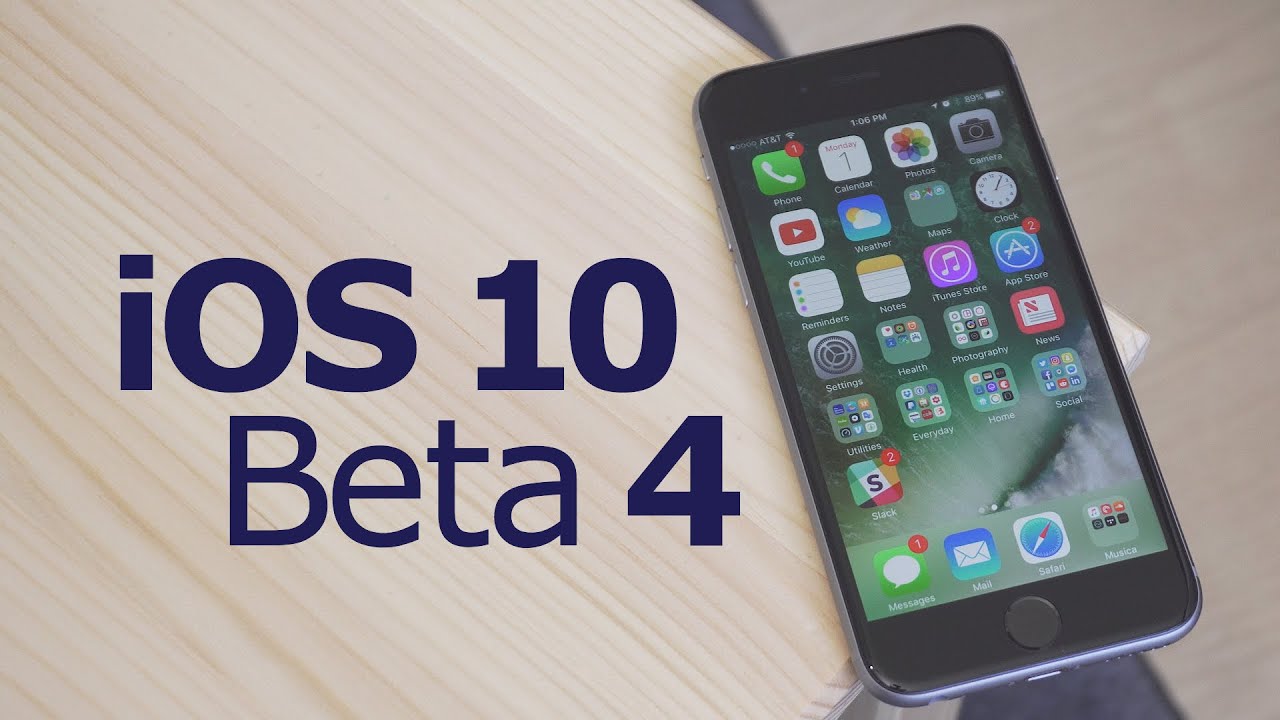
We've rounded up all of the new features in beta four in the video below, so make sure to check it out to get a quick look at what's changed. We're also listing all of the changes in the post below.

Emoji - There are new emoji designed to promote gender equality. Many professions and activity emoji are now available in both male or female options. Emoji have a new texture and many emoji have seen slight design tweaks.
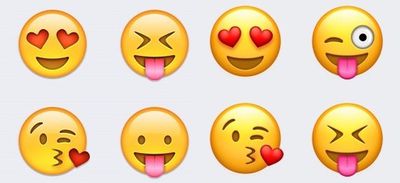
emoji2

New emoji textures. Old emoji on left, new emoji on right.

Control Center - There's an intro screen when opening Control Center for the first time that instructs people to swipe left to access the different Control Center cards.
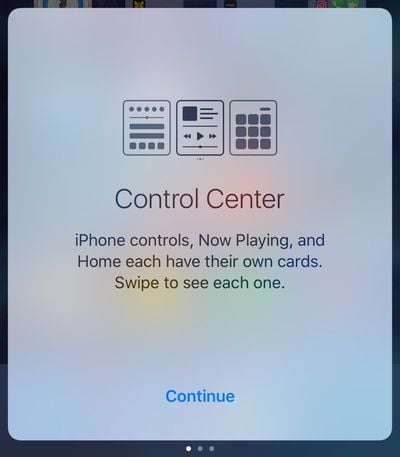
controlcenteropeningscreen
Haptic feedback - In iOS beta 3, Apple added haptic feedback when pressing the power button on the iPhone to lock it. In beta 4, this feature has been removed. There's no longer a haptic feedback buzz when locking an iPhone.

Accessibility - In the Accessibility section of the Settings app, the Color Filters option includes a set of colored pencils to show off the different color options instead of a color grid. This gives a better idea of how each setting is actually displayed on an iOS device.

Notification Center - The widgets screen, accessible by swiping to the right in the Notification Center, now displays the date. In previous versions of iOS 10, the date was not available.
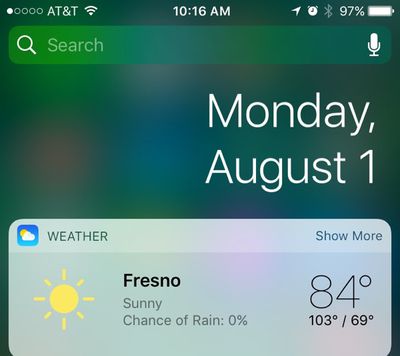
notificationcenterdate
Home - In the Control Center, the Home app icons have been tweaked again.
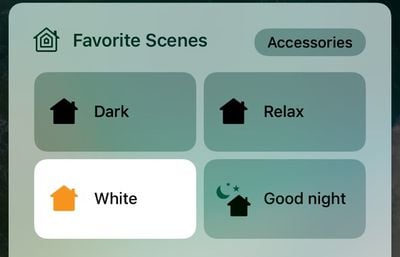
controlcenterhome
Keyboard sounds - Keyboard sounds have been slightly tweaked. Backspace now has a distinctive sounds unique from other key press sounds, and there's a new sound for space, return, shift, and number/emoji shift.

Wallpaper - Some older wallpaper options have been removed and the mountain wallpaper with stars from an earlier version of iOS has been re-added.


Related Forum: iOS 10

Popular Stories

Dynamic Island iPhone 18 Pro Feature

11 Reasons to Wait for the iPhone 18 Pro

Monday May 11, 2026 9:01 am PDT by
We're only four months out from the launch of Apple's premium next-generation smartphone lineup, and while we're not expecting a sea change in terms of functionality, there are still several enhancements rumored to be coming to the iPhone 18 Pro and iPhone 18 Pro Max. One thing worth noting is that Apple is reportedly planning a major change to its iPhone release cycle this year, adopting a...

iOS 26

iOS 26.5 Features: Everything New in iOS 26.5

Monday May 11, 2026 5:09 pm PDT by
Apple released iOS 26.5 after a few months of beta testing, and while it doesn't have the Siri features we were hoping for since those are being held until iOS 27, there are a handful of useful changes worth knowing about. Subscribe to the MacRumors YouTube channel for more videos. End-to-End Encryption for RCS Support for end-to-end encryption (E2EE) for RCS messages between iPhone and...
General Apps Reddit Feature

Reddit Starts Blocking Mobile Website, Pushing Users to App Instead

Monday May 11, 2026 6:10 am PDT by
Social network Reddit recently began blocking mobile visitors to its website while pushing them to download the official Reddit app, and it's fair to say that the move is not going down well with users. If you visit reddit.com on your iPhone today, you may see a new popup that can't be dismissed, asking you to "get the app to keep using Reddit." A Reddit spokesperson told Ars Technica...

Top Rated Comments

128 months ago
I am really sick of the focus that emojis get, yet applications like mail, calendar or file/attachment management, facetime are so lackluster.
Emojis and watch bands...welcome to the new Apple.
Score: 13 Votes (Like | Disagree)
MartinAppleGuy Avatar
128 months ago
Forgetting the biggest improvement of all; super fast animations.
Score: 11 Votes (Like | Disagree)
alecgold Avatar
128 months ago
Ill miss the feedback when locking. Found it really useful.
Score: 11 Votes (Like | Disagree)
128 months ago
It seems like nothing else at all happened aside from emojis being update. Nothing at all.
That's Apple today. They spend more time on fixing the gender equality of emojis than on the design and usability of their software. If they spent half as much time working on music app as they've spent on emojis, it wouldn't still be a steaming pile of poo.
Score: 10 Votes (Like | Disagree)
chrismail627 Avatar
128 months ago
I know it's been said before, but these 2 minute update videos are great. Nice job MacRumors.
Score: 10 Votes (Like | Disagree)
128 months ago
I am really sick of the focus that emojis get, yet applications like mail, calendar or file/attachment management, facetime are so lackluster.
Score: 10 Votes (Like | Disagree)











































