Apple Releases Flash Storage Firmware Update for 2015 MacBook Pros - MacRumors
Skip to Content

Apple Releases Flash Storage Firmware Update for 2015 MacBook Pros

by

Apple today released MacBook Pro Flash Storage Firmware Update 1.0 for the 2015 MacBook Pro, which fixes a storage firmware issue that could cause data corruption in rare cases.

Apple recommends that all customers who have a mid-2015 MacBook Pro download and install the update. It can be acquired from the Mac App Store on affected machines or directly from Apple's support site.
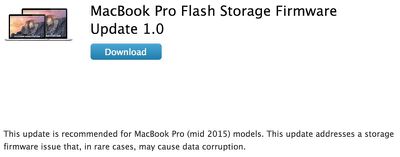
macbookprofirmwareupdate
The mid-2015 MacBook Pro includes all 15-inch Retina MacBook Pro models that were released in May of this year. As MacRumors readers have pointed out, the 13-inch Retina MacBook Pro released in March is an "early-2015" model.

Top Rated Comments

142 months ago
This Update NOT All rMBP Mid 2015 15" Model, Only BoardID Mac-06F11F11946D27C5 and Mac-06F11FD93F0323C5.
You can check BoardID follow command
ioreg -l -p IODeviceTree | grep board-id
Score: 2 Votes (Like | Disagree)
JF Martin Avatar
142 months ago
Can either of you elaborate on this? What symptoms occurred? How did you know to reformat?
MacBook started to behave strangely... couldn't open apps like iTunes... or System Console... had to close running apps, some could save their documents, restart then boot loop at the Apple Logo. Started in recovery. Disk Utility told me to recover as much data as possible then reformat. Went to Apple Store, they found nothin.
Score: 2 Votes (Like | Disagree)
mporcheron Avatar
142 months ago
The 13" identifies itself as Early 2015, despite what can be assumed from the article.
Score: 2 Votes (Like | Disagree)
142 months ago
I have revision number BXW1PA0Q and still I don't have this update.
This is veeeery weird.
Check the serial number for your SSD. This update only applies to serial numbers that have G4, G5, G6, or G7 as the 8th and 9th digits. I also have a BXW1PA0Q (that I have installed in a Mac Pro) and luckily mine is G1.
Score: 1 Votes (Like | Disagree)
142 months ago
Can either of you elaborate on this? What symptoms occurred? How did you know to reformat?
Pretty much the same as the other guy. Noticed some weird behavior and slowdowns, so I restarted. Immediately after login, the computer would just shut down. Repeated a few times, tried PRAM resets, etc. No dice. Booted to the recovery partition and tried first aid using the Disk Utility, got a message about it being unrecoverable, told me I should back up my disk and reformat. I assumed it was a FileVault issue until I got this update the next day :/
Score: 1 Votes (Like | Disagree)
noxtos Avatar
142 months ago
This Update NOT All rMBP Mid 2015 15" Model, Only BoardID Mac-06F11F11946D27C5 and Mac-06F11FD93F0323C5.
You can check BoardID follow command
ioreg -l -p IODeviceTree | grep board-id
My board id is Mac-06F11FD93F0323C5, but the installer says I don't need the update. I only bought my MBP yesterday, maybe it already had the new firmware installed.
Score: 1 Votes (Like | Disagree)

Popular Stories

Apple Wallet

iOS 27 Will Add Two New Apple Wallet Features to Your iPhone

Monday June 1, 2026 12:15 pm PDT by
Apple is set to unveil iOS 27 during its WWDC 2026 keynote on Monday, June 8, and the update will reportedly include two new Apple Wallet features. First, iOS 27 will reportedly let users create their own digital passes by scanning items like movie tickets, concert passes, and gym membership cards. Many apps already offer Apple Wallet passes, but now users will be able to create a custom...
Dynamic Island iPhone 18 Pro Feature

iPhone 18 Pro Battery Capacities Allegedly Leaked

Tuesday June 2, 2026 1:54 am PDT by
Battery capacities for Apple's upcoming iPhone 18 Pro have allegedly surfaced, and the numbers suggest only a modest increase over the iPhone 17 Pro. According to prolific Weibo-based leaker Digital Chat Station, Apple is testing the iPhone 18 Pro with different battery capacities for the China and U.S. versions of the device, similar to last year's iPhone 17 Pro models. The Chinese model is ...
macOS 27 on MacBook Pro

Apple Says macOS 27 Won't Be Compatible With These Macs

Wednesday June 3, 2026 8:29 am PDT by
During WWDC 2025, Apple revealed that macOS 26 Tahoe would be the final major macOS version for Intel-based Macs. macOS 27 will be compatible with Apple silicon Macs only, meaning that you will need a Mac with an M-series chip or a MacBook Neo with an A18 Pro chip in order to install the software update. Apple will unveil macOS 27 during its WWDC 2026 keynote this Monday, June 8, and the...