Apple Seeds Second iOS 8.2 Beta to Developers
Apple today seeded the second beta of iOS 8.2 to developers, approximately three weeks after releasing the first iOS 8.2 beta.
The beta, build 12D445d, is available immediately to registered developers as an over-the-air update and it can also be downloaded from the iOS Developer Center. Today's update also includes Xcode 6.2 beta 2 with WatchKit.
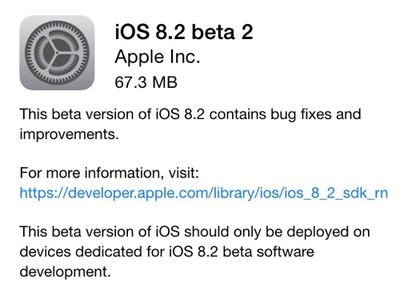
According to the release notes, iOS 8.2 beta 2 includes fixes for keyboards that may not appear in Safari, Maps, or other third-party apps in iOS simulator and it offers Siri support for Singapore English.
Several WatchKit fixes are bundled in as well, repairing a bug that caused notifications to fail to open an app, an issue that caused WatchKit apps to stop working in iOS 8 simulator, and more.
iOS 8.2 includes the WatchKit SDK, allowing developers to create apps, Glances, and notifications for Apple's upcoming wearable device ahead of its 2015 launch. The first iOS 8.2 beta, with WatchKit SDK and developer documentation, revealed several new details about the Apple Watch, including its heavy reliance on the iPhone and the different types of content developers can create for the device.
Popular Stories
Apple today announced a new high-end MacBook Pro, which is available in 14-inch and 16-inch sizes. The new device has a PROLED XDR display that supports touch gestures, and a glowing rear Apple logo.
Pricing on the MacBook Pro starts at $2,899 for the 14-inch model and $3,399 for the 16-inch model.
Apple says the MacBook Pro has the "world's best display in a pro laptop." The PROLED...
In a memo shared with Apple Stores and Apple Authorized Service Providers this week, and later obtained by MacRumors, Apple provided technicians with guidance on how to diagnose and address the iPhone Duo's inner display cracking issue.
If a customer reports the issue, Apple advised technicians to inspect the iPhone Duo and repair or replace it in accordance with their standard procedures....
While the new iPad mini has an OLED display, the device does not support ProMotion, meaning the display's refresh rate is limited to 60Hz instead of 120Hz.
ProMotion support would have allowed for the iPad mini's refresh rate to automatically adjust from 10Hz to 120Hz depending on the content being displayed, but evidently Apple has kept the feature exclusive to the iPad Pro among iPad...



















































