OS X Yosemite Beta Failing to Download for Some Users
After announcing its OS X beta program at WWDC in June, Apple yesterday released the first beta version of the operating system to the public amid favorable reviews. For a growing number of people, the early impressions of OS X have not been positive due to a downloading issue that has prevented the installation of the OS.
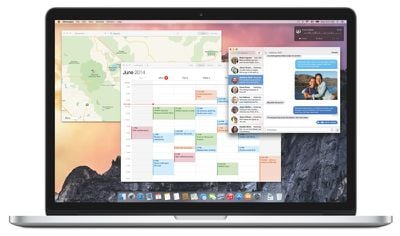
Users in MacRumors forums, Apple support forums and on Reddit have complained about not being able to download OS X Yosemite from the Mac App Store. These users have successfully redeemed a promo code and initiated the installation, only to have it fail during the download process. This issue has persisted more than 24 hours after the beta was released, suggesting it is not a problem with server overload.
All Apple's online services are
fully operational, and Apple support has not mentioned any potential issues that could interfere with OS X downloads. Several users have reported that using a VPN and selecting an alternative country such as Canada has solved the download issue, while others have chosen to delay the install indefinitely.
Apple's beta program has made OS X Yosemite available to up to a million new, non-developer users who now are experiencing the OS for the first time. Beta users can check out our first impressions post as well as our forums for troubleshooting tips, known issues and more.
Popular Stories
Since 2023, Apple's newer iPhones have had an 80 percent charge limit for those who want to extend battery lifespan. Charging to 80 percent instead of 100 percent is supposed to put less stress on the battery, improving longevity.
For the last three years, I've used that setting on my iPhone. I started with the iPhone 15 Pro Max, then did the iPhone 16 Pro Max, and most recently, the iPhone...
Apple today announced an upcoming product launch that will take place on Tuesday, October 13. We are expecting Apple's announcement to focus on new smart home products, including the long-rumored smart home hub, a new Apple TV 4K, and a refreshed HomePod mini.
Subscribe to the MacRumors YouTube channel for more videos.
The home hub is an all-new device that's like a cross between an iPad and...
Bloomberg's Mark Gurman recently reported that Apple plans to unveil an all-new home hub, a new HomePod mini, and a new Apple TV 4K on Tuesday, October 13, and MacRumors has since learned about another launch slated for later in the month.
Apple is planning to unveil additional new products in the final week of October, according to multiple sources familiar with the matter.
While we do...






/https://forums.macrumors.com/proxy.php%3Fimage=http://i.imgur.com/BVX5jWM.png&hash=6699af6b60b01d81c35892ce95b9812f)