Apple Addresses Graphics Issues on Mid 2011 iMacs With Firmware Update
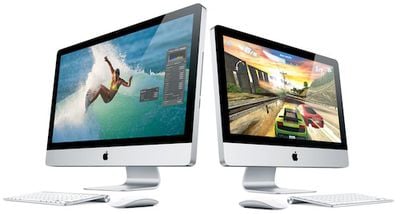
Apple today released iMac Graphic FW Update 2.0, a firmware update to addresses graphics issues on the company's latest iMac models.
About iMac Graphic FW Update 2.0
This firmware update fixes an issue that in rare cases may cause an iMac to hang during startup or waking from sleep.
Do not shut off the power on your iMac during this update. Loss of power could result in your iMac failing to start up.
Apple has also posted a support document noting that the update addresses issues arising as a white screen during startup or vertical lines on the screen while in use.
In certain circumstances, your iMac (Mid 2011) may become unresponsive on startup, with a white or gray background on the display. You may also notice vertical lines on the display while using your iMac.
iMac Graphic FW Update 2.0 weighs in at 699 KB and requires Mac OS X 10.6.7.
Popular Stories
Last year, Apple launched CarPlay Ultra, the long-awaited next-generation version of its CarPlay software system for vehicles. Nearly a year later, CarPlay Ultra is still limited to Aston Martin's latest luxury vehicles, but that should change fairly soon.
In May 2025, Apple said many other vehicle brands planned to offer CarPlay Ultra, including Hyundai, Kia, and Genesis.
CarPlay Ultra...
As we wait for WWDC to kick off next Monday, Apple today announced the winners of its annual Apple Design Awards, recognizing apps and games for their innovation, ingenuity, and technical achievement.
The 2025 Apple Design Award winners are listed below, with one app and one game selected per category:
Delight and Fun - CapWords (App) and Balatro (Game)
Innovation - Play (App) and PBJ -...
While the AirPods Max 2 received more attention, Apple also released a second pair of headphones last month: Nike Powerbeats Pro 2.
Nike Powerbeats Pro 2 are the same as the regular Powerbeats Pro 2, except they have a two-tone design consisting of black and Nike's signature Volt neon green-yellow color. The headphones were released on March 20 in the U.S., Canada, Australia, the U.K., and a ...
Popular Stories
Apple is preparing to launch an iMac featuring an OLED panel with higher brightness, according to ZDNet Korea.
Apple has apparently requested that Samsung Display, LG Display, and other suppliers produce 24-inch OLED panel samples suitable for a future iMac model using their mass-production facilities. This would be the biggest ever OLED display offered on an Apple device.
Specifically,...
Last year, Apple launched CarPlay Ultra, the long-awaited next-generation version of its CarPlay software system for vehicles. Nearly a year later, CarPlay Ultra is still limited to Aston Martin's latest luxury vehicles, but that should change fairly soon.
In May 2025, Apple said many other vehicle brands planned to offer CarPlay Ultra, including Hyundai, Kia, and Genesis.
CarPlay Ultra...
As we wait for WWDC to kick off next Monday, Apple today announced the winners of its annual Apple Design Awards, recognizing apps and games for their innovation, ingenuity, and technical achievement.
The 2025 Apple Design Award winners are listed below, with one app and one game selected per category:
Delight and Fun - CapWords (App) and Balatro (Game)
Innovation - Play (App) and PBJ -...