MacNN describes a new Apple patent filing which reveals that Apple has been working on displaying "visual information on the surface of a device, while using the same area or visual out display to act as an input device."
Essentially, Apple describes the use of buttons which provide visual display on the button itself to provide dynamic information. While it could be used in any electronic device such as laptops, PDAs, cell phones, the application describes the possibility of its use in a "standalone device" such as a remote control.
The goal of this technology would be to streamline the user interface for users.
"By reducing or eliminating the input devices, the display of the electronic device can be maximized within the user interface portion of the electronic device, or alternatively the electronic device can be minimized to the size of the display."
There have been previous unconfirmed rumors that Apple was working on incorporating "color LCD buttons" alongside the trackpad on Macbooks. A similar concept is used on the much publicized Optimus OLED keyboard.
Monday November 2, 2026 1:22 am PST by Tim Hardwick
Apple is releasing five new products this Friday, November 6, following pre-orders that opened last week, including its first touchscreen MacBook Pro models.
The following new products will be available from Friday:
iPad mini with OLED display and A20 Pro chip
iMac with M6 chip
14-inch MacBook Pro with M6 chip
14-inch MacBook Pro with OLED touchscreen
16-inch MacBook Pro with OLED...
Monday November 2, 2026 7:27 am PST by Tim Hardwick
Apple's busiest season isn't over yet. Far from it. With two hardware launch dates still to come in November, plus software updates and new smart home accessories running into December, there's more on the way from Apple before the end of 2026, so be sure to stick around.
Below, we've rounded up what's still coming, along with one date in particular that's worth watching if you're a holiday...
Sunday November 1, 2026 7:27 am PST by Joe Rossignol
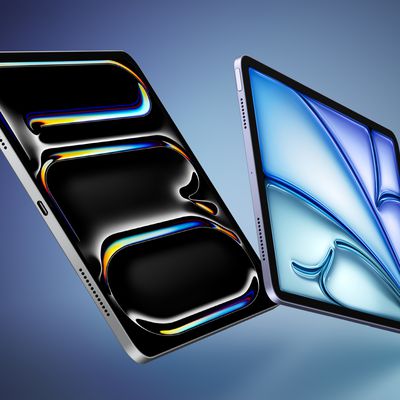
After announcing a new iPad mini with an OLED display earlier this month, Apple plans to release new iPad Air, iPad Pro, and entry-level iPad models in the first half of 2027, according to the latest word from Bloomberg's Mark Gurman.
In his Power On newsletter today, Gurman said the next iPad Air will also feature an OLED display, while he expects the next iPad Pro to be equipped with a...