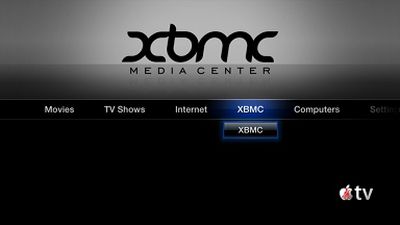
XBMC Media Center has released a version of their software that will run on the iPad, iPhone 4 and new Apple TV. XMBC is a free media player that began life on the Xbox but has since grown to be a multi-platform solution.
XBMC Media Center (formerly Xbox Media Center) is a free and open source cross-platform media player and home entertainment system software with a 10-foot user interface designed for the living-room TV. Its graphical user interface allows the user to easily manage video, photos, podcasts, and music from a computer, optical disc, local network, and the internet using a remote control.
The software is not available through the App Store, and requires a jailbroken Apple TV or iOS device.
While jailbreaking has been a known way to load third party apps onto the iPad and iPhone, it's not been a very common procedure for the Apple TV. Due to similarities of the underlying iOS firmware on the new Apple TV, it's been widely expected that these unauthorized apps would become available for the device. Apple presently offers no authorized way to install apps on the Apple TV.
TUAW posts video showing it running on the Apple TV (as well as iPad and iPhone 4):
Tuesday September 15, 2026 1:43 am PDT by Tim Hardwick
Apple today announced a new subscription initiative that turns paid iCloud+ subscriptions into a broader services bundle in more than 100 countries.
In select countries, Apple says every paid iCloud+ plan, including the cheapest 50GB tier, now includes Apple TV and Apple Arcade "at no additional cost," while family sharing extends the storage, TV and Arcade access to up to five people....
Tuesday September 8, 2026 10:19 am PDT by Joe Rossignol
The next Apple TV 4K will be equipped with an A19 or A19 Pro chip, according to evidence in Apple's code uncovered by MacRumors contributor Aaron Perris. In particular, the device's model identifier points towards the A19 generation of chips.
Accordingly, the next Apple TV would have 8GB or 12GB of RAM, up from 4GB in the current 2022 model with the A15 Bionic chip. Other rumored upgrades for...
Apple today released the sixth public betas of iOS 27, iPadOS 27, tvOS 27, and macOS Golden Gate, allowing anyone with a compatible device to download and test the new software. The sixth betas come a week after Apple seeded the fifth betas and a few hours after the eighth developer betas.
You can get started by signing up on Apple's beta website and then opting in to the public beta by...