

Got a tip for us? Share it...

Multitouch on the iPhone Simulator, No Open GL


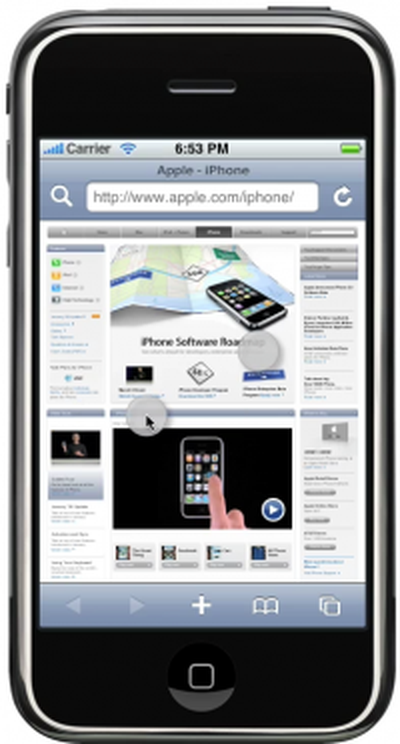
Forum member, arkmannj, discovered how to emulate multi-touch in the iPhone Simulator that accompanies the iPhone SDK.

- Option-Click: Allows you to pinch in and out, and rotate.
- Option-Shift-Click: Allows you to perform a two finger drag.

Meanwhile, we've heard that OpenGL is not supported on the iPhone Simulator, which means developers working on OpenGL applications will have to wait for Apple to start distributing the $99/year developer licenses to be able to test code on the actual iPhone.

Top Rated Comments

(View all)

Posted: 55 months ago
When browsing in the Safari App, websites don't automatically detect it as MobileSafari, so when I load Google.com or Facebook for example, I get the regular version instead of the MobileSafari optimized version.

Sebastian
Rating: 0 Positives / 0 Negatives
Posted: 55 months ago
Probably because this is the user agent it sends:
"Aspen Simulator; U; Apsen 1_2 like Mac OSX:en_us"
Rating: 0 Positives / 0 Negatives
Posted: 55 months ago
Please! "Discovered"? By reading the bloody documentation? Whatever next? An article to tell us someone has "discovered" you can drag the simulator to a new position on screen? This was even demonstrated when the simulator was first revealed. Come on!
Rating: 0 Positives / 0 Negatives
Posted: 55 months ago
anyone notice the new animation when locking the simulator iPhone from the home screen? Or am I crazy?
Rating: 0 Positives / 0 Negatives
Posted: 55 months ago

anyone notice the new animation when locking the simulator iPhone from the home screen? Or am I crazy?


That's only because locking a real iPhone involves it going into standby and then being brought out of standby. The animation is just a placeholder for those two actions.

Remember, it's a simulator, not an emulator.
Rating: 0 Positives / 0 Negatives
Posted: 55 months ago

Probably because this is the user agent it sends:
"Aspen Simulator; U; Apsen 1_2 like Mac OSX:en_us"


Hmm, doesn't make much sense does it? This could be used by web developers who don't own an iPhone to simulate how it would look on the iPhone without getting the stretched out view that Safari gives you when you change the user agent.

Sebastian
Rating: 0 Positives / 0 Negatives
Posted: 55 months ago
I was wondering how they would simulate the multi-touch. How about simulating the accelerometer? Shake the computer if you have a macbook?
Rating: 0 Positives / 0 Negatives
Posted: 55 months ago

I was wondering how they would simulate the multi-touch. How about simulating the accelerometer? Shake the computer if you have a macbook?


And have the HDD stop spinning making the computer completely unresponsive? I'll pass, thanks. Even though the sudden motion sensor has been put to many creative uses, it's primary use is to tell the HDD to stop spinning if you drop your computer, and in my one "test" of that, it didn't work very well and I had to have the HDD replaced the next day.

Also note that the sudden motion sensor is named as such for a reason, it's supposed to detect "sudden motion" and not precise movements, it's not an accelerometer.

Sebastian
Rating: 0 Positives / 0 Negatives
Posted: 55 months ago
Well, perhaps Apple is doing away with the MobileSafari moniker and is instead merging the codebase with the new safari that they have been pushing out to developers over the past month or however long that has been.
Sorry, I really don't remember when all that was going on, just that

Especially considering that there are now computers out that work with Multi-Touch.

Sure seems pretty reasonable to keep them the same as Apple has already admitted that they are using an identical version of their kernel on the iPhone as they are on their computers.
Rating: 0 Positives / 0 Negatives
Posted: 55 months ago

This could be used by web developers who don't own an iPhone to simulate how it would look on the iPhone without getting the stretched out view that Safari gives you when you change the user agent.


That's what iPhoney is for.
Rating: 0 Positives / 0 Negatives

[ Read All Comments ]















