

Got a tip for us? Share it...

Parallels, VMWare Show Off Mac OS X Server Virtualization

Virtualization competitors Parallels and VMWare were taking opposite sides of the South Hall at Macworld to show off Mac OS X Server running in a virtualized environment on Apple hardware (made possible by changes to Mac OS 10.5's EULA for Leopard Server).

For its part, Parallels showed off a new product, currently in beta, called Parallels Server (previously announced). Parallels is targeting Parallels Server for users of server hardware, as the software contains hooks that allow more in-depth monitoring of the hardware that the desktop edition does not allow. In beta, the software currently supports up to 2-way SMP for virtual machines, although they state that the shipping version will support 4-way SMP. This SMP support will eventually find its way into their Desktop product. Parallels received a Best of Show award for Parallels Server from Macworld.
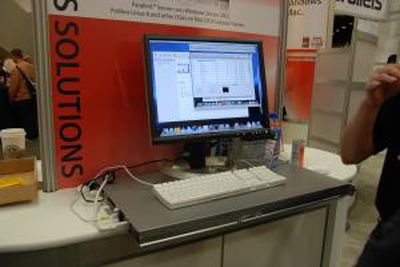

Parallels Server Display, running on a previous generation Xserve

VMWare has also been busy working to support Mac OS X 10.5 Leopard Server in a virtualized environment. At Macworld, they demoed a technology preview which showed VMWare running multiple server operating systems with the usual hardware support. Sound and accelerated video were not working, however, and VMWare could not commit whether such support would be included in the final shipping version. As a technology preview, no product was announced and no ship date yet available.


VMWare booth

VMWare also pointed out that VMWare Importer Beta 2 was released late last week which includes support for VirtualPC virtual machines and improves support for importing Parallels virtual machines.

Both companies offer free trial versions of their standard virtualization software which allows Intel Mac owners to run Windows or Linux: Parallels Desktop 3.0 and VMWare Fusion 1.1


Top Rated Comments

(View all)

53 months ago
What we need is for Mac OS X on X86 boxes. Then we're talking. I know, I know it has been debated a million times before.
Rating: 0 Positives / 0 Negatives
53 months ago
awesome stuff! looks like Parallels is one step ahead right now though
Rating: 0 Positives / 0 Negatives
53 months ago
Parallels and Fusion.

Which one is better? I hear fusion, am i right?
Rating: 0 Positives / 0 Negatives
53 months ago

awesome stuff! looks like Parallels is one step ahead right now though


True, but VMWare has a stronger hold with Companies, I think many companies would wait for VMWare. But Competition is certainly a good thing :-) keep 'em both on their toes innovating
Rating: 0 Positives / 0 Negatives
53 months ago

Parallels and Fusion.

Which one is better? I hear fusion, am i right?


It's mostly preference, I prefer Fusion I have friends that swear by Parallels.
but truth be told all of them that have tried the Fusion trial period have purchased it. (And deleted their Parallels install)

VMWare Fusion education price is something like $35 or $39.
Rating: 0 Positives / 0 Negatives
53 months ago

It's mostly preference, I prefer Fusion I have friends that swear by Parallels.
but truth be told all of them that have tried the Fusion trial period have purchased it.

VMWare Fusion education price is something like $35 or $39.


I'm in the VMWare Fusion camp myself. I cannot wait to try Leo server inside this app.

But for some reason I cannot get the apps (windows programs) to move from one edge of the monitor to the opposite edge of the second monitor while running in their Unity mode. Parallels had no issue with this. Does anyone have this happened to them?
Rating: 0 Positives / 0 Negatives
53 months ago
Where's the outcry over the fact that Apple requires you to buy OSX Server in order to use it in a VM? Many, myself included, scoffed at the Vista Home and Vista Pro licenses specifically forbidding their use in a VM but so far I don't hear anybody complaining about not being able to use OSX (non-server) in a VM.
Rating: 0 Positives / 0 Negatives
53 months ago

Parallels and Fusion.

Which one is better? I hear fusion, am i right?


Better is a very relative word. As one who has run both, I can say they seem very similar. However I bought Parallels 2.5 last year, received a free upgrade to 3.0 and have seen a number of fairly significant, free, improvements since then. They still call it 3.0 but with the updated features released since then they really should call it 3.1.

Even though Parallels Desktop only supports one "virtual processor", I can play full screen video while simultaneously running a couple of downloads inside my VM with no problems on a 2.66GHz Mac Pro.
Rating: 0 Positives / 0 Negatives
53 months ago


But for some reason I cannot get the apps (windows programs) to move from one edge of the monitor to the opposite edge of the second monitor while running in their Unity mode. Parallels had no issue with this. Does anyone have this happened to them?


that happens to me also and is very irritating.
Rating: 0 Positives / 0 Negatives
53 months ago

Parallels and Fusion.

Which one is better? I hear fusion, am i right?


VMware has been in this business for years, long befor Apple switched to Intel. VMware's main product line runs on Linux and Windows. but their main customer base is people who run server rooms. Paralles only has the Mac desktop product, and this demo.

It you are a large outfit and have Macs, Linux and Windows boxes and run a server room then VMware is the way to go. If you have just a Mac, flip a coin

I have Linux and Windows and Mac. I can make a VM using Fusion and install say Win XP on it. Then I can copy the VM image to a USB disk drive and take it to work and run it on VMware's Linux product. With VMware your images are portable.

This should be popular with kids who want to take their whole game environment with them. Get Fusion put Windows on it and your games. then later take the image files to your freind's hous and run that fusion image on his Vista system using VMware's "player".

VMware's low-end products that are like "fusion" are free on Linux and Windows but they make us Mac users pay. So your Windows using freind would not have to buy anything to run your fusion image on his PC.

Parallels is "mac only" and there are not free versions.

That said, check out "QEMU". It is free, Open Source and does a little more then either VMware or Paralels but it lacks a marketing department and a slick installer. QEMU is kind of like a combination "VMware Fusion" and a "ultra-Roseta"
http://fabrice.bellard.free.fr/qemu/about.html
Rating: 0 Positives / 0 Negatives

[ Read All Comments ]













