

Introduced in iOS 15, Focus mode is an expansion of Do Not Disturb that allows you to set up different permissions for apps, contacts, and more depending on what you're doing. In iOS 16, Apple has expanded what Focus modes can do with new features, including the ability to activate a specific Apple Watch face when a specific Focus in enabled. Here's how it works.
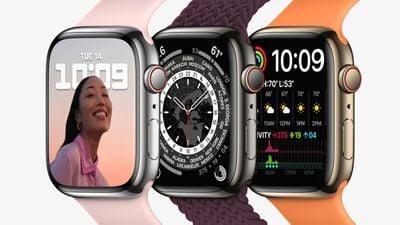
With iOS 16, you can customize pretty much everything about your Focus. It's not just the Home Screen and Lock Screen that you can set – if you are an Apple Watch owner you can select one of your Apple Watch faces to activate on your wrist for a specific Focus mode. For example, if you have a Focus that you set when you're about to go out running, you could link a watch face to it showing lots of complications to do with weather conditions.
The following steps guide you through the process of setting an Apple Watch face to activate for a newly created Focus mode.
- On iPhone, go to Settings -> Focus, and tap the + icon in the top-right corner of the screen to create a new Focus.
- Tap Custom in the next screen, proceed to give your Focus a name and related icon, then tap Next.

- Set any notification silence options for people and apps when your Focus is active, then under "Customize Screens," tap Choose under the watch face option.
- Choose a watch face from your Apple Watch face gallery, then tap Done.
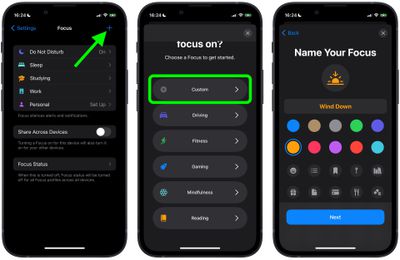
That's all there is to it. With your chosen Apple Watch face now linked to your Focus Mode, it will be activated automatically on your wrist the next time you enable the Focus on your iPhone.










































![Apple Pulls Keynote, Pages and Numbers From App Store [Update: Back]](https://images.macrumors.com/t/Okb7kitB_gNr6qe5Pex9nQIysD8=/112x112/article-new/2026/01/Apple-Creator-Studio-iWork-suite.jpg)



