

How to Maximize Powerbeats Pro Battery Life - MacRumors
Skip to Content

How to Maximize Powerbeats Pro Battery Life

by

Powerbeats Pro wireless earphones offer up to nine hours of listening time and up to six hours of talk time on a single charge. Apple's Beats-branded buds also charge very quickly -- you can get one and a half hours of listening time by putting them in their case for just five minutes, or leave them in for 15 minutes and you'll get four and a half hours' worth.
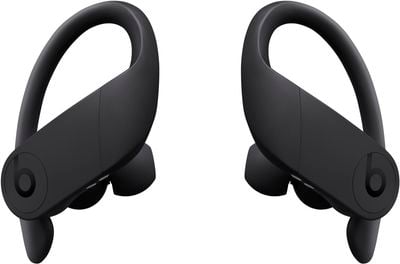
powerbeatsproblack
The PowerBeats Pro case itself stores 24 hours of additional charge, so it should keep you going if you use the earphones multiple times a day – at the gym in the morning and on your commute, for instance. Just make sure to keep the ‌Powerbeats Pro‌ in their case when they're not in use, and remember to connect the case to a power outlet every few days.

If you're facing a situation where you'll be away from a power outlet or wireless charging mat for a longer stretch of time and you want to maximize the listening or talk time of your ‌Powerbeats Pro‌, here's a tip.

Extending Powerbeats Pro Listening and Talk Time

Instead of wearing both earphones at once, use one earphone while the other one charges inside the charging case, and switch between them when the one in your ear starts to run out of juice.
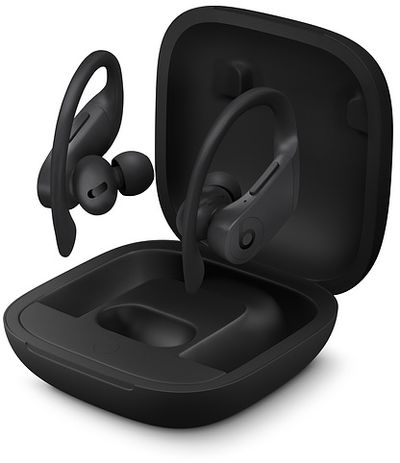
powerbeats pro black
By doing this you're essentially doubling the battery life. Just make sure to press the Pause/Play button again after you remove one of the buds from your ear, and your audio will resume.

The cool thing about ‌Powerbeats Pro‌ is that they detect when only one is being worn and will automatically convert stereo audio channels to mono, so you'll still be able to enjoy the full track recording in the one ear.


Popular Stories

apple wallet drivers license feature iPhone 15 pro

Apple Says iPhone Driver's Licenses Will Expand to These 6 U.S. States

Thursday July 9, 2026 7:29 am PDT by
In select U.S. states, residents can add their driver's license or state ID to the Apple Wallet app on the iPhone and Apple Watch, and then use it to display proof of identity or age at select airports and businesses, and in select apps. To set up the feature, open the Wallet app on the iPhone and tap on the plus sign in the top-right corner. Next, tap on Driver's License and ID Cards,...


apple silicon 1 feature

Apple Silicon is Taking an Unexpected Turn

Friday July 10, 2026 7:24 am PDT by
Ever since the Mac switched from Intel processors to Apple silicon starting in 2020, each generation of M-series chips has included higher-end Pro and Max variants. If a recent report proves to be accurate, though, that streak will be coming to an end. According to Bloomberg's Mark Gurman, Apple will be releasing a regular M6 chip, but it has no plans to offer higher-end M6 Pro and M6 Max...
iphone 16 teal

'Siri AI' Lawsuit Update: Apple to Pay Owners of These iPhone Models

Thursday July 9, 2026 7:08 am PDT by
In May, Apple agreed to pay $250 million to settle a U.S. class action lawsuit over Siri AI's delayed launch, and eligible iPhone users could receive up to a $95 payout. This week, the California court overseeing the case held a hearing regarding preliminary approval of the settlement, but the judge has not yet issued a ruling. It will likely be at least a few more months before eligible...








































