Two-Factor Authentication
By MacRumors Staff
Two-Factor Authentication How Tos

How to Use Safari's Built-in 2FA Code Generator
With online account hacking becoming increasingly widespread, Mac users should make sure they're taking every security measure available to them. In other words, consider using Apple verification codes to protect your accounts. Keep reading to learn how it works.
One of the best ways to protect any online account is by using two-factor authentication (2FA). 2FA offers hardened security...
Read Full Article
How to Set Up and Use the Built-in 2FA Code Generator in iOS
With online account hacking becoming increasingly widespread, all users should make sure they're taking every security measure available to them. If you use Apple devices, consider using Apple verification codes to protect your accounts. Keep reading to learn how it works.
One of the best ways to protect any online account is by using two-factor authentication (2FA). 2FA offers hardened...
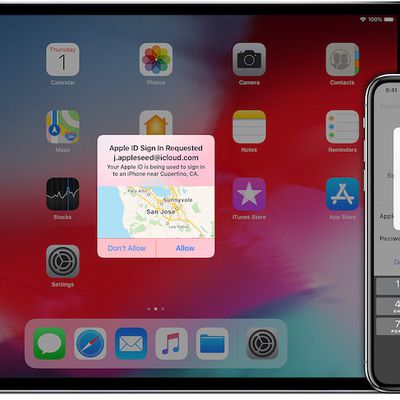
How to Set Up Two-Factor Authentication for Multiple Apple IDs on One Device
As of February 27, 2019, Apple is requiring that all Developer accounts with an Account Holder role be secured with two-factor authentication in order to ensure that only the account owner is able to sign into the account.
Two-factor authentication involves a pop-up code being generated on trusted devices linked to an Apple ID any time a login attempt is made unless you've logged with that...
How to Secure Your Apple ID Using Two-Factor Authentication
Apple introduced two-factor authentication (2FA) in 2015 to provide an enhanced level of security when accessing Apple ID accounts. With 2FA enabled, you'll be the only person who can access your account, regardless of whether someone learns your password – as the result of a hack or a phishing scam, for example – so it's well worth taking the time to enable the feature. In this article,...
Two-Factor Authentication Articles

Authy Users Urged to Stay Alert After 33 Million Phone Numbers Exposed
Twilio has updated its Authy two-factor authentication (2FA) service after a hacker claimed to have retrieved 33 million phone numbers from its user database.
TechCrunch reports that the hacker(s) known as ShinyHunters took to a well-known hacking forum to boast about the theft of 33 million cell phone numbers, achieved by what Twilio described as the use of an "authenticated endpoint."...

Authy Is Sunsetting Its Desktop Authenticator Apps on March 19, 2024
Authy, the two-factor authentication (2FA) service, says its desktop apps for macOS, Windows, and Linux will reach end-of-life on March 19, 2024.
Twilio, the company that owns Authy, revealed the decision on Wednesday in a updated support article. It did not say whether Authy Desktop apps will stop working after this date or simply no longer receive updates, but the company confirmed that...

PSA: Google Authenticator's Cloud-Synced 2FA Codes Aren't End-to-End Encrypted
Earlier this week, Google updated its Authenticator app to enable the backup and syncing of 2FA codes across devices using a Google Account. Now an examination by Mysk security researchers has found that the sensitive one-time passcodes being synced to the cloud aren't end-to-end encrypted, leaving them potentially exposed to bad actors.
Prior to the integration of Google Account support,...
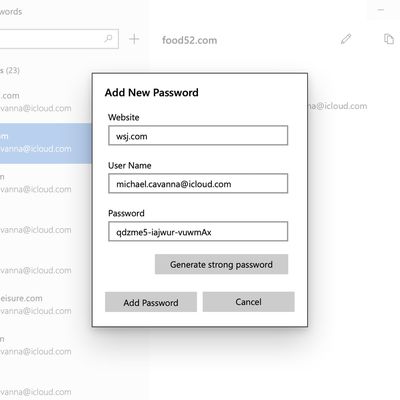
iCloud Passwords for Windows Gains 2FA Code Generator
The iCloud Keychain password manager in Apple's iCloud for Windows app now supports two-factor authentication codes, according to user reports posted on Reddit.
Two-factor authentication, or 2FA, acts as an additional layer of security for online accounts, by requesting a code generated by a password manager when the account owner logs in.
Apple includes support for the generation of...

Google Updates Authenticator App Ahead of iOS 15's Upcoming Built-in Code Generator
Google has updated its 2FA Authenticator app for iOS with a new privacy feature that lets users require Face ID or Touch ID before displaying two-factor account authentication codes.
Previously, fingerprint or facial authentication was only required when exporting accounts. Now though, upon activating Google's Privacy Screen feature in v3.2.0 of the app, Face ID or Touch ID is needed in...
Google Authenticator iOS App Gains New Export Accounts Option
Google has updated its 2FA Authenticator app for iOS with a new account transfer feature that makes it much easier to transfer two-factor authentication codes to a new iPhone.
2FA adds an extra layer of security to your online accounts by requiring a randomly generated six-digit code after you've entered your password. Google's app generates codes for your accounts on the fly, but until now...
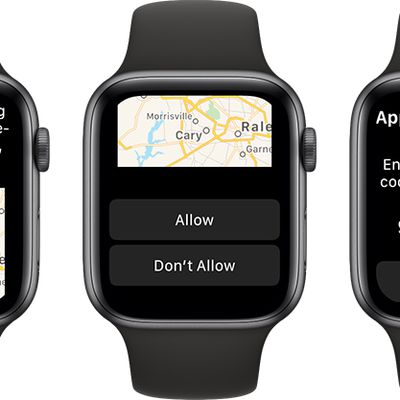
Apple Watch Can Display Apple ID Verification Codes Starting in watchOS 6
Starting in watchOS 6, the Apple Watch has become a trusted device for Apple ID authentication purposes.
When you or someone else signs in to your Apple ID on a new device or browser, the Apple Watch will automatically alert you, complete with an approximate location of the person. If the sign-in attempt is allowed, a six-digit verification code will then appear to be entered on the new...
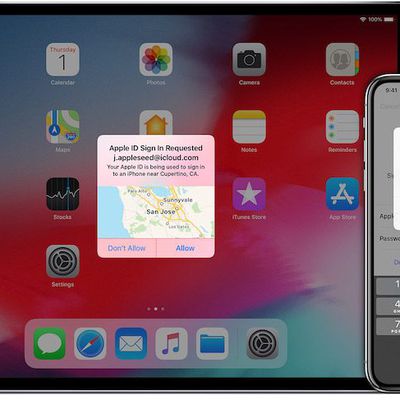
Apple Sued Over Not Letting Customers Disable Two-Factor Authentication After Two Weeks
New York resident Jay Brodsky has filed a frivolous class action lawsuit against Apple, alleging that the company's so-called "coercive" policy of not letting customers disable two-factor authentication beyond a two-week grace period is both inconvenient and violates a variety of California laws.
The complaint alleges that Brodsky "and millions of similarly situated consumers across the...
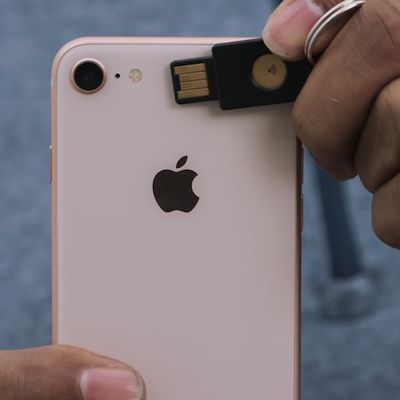
YubiKey Gains iOS SDK to Enable Secure 2FA Logins in Select Apps Using NFC
Yubico is a company that sells the "YubiKey," a small piece of hardware that protects access to computers and online accounts by providing strong two-factor authentication in lieu of receiving a text message code on a smartphone or other 2FA steps. With the NFC-equipped YubiKey NEO, Android users have been able to authenticate their log-ins with a tap, and this week Yubico announced that ability...
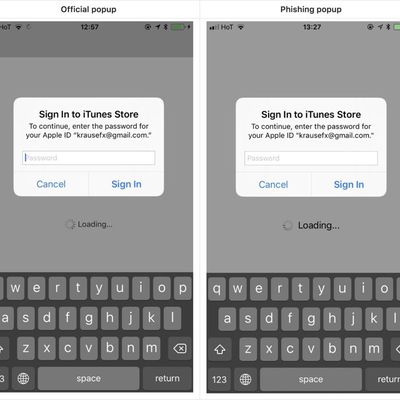
Developer Demonstrates iOS Phishing Attack That Uses Apple-Style Password Request
Developer Felix Krause today shared a proof of concept phishing attack that's gaining some traction as it clearly demonstrates how app developers can use Apple-style popups to gain access to an iPhone user's Apple ID and password.
As Krause explains, iPhone and iPad users are accustomed to official Apple requests for their Apple ID and password for making purchases and accessing iCloud, even...
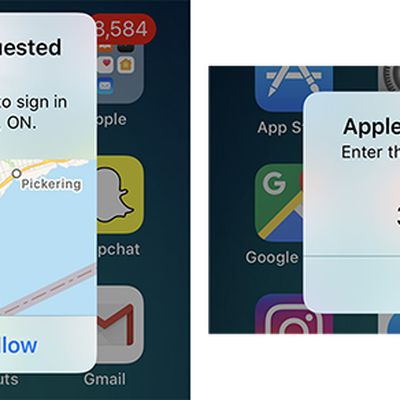
Apple Migrating iOS 11 and macOS High Sierra Users With Two-Step Verification to Two-Factor Authentication
Apple recently emailed Apple ID users with two-step verification enabled to inform them that, upon installing iOS 11 or macOS High Sierra, they will be automatically updated to its newer two-factor authentication method.
Apple introduced two-factor authentication in 2015 as an improved version of its two-step verification method for securing an Apple ID account with both a password and a...

Apple Updates iTunes Remote App With Two-Factor Authentication for Home Sharing
Apple today updated its iTunes Remote app, which is designed to allow users to control their iTunes libraries from anywhere in the home.
The new update adds support for Apple's Two-Factor Authentication system, adding an extra layer of security when signing in for Home Sharing purposes. Using Home Sharing will now require a verified device or a verified phone number that can receive a...
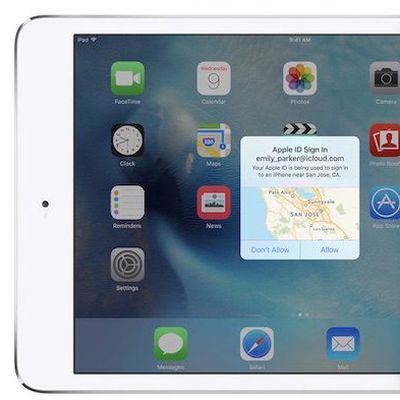
New U.S. Guidelines Could Halt Use of SMS for Two-Factor Authentication
The US National Institute for Standards and Technology has released a new draft of its Digital Authentication Guideline, which sets the rules that all authentication software eventually follows. In the document, NIST deprecates the implementation of SMS as a method with which users validate a second level of security on various accounts, "no longer" allowing its use in future guidelines as it is...
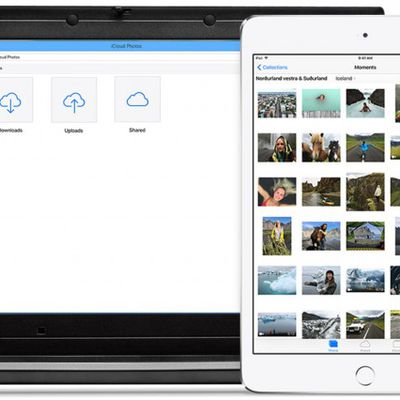
iCloud for Windows 5 Adds iCloud Photo Library and Two-Factor Authentication
Apple has released iCloud for Windows 5 with support for iCloud Photo Library and two-factor authentication for Apple ID accounts. Windows users were previously limited to accessing iCloud Photo Library through the web interface.
Apple recommends that iCloud for Windows users have Windows 7, 8 or 10 installed. For email, the software currently supports Outlook 2007 through Outlook 2013,...
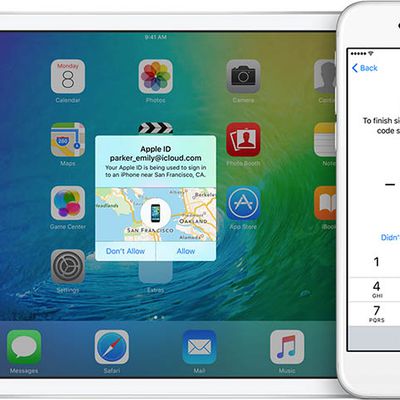
Apple Introduces Revamped Two-Factor Authentication for iOS 9 and OS X El Capitan
With the third betas of iOS 9 and OS X 10.11 El Capitan, Apple is introducing a revamped two-factor authentication system, according to both the beta release notes and a detailed support FAQ that outlines the changes.
The new two-factor authentication system is different from Apple's existing two-step verification system, using "different methods" to trust devices and deliver verification...