

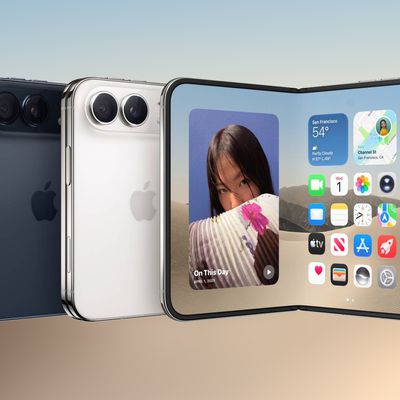
The iPhone Duo has an all-new form factor with multiple folding and orientation options, and app developers are having some fun with it. You can find quite a few apps using the foldable display in unique ways, many with skeuomorphic designs.
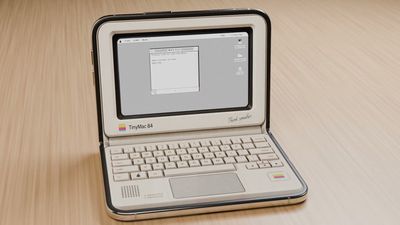
Tiny Computers ($3.99)
Tiny Computers turns the iPhone Duo into a miniature retro computer, with options inspired by the Macintosh, Commodore 64, Amiga 500, iMac G3, iBook G3, and more. It works best with the iPhone Duo in a seated orientation, giving you a display and a virtual keyboard.


The mini computers have clickable keyboards, desktop games, and paint programs, along with hidden files and easter eggs.
Fold & Squish (Free)
Made by the same developer as Tiny Computers, Fold & Squish lets you make Rorschach art with the Duo. You paint a design on one half of the Duo's display, close it, rub a finger over the outer display to "squish" the virtual paint, then open it up to see your finished design.
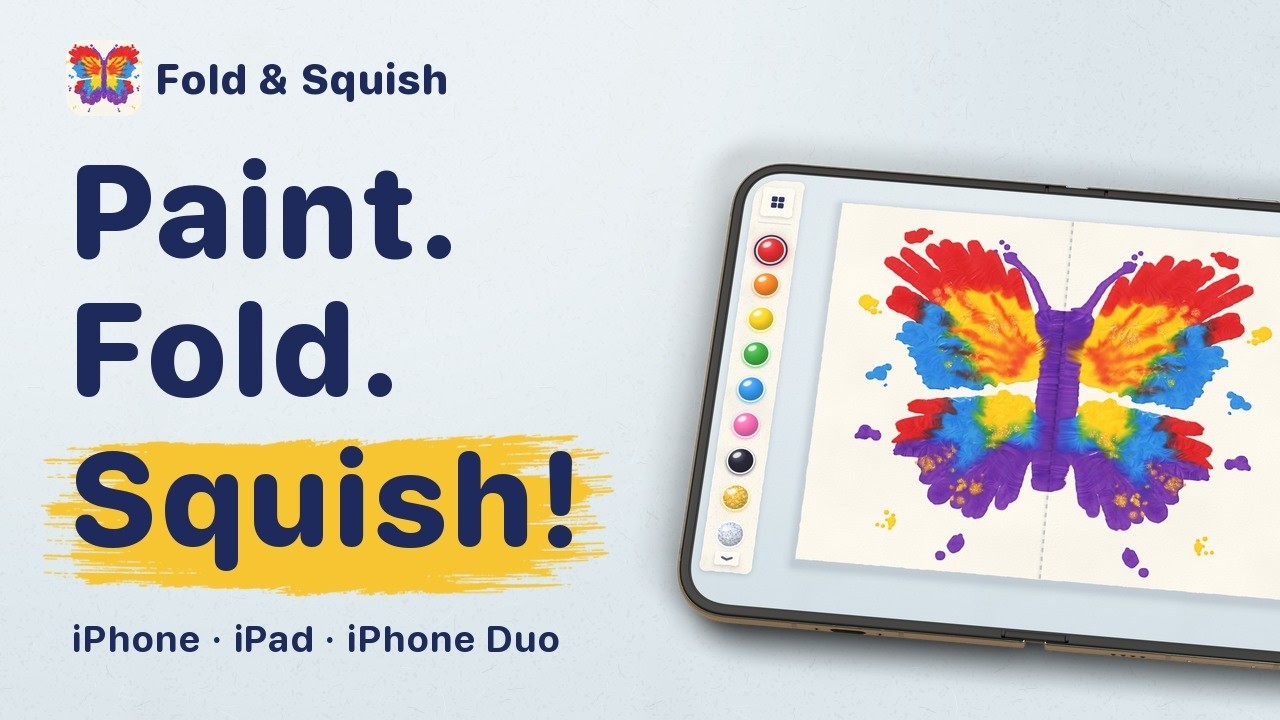
An add-on "Sparkle Pack" includes glitter paints, rainbow paint, and pencil guides for helping you paint designs like butterflies, but the base feature set is available for free.
Portal ($2.99/month)
Portal is a relaxation app that offers "portals" to different natural environments, from a lava river in Iceland to the cloud forest in Costa Rica. There are over 100 locations, each with calming sounds and breathing exercises. The app can be used for meditation, but it also has focus timers and sleep timers.
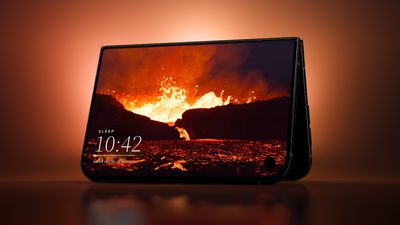
When the iPhone Duo is unfolded, scenes take up the entire display, but it also works especially well when the iPhone Duo is in tent mode. There are three free portals to use that are refreshed each month, and a Premium subscription is priced at $2.99 per month or $29.99 per year.
Lake (Free)
Lake is an adult coloring book that's been updated for the iPhone Duo. Holding the Duo in portrait mode gives you a full-page coloring surface, and the developer tells us it's being updated for Apple Pencil.
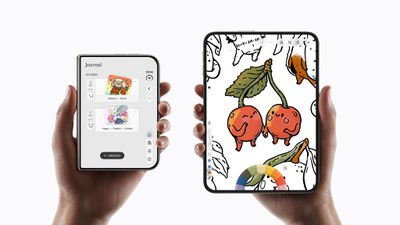
Lake has coloring pages from a long list of artists. It's free to download and comes with basic coloring pages and tools, but unlocking the full app requires a premium subscription that's $9.99 per month.
Toastie ($2.99)
Toastie turns the iPhone Duo into a toaster for making grilled cheese sandwiches. It's a game where you prepare the sandwich ingredients, then close the iPhone Duo to toast the sandwich. Timing is important, and the goal is to make a perfect grilled cheese.
We turned the iPhone Duo into the world's most expensive toaster 🥪 Build the sandwich quickly, then close your Duo to toast it. Don't burn it though! Check it out: https://t.co/riRVUFLlm1 https://t.co/0llh2lv9R1 — Tom Szykulski (@t_szykulski) October 7, 2026
Delta Game Emulator (Free)
Popular game emulator app Delta has been updated for the iPhone Duo, and it turns the Duo into a Nintendo DS.
iPhone DuoでDelta、折り畳むと笑う https://t.co/DySRV7UMBz — たっくん@超かぐプログラミング本 (@mikuta0407) October 23, 2026
The app has Nintendo DS controls, and when you close it, it looks like the shell of the gaming system and puts the game you're playing into sleep mode. Delta supports plenty of games from other systems too.
TypeDraw ($4.99)
TypeDraw turns the iPhone Duo into a notebook. It looks like a notebook when the Duo is closed, and then you can open it up to pages you can write on. The app supports Apple Pencil.
Taking notes on the iPhone Duo is so satisfying... especially when it looks and feels like a real notebook that truly belongs to you. With TypeDraw you choose what happens when you "open" your book, and you can personalise it with custom colours, fonts and even your own handwriting. For everyone lucky enough to have their hands on a Duo today: TypeDraw is available on the App Store now. For everyone else: it also looks and works great on regular iPhones 😄 — Phil Traut ᯅ (@SpatiallyMe) October 23, 2026
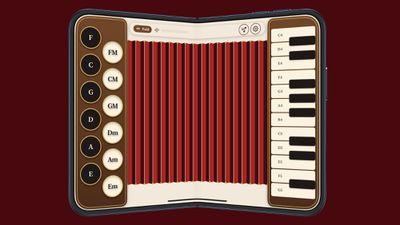
Fold Accordion ($2.99)
As the name suggests, Fold Accordion turns the iPhone Duo into an accordion. The hinge serves as the bellows, so the idea is to open and close the Duo to make music. There's a learn mode that lights up the keys you need to press.
Living Earth ($5.99)
If you're looking for an app that's ideal for the Duo's tent mode, Living Earth is worth checking out. It lets you set a location to get the time and local weather, plus it has a rotating globe that you can spin. When you unfold your iPhone Duo, the globe takes up the entire display.
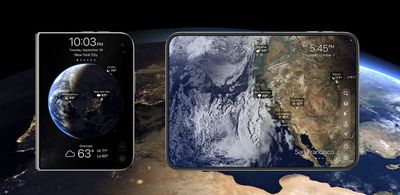
The app shows live clouds, storms, and weather maps across the world, so you can keep track of hurricanes, tropical storms, and other weather events.
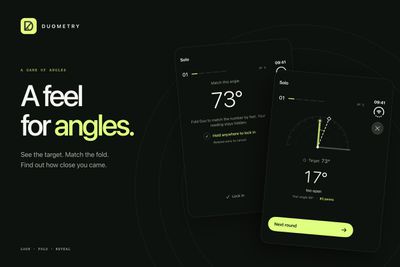
Duometry ($2.99)
Duometry is a game that gives you a target angle you have to match by folding the iPhone Duo. The idea is to make your best guess at the angle, and then lock in to see if you were correct.
Deck-Man ($4.99)
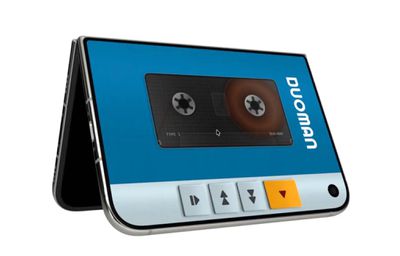
Deck-Man turns your iPhone Duo into a retro cassette player. You open up the iPhone Duo to pick your music, insert the cassette, and then snap the Duo closed to start music playback.
Orisuji ($4.99)
Orisuji is a paper maze game where you start with the inner display, and then fold the iPhone Duo to the outer display to solve the puzzles.


More Fun Apps
- Foldissimo - If one pocket accordion wasn't enough, there's also Foldissimo, which lets you use your iPhone Duo to play accordion songs.
- Fold Focus ($5.99/month) - Fold Focus is a pomodoro timer app that motivates you to keep your iPhone Duo closed for work, study, or creative sessions. While your device is shut, you work on building a virtual city.
- Foldfish (Free) - Foldfish is a game where you unfold the iPhone Duo to cast, tap to throw, and then hold to reel in a catch.
- Nitelore (Free) - Nitelore is an anti-gravity racing game with neon colors, and it looks great on the iPhone Duo.
Share Your Favorites
Have you found other fun apps we don't have in our list? Let us know in the comments below.









































![Apple Pulls Keynote, Pages and Numbers From App Store [Update: Back]](https://images.macrumors.com/t/Okb7kitB_gNr6qe5Pex9nQIysD8=/112x112/article-new/2026/01/Apple-Creator-Studio-iWork-suite.jpg)



