Wallet App Support for Apple Account Cards Now Live in Australia and Canada
Support for Apple Account Cards in the Wallet app has gone live in Canada and Australia, over two years since it first launched in the United States.
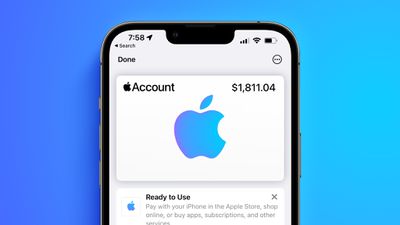
The change means users can use the Wallet app to add an Apple Account Card, which displays the Apple credit balance associated with an Apple ID. If you receive an App Store or Apple Store gift card, for example, it is added to an Apple Account that was previously visible in the App Store and Apple Store apps.
Support for the feature in Canada and Australia requires iPhone users updating to iOS 17.6, as spotted by Nicolás Álvarez. Prior to today, support for the feature was thought to be limited to Japan and the US.
To add an Apple Account Card, open up the Wallet app and under "Available Cards," tap on "Add Apple Account." As long as you have an Apple Account balance, you'll be able to add the card.
Once added, you can view your Apple Account balance right from the Wallet app and use it to purchase Apple products, apps, games, and music. It works in the same way as any other card in the Wallet app when at an Apple Store. The Apple Account Card replaces the iTunes Pass that used to be available a long time ago.
Popular Stories
Since 2023, Apple's newer iPhones have had an 80 percent charge limit for those who want to extend battery lifespan. Charging to 80 percent instead of 100 percent is supposed to put less stress on the battery, improving longevity.
For the last three years, I've used that setting on my iPhone. I started with the iPhone 15 Pro Max, then did the iPhone 16 Pro Max, and most recently, the iPhone...
Apple today announced an upcoming product launch that will take place on Tuesday, October 13. We are expecting Apple's announcement to focus on new smart home products, including the long-rumored smart home hub, a new Apple TV 4K, and a refreshed HomePod mini.
Subscribe to the MacRumors YouTube channel for more videos.
The home hub is an all-new device that's like a cross between an iPad and...
Apple will introduce new OLED touchscreen MacBook Pro models and an OLED iPad mini "on or around" Tuesday, October 27, reports Bloomberg. The launch will also include an M6 14-inch MacBook Pro and an M6 iMac.
The October 27 follows Apple's October 13 debut of a new smart home hub, a revamped Apple TV 4K, and a refreshed HomePod mini. Earlier this month, MacRumors reported that Apple would do ...





/https://forums.macrumors.com/attachments/2402149/)