iPhone 12 Pre-Order Dates: 6.1-Inch Models on Friday, Mini and Pro Max Models on November 6
Apple today announced that the 6.1-inch models of the iPhone 12 and iPhone 12 Pro will be available to pre-order beginning this Friday, October 16 at 5 a.m. Pacific Time, with deliveries and in-store availability beginning one week later on Friday, October 23.
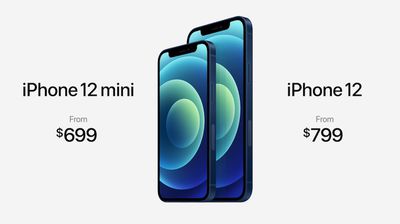
The smaller 5.4-inch iPhone 12 mini and larger 6.7-inch iPhone 12 Pro Max are launching later, with pre-orders beginning Friday, November 6 at 5 a.m. Pacific Time and shipments beginning one week later on Friday, November 13.
iPhone 12 Pro pricing starts at $999, while the iPhone 12 starts at $799 and the iPhone 12 mini starts at $699.
Key features of the iPhone 12 lineup include a new flat-edge design, 5G connectivity, a faster A14 Bionic chip, a new MagSafe system for precise wireless charging and easy-to-attach magnetic accessories, more durable glass, camera improvements, and more. iPhone 12 Pro models also feature a LiDAR Scanner for enhanced augmented reality.
Popular Stories
Apple today announced a new high-end MacBook Pro, which is available in 14-inch and 16-inch sizes. The new device has a PROLED XDR display that supports touch gestures, and a glowing rear Apple logo.
Pricing on the MacBook Pro starts at $2,899 for the 14-inch model and $3,399 for the 16-inch model.
Apple says the MacBook Pro has the "world's best display in a pro laptop." The PROLED...
In a memo shared with Apple Stores and Apple Authorized Service Providers this week, and later obtained by MacRumors, Apple provided technicians with guidance on how to diagnose and address the iPhone Duo's inner display cracking issue.
If a customer reports the issue, Apple advised technicians to inspect the iPhone Duo and repair or replace it in accordance with their standard procedures....
While the new iPad mini has an OLED display, the device does not support ProMotion, meaning the display's refresh rate is limited to 60Hz instead of 120Hz.
ProMotion support would have allowed for the iPad mini's refresh rate to automatically adjust from 10Hz to 120Hz depending on the content being displayed, but evidently Apple has kept the feature exclusive to the iPad Pro among iPad...




















































