Apple Releases Second Betas of iOS 14.2 and iPadOS 14.2 to Developers With Music Recognition Toggle for Control Center - MacRumors
Skip to Content

Apple Releases Second Betas of iOS 14.2 and iPadOS 14.2 to Developers With Music Recognition Toggle for Control Center

Apple today seeded the second betas of upcoming iOS 14.2 and iPadOS 14.2 updates to developers, two weeks after seeding the first betas and a little over two weeks after releasing the iOS 14 and iPadOS 14 updates.
iOS 14
iOS and iPadOS 14.2 can be downloaded through the Apple Developer Center or over the air after the proper developer profile has been installed.

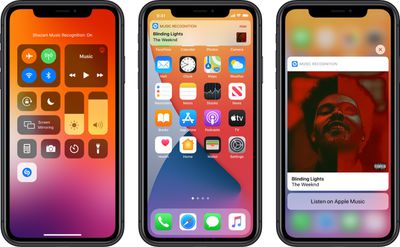
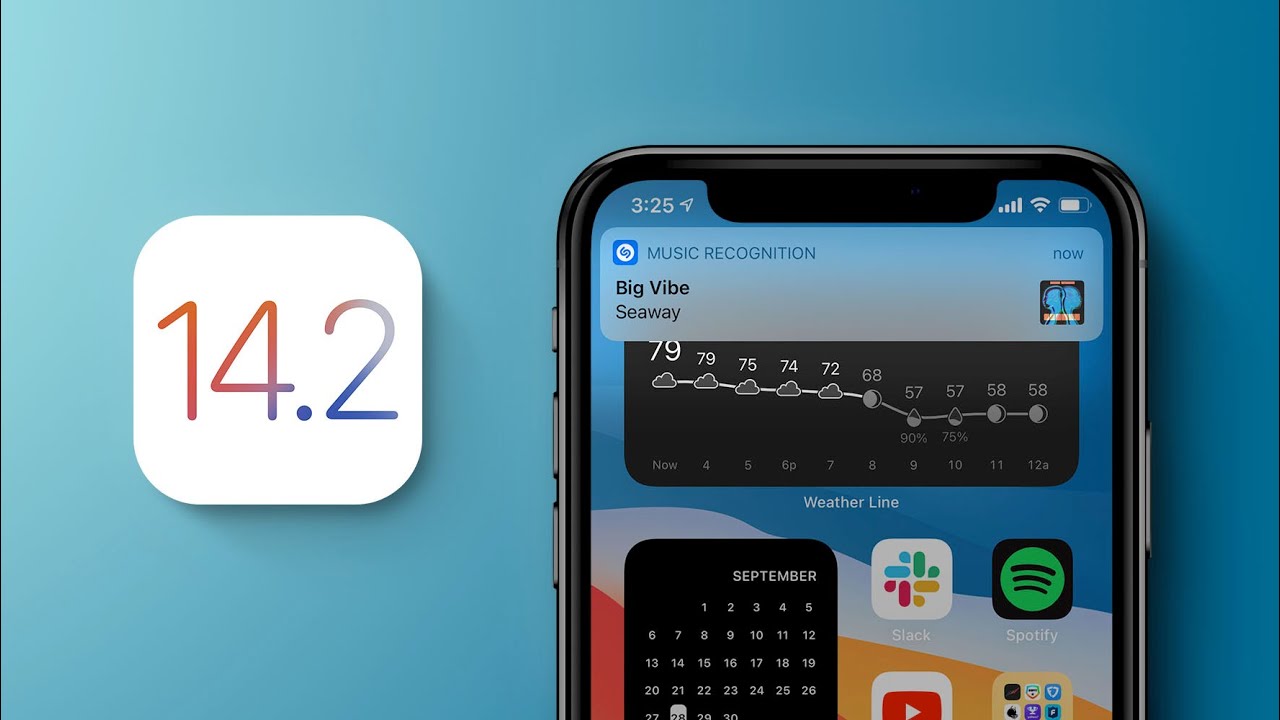
The iOS 14.2 update brings a new Music Recognition control for the Control Center, which enhances the integration of the Apple-owned Shazam app in the iOS operating system. Music Recognition lets you discover music playing around you and it can recognize music playing in apps even when you're wearing AirPods.
musicrecognitioncontrol
The Shazam Music Recognition feature can be added to Control Center through the Control Center options in the Settings app. To use the feature, open up Control Center and then tap on the Shazam icon to initiate a single recognition. While Apple devices have been able to use Shazam through Siri or the Shazam app for some time, the Control Center option makes it easier to get to the music recognition tool.

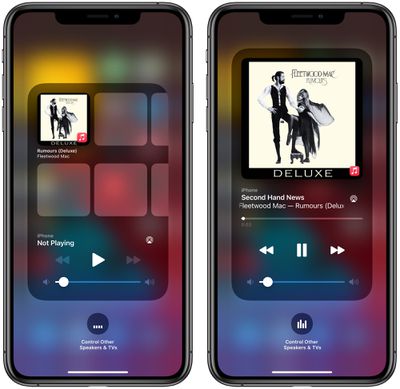
The new update also includes a redesigned Now Playing widget for the Control Center, which lists recently played albums that you might want to tap into and listen to when you have no music playing. There's also a redesigned interface for AirPlay, making it easier to play music across multiple ‌AirPlay‌ 2-enabled devices in the home.

applemusicsuggestions
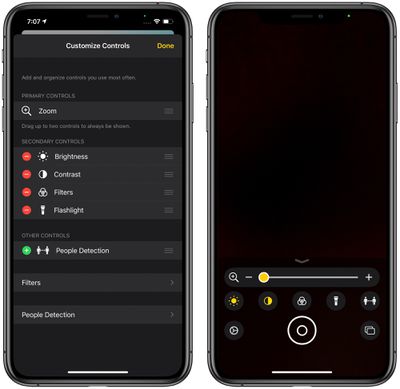
For those who have low vision, Apple added a "People Detection" feature in the Magnifier app that uses the camera to let iPhone users know how far away other people are, which can be useful for social distancing purposes.
magnifierpeopledetection
The new iOS 14.2 beta will likely be in testing for some time as Apple works on releasing new iPhones, with the new iPhones expected to debut sometime in October.


Related Forum: iOS 14

Popular Stories

iPhone 18 Pro Deep Red Feature

iPhone 18 Pro Launching Next Month With These 12 New Features

Thursday August 6, 2026 7:03 am PDT by
It is now August, and that means the iPhone 18 Pro and iPhone 18 Pro Max are just a month away. The devices are expected to look similar to the iPhone 17 Pro and iPhone 17 Pro Max, but there will still be many year-over-year changes, with rumored features including a smaller Dynamic Island, 5G via satellite, and more. Apple is expected to unveil the iPhone 18 Pro, iPhone 18 Pro Max, and a...
apple account card feature

Apple Account Card in Wallet Now Available in Four More Countries

Thursday August 6, 2026 6:01 am PDT by
Apple has expanded support for the Apple Account Card in the Wallet app to Estonia, Latvia, Lithuania, and Malta. The Apple Account Card option for Wallet started rolling out in 2022, and Apple has been gradually expanding to more countries since then. The card displays the balance associated with a user's Apple Account and can be used to make purchases in the Apple Store, online, or for...
Everything Apple Is Expected to Announce in September Feature

Everything Apple Is Expected to Announce in September

Tuesday August 4, 2026 3:10 pm PDT by
Apple is going to announce at least five new devices next month at its annual iPhone-centric event, though it's possible we'll also get devices that were waiting on Siri AI. Here's what's coming. iPhone 18 Pro Rumors suggest the iPhone 18 Pro is going to look a lot like the iPhone 17 Pro, but with a smaller Dynamic Island. It's getting a new Wide camera with a variable aperture for more...

Top Rated Comments

sniffies Avatar
77 months ago
I hope it enables OxyMeter for Apple Watch
Score: 9 Votes (Like | Disagree)

Ingo Brocksom Avatar
77 months ago

It's alive :) 14.2 beta 2


Waiting for the public Beta 14.2 beta 2 👌
Score: 3 Votes (Like | Disagree)
77 months ago
It's alive :) 14.2 beta 2


Attachment Image
Score: 3 Votes (Like | Disagree)
77 months ago

I hope it enables OxyMeter for Apple Watch

I updated to 14.2 before my Apple Watch series 6 arrived, so I have yet to try the awesome new features. I hope Beta 2 merges the blood oxygen level feature from stable release candidate to the beta releases. 🤞🏻

Did the re enable the blood o2 in the apple watch app?
Looks like that's there:
https://forums.macrumors.com/threads/ios-14-2-beta-2-bug-fixes-changes-and-improvements.2257729/post-28965927
Score: 3 Votes (Like | Disagree)
77 months ago

I hope it enables OxyMeter for Apple Watch
I updated to 14.2 before my Apple Watch series 6 arrived, so I have yet to try the awesome new features. I hope Beta 2 merges the blood oxygen level feature from stable release candidate to the beta releases. 🤞🏻
Score: 3 Votes (Like | Disagree)
GtrDude Avatar
77 months ago
Still more completely useless Apple updates.
How about fixing some of the existing bugs?
Apple needs to:
1. redesign the notification center. It's ridiculous.
2. add haptic feedback to the keyboard, and make it possible to customize different intensities to your heart's content. It's crazy that you have no feedback whatsoever if you're typing and have the phone on mute.Those who are concerned with battery can just turn it off.
3. make it possible to adjust volume for independent apps and settings and not this general thing they're doing, forcing you to do it while the thing is being played, such as separate volume control for keyboard volume, music volume, ring volume, system volume.
4. add suggestions from the address book when you're dialing a phone number. Common now Apple.
5. make it possible to customize the texting app in every conceivable way. Font size, bubble size shape color.
6. make it possible to schedule a message to be sent at a certain time/date.
7. make it possible to move the icons anywhere you want to.
8. Use an OS-wide clipboard and make it not expire. You should be able to copy text now and paste it tomorrow if you want to.
9. Give us an option to NOT go to the next email but back to inbox after deleting an email.


Hope it fixes the laggy keyboard typing!
It doesn't. Not on my phone at least. Xs-Max.
Nor does it fix the dimming of the screen where you have to turn it off and on again to get it to its correct brightness.
Score: 2 Votes (Like | Disagree)