Apple today released iOS 10, the next major operating system designed for the iPhone, iPad, and iPod touch. iOS 10 has been described as the biggest iOS update ever, with features ranging from an overhauled Lock screen interface to half a dozen new capabilities for the Messages app.
In addition to all the major changes, there are dozens of more minor but still significant tweaks that have been made to the operating system to make it feel entirely new, including individualized read receipts, the ability to hide stock apps, a new Wake Alarm in the Clock app, and more. Below, we've listed some of the most notable changes worth checking out.


Hide stock apps - In iOS 10, a wide range of stock apps can be hidden from the Home screen, a feature iOS users have long wanted. Stock apps that are "deleted" aren't removed from the operating system and won't free up space, but they won't be visible.
Apps that can be deleted include Calendar, Compass, Contacts, FaceTime, Find My Friends, Home, iBooks, iCloud Drive, iTunes Store, Mail, Maps, Music, News, Notes, Podcasts, Reminders, Stocks, Tips, Videos, Voice Memos, Watch, and Weather.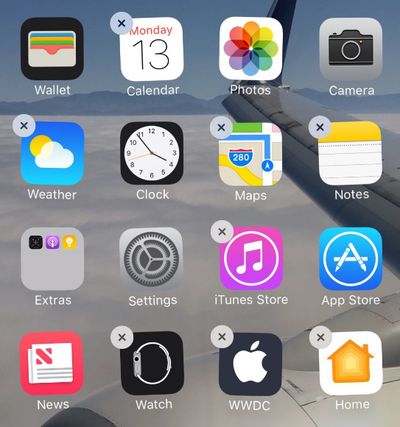
Split-View Safari on iPad - On iPads that support full Split-View multitasking, two Safari windows are now able to be opened side by side. Side-by-side Mail composing is also available on iPads.
Safari tabs - Safari now supports an unlimited number of tabs.
Safari autoplay - In iOS 10, Apple will allow videos with no audio element to play automatically, which will be useful for viewing video-format animated GIFs. Apple also plans to automatically pause videos that do have an audio element, cutting down on pesky spam videos.
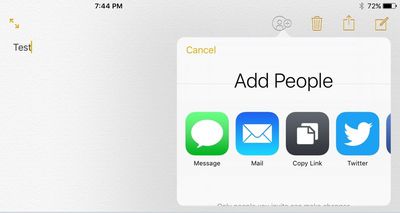
Notes collaboration - There are new collaborative features in Notes. Tapping on the new "Add People" icon in the app lets you invite other users to view and edit a note. All changes made by any user with access to the note will sync to other users.
Copy and paste - There's a new Continuity feature that allows copied content to sync across Mac and iOS devices. You can copy a link on an iPhone, for example, and paste it on a Mac running macOS Sierra.
iCloud Drive - When used in conjunction with macOS Sierra, the iCloud Drive app on iOS devices will now house all Mac files located on either the desktop or the Documents folder for quick access anywhere.
Phone - Apple has created a new "CallKit" API that allows third-party VoIP apps like Skype to behave much like a standard phone call. There's also a new caller ID extension that can be used to screen phone calls for spam.

Voicemail transcription - In iOS 10, incoming voicemail messages are translated to text and can be read instead of listened to.
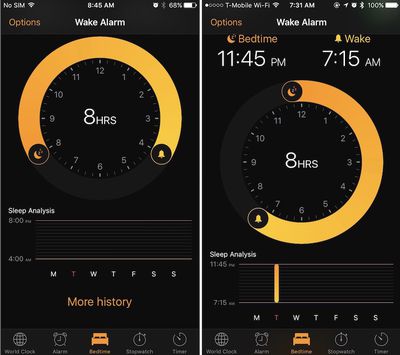
Bedtime Alarm - With bedtime alarm, it's possible to set a regular sleep schedule to get reminders to let you know when it's time to go to bed.
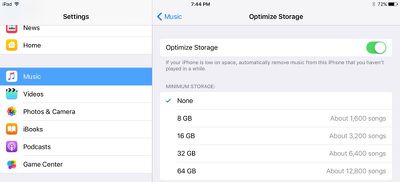
Music storage optimization - There are now options in the Settings app to optimize storage and remove songs that have not been listened to in a while. There are settings to limit music storage space to 8GB, 16GB, 32GB, and 64GB.
New Keyboard Sound - Keyboard sounds have been slightly tweaked. Backspace now has a distinctive sounds unique from other key press sounds, and there's a new sound for space, return, shift, and number/emoji shift. There's also a new general sound for all other key presses that's more of a muted popping-style sound.
Individual read receipts in Messages - Read receipts in the Messages app can be toggled on or off on a per person or per conversation basis in iOS 10.
Game Center - Apple has removed the Game Center app from iOS 10, but the Game Center service continues to be available.
VPN - PPTP connections for VPNs are being eliminated in iOS 10 and macOS Sierra. Apple recommends using other, more secure VPN protocols instead.
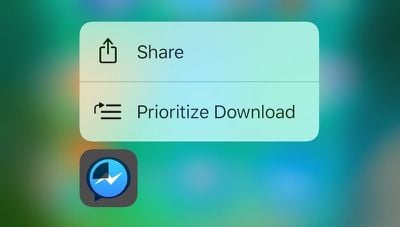
3D Touch app downloads - When downloading app updates on an iPhone, a 3D Touch on an app icon will allow a download to be paused. When downloading multiple items, it's also possible to choose to prioritize app downloads.
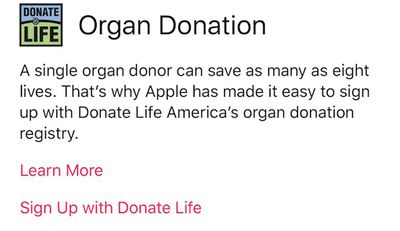
Organ donor registration - The Medical ID section of Health app now includes integration with Donate Life America to make it easy for users to register as organ donors in the United States. The functionality was introduced in the second beta version of iOS 10.
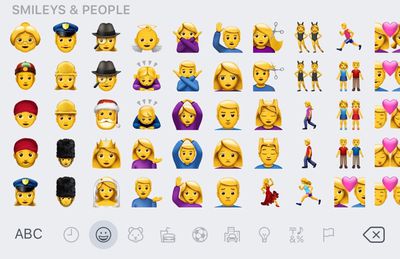
New emoji - There are new emoji in iOS 10, designed to promote gender equality. Many professions and activity emoji that were previously limited to just one gender are now available with both male and female gender options. Emoji also have a new texture, many existing emoji have seen slight design tweaks, and Apple has replaced the "gun" emoji with a water gun.
Lock sound - Apple introduced a new sound that plays when the power button on the iPhone is pressed to lock the phone. It sounds similar to a door closing.
For more information on the new features included in iOS 10, make sure to check out our full iOS 10 roundup.