Box.net iPhone App for File Management and Sharing - MacRumors
Skip to Content

Box.net iPhone App for File Management and Sharing

by
065432 853822 225

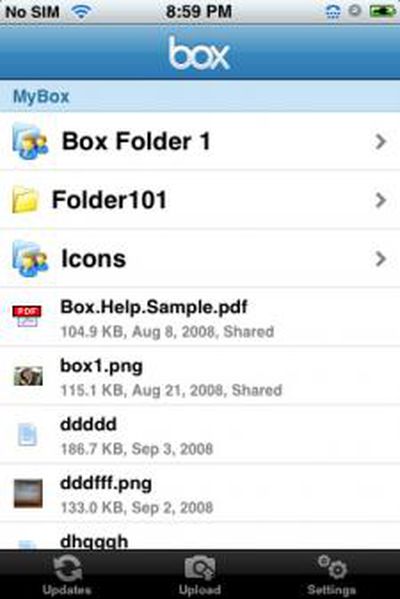
Box.net has released their free iPhone companion application which provides integration to their online file management service. Box.net offers a basic Lite version of its service for free. The free service offers 1GB of online storage and 10GB of bandwidth a month. Paid plans start at $7.95 a month and offer more storage and no bandwidth limitations.

The iPhone app offers these features:

- Scroll through and view all the files and folders stored on their Box.net accounts.
- Share individual files or entire folders of files stored on their Box.net accounts with any of their iPhone contacts
- Snap pictures, upload them to Box and share them
- Monitor updates to your Box.net account, such as files or folders added by you and people that are collaborating and contributing to your Box.net account

App Store Link: Box.net, Free

Related Forum: iPhone

Popular Stories

Aston Martin CarPlay Ultra Screen

Apple Says CarPlay Ultra is Coming to These Vehicle Brands

Thursday May 21, 2026 11:53 am PDT by
Last year, Apple launched CarPlay Ultra, the long-awaited next-generation version of its CarPlay software system for vehicles. Nearly a year later, CarPlay Ultra is still limited to Aston Martin's latest luxury vehicles, but that should change fairly soon. In May 2025, Apple said many other vehicle brands planned to offer CarPlay Ultra, including Hyundai, Kia, and Genesis. CarPlay Ultra...
iOS 27 on iPhone 17 1

iOS 27 Beta Available Tomorrow With These 12 New Features

Sunday June 7, 2026 8:39 am PDT by
Apple is set to unveil iOS 27 during its WWDC 2026 keynote this Monday, and there are many rumored features and changes for iPhones. The first developer beta of iOS 27 will likely be available immediately following the keynote, and a public beta typically follows in July. Following beta testing, the software update should be released to all users with a compatible iPhone in September....
ios 26 iphone 16 pro lock screen notifications feature 1

iOS 27 Notifications Will Slide in From Left Side of Your iPhone's Screen

Friday June 5, 2026 7:24 am PDT by
Bloomberg's Mark Gurman today revealed another iOS 27 change: notifications will slide in from the left side of the screen instead of from the top. In addition, accessing Notification Center on iOS 27 will require swiping down on the top-left corner of the screen. If you swipe down on the Dynamic Island area, a new "Search or Ask" interface tied to the revamped Siri will appear, instead of...