Skip to Content

How to Access Your iPhone Wallpaper Gallery

by

In iOS 16, Apple introduced some major changes to its mobile operating system, including a total overhaul of the Lock Screen.
image
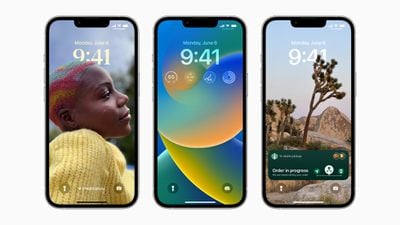
On an iPhone running iOS 16 or later, it's possible to customize the Lock Screen in ways that were simply not possible before, thanks to new options to apply unique fonts, colors, filters, and, for the first time, add widgets.

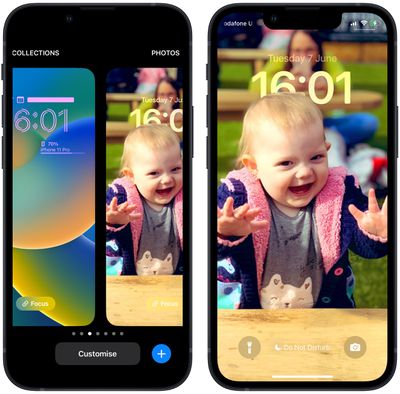
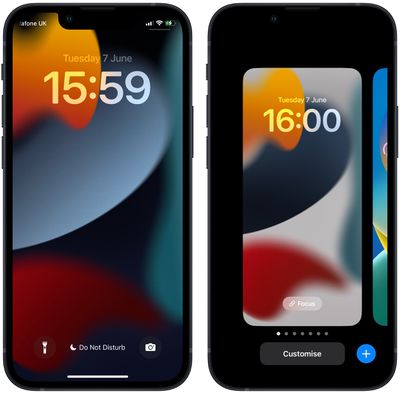
Recognizing that users might like to create multiple Lock Screens to switch between from time to time, Apple has included a Lock Screen wallpaper gallery that will look familiar to anyone with an Apple Watch, since it's very similar to the way watch face customization works.

The wallpaper gallery allows you to switch up your Lock Screen on the fly, without even entering your iPhone's Home Screen. The steps below show you how it's done.

  1. Unlock your ‌iPhone‌ with Face ID or Touch ID.
  2. Press and hold on the Lock Screen.
    Lock Screen

  3. In the gallery view, swipe left or right to preview your Lock Screen wallpapers.
  4. Simply tap on the wallpaper you'd like to switch to, and it will immediately be adopted as your active Lock Screen.
    Lock Screen

Wallpaper gallery looking a little sparse? Fortunately, Apple has created a variety of customizable Lock Screen wallpaper types that you can add to your gallery, including shuffling photos, Emoji backgrounds, Apple Collections, and Colors, as well as dynamic Weather and Astronomy screens that reflect real-time data. For instructions on creating a new Lock Screen, check out our dedicated how-to.


Popular Stories

Apple Event Logo

Apple Released Seven New Products Today

Wednesday March 11, 2026 7:05 am PDT by
Starting today, the seven new Apple products that were announced last week are available at Apple Stores and beginning to arrive to customers. The colorful MacBook Neo and all of the other new products are on display at most Apple Store locations around the world starting today. Apple Stores have inventory of the new products for both walk-in customers and Apple Store pickup, but...

ios 26 4 yellow

Everything New in iOS 26.4 Beta 4

Monday March 9, 2026 3:50 pm PDT by
Apple is continuing to test the iOS 26.4 beta, and the latest update is now available for developers and public beta testers. As testing goes on, there are fewer new features in each beta, but today’s release adds new emoji characters and a few other changes. New Emoji Apple added new emoji characters, including trombone, treasure chest, distorted face, hairy creature, fight cloud, orca,...
Apple MacBook Pro M4 hero

Apple Planning 'MacBook Ultra' With Touchscreen and Higher Price

Sunday March 8, 2026 8:05 am PDT by
Apple is planning to launch an all-new "MacBook Ultra" model this year, featuring an OLED display, touchscreen, and a higher price point, Bloomberg's Mark Gurman reports. Gurman revealed the information in his latest "Power On" newsletter. While Apple has been widely expected to launch new M6-series MacBook Pro models with OLED displays, touchscreen functionality, and a new, thinner design...