Skip to Content

How to Listen to Apple Music on Sonos Speakers

by

If you subscribe to Apple Music, you can stream the service to any Sonos speakers you own using the Sonos Controller app on your iPhone or iPad.
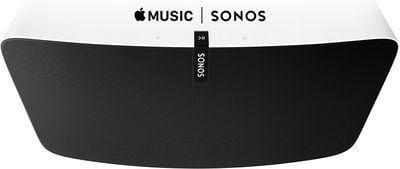
Apple Music Sonos
After you add your ‌Apple Music‌ subscription through the Sonos Controller app, you can listen to the entire ‌Apple Music‌ catalog or your personal music library, get music recommendations, and more through your Sonos system.

How to Link Apple Music to Your Sonos Speakers

  1. Download and install the Sonos Controller app on your iOS device.
  2. Launch the Sonos Controller app.
  3. Tap the More tab in the bottom right of the screen.
  4. Tap Add Music Services in the main menu.
  5. Tap Apple Music.
  6. Tap Add to Sonos.
  7. Log in to your ‌Apple Music‌ account using your Apple ID and password, then tap Open. (If you've left the Sonos app to log in to ‌Apple Music‌, return to the app and tap Continue to complete the process.)

How to play Apple Music on your Sonos Speakers

  1. Launch the Sonos Controller app.
  2. Tap the Browse tab.
  3. Tap Apple Music.
  4. Select a song, album, or playlist you want to listen to.
  5. Tap Play (or Play All).
  6. Tap the mini-player banner at the bottom of the screen.
  7. If it isn't already selected, tap your Sonos speaker in the list.

‌Apple Music‌ songs can be played to all of your Sonos speakers at once using the built-in ‌Apple Music‌ feature in the Sonos app. If you have AirPlay 2-enabled Sonos speakers along with other ‌AirPlay‌ 2 speakers, you can also play the same music to all of them at once for a whole-home audio experience, but you'll want to use Apple's Control Center options for that rather than the Sonos app because the Sonos app can only control Sonos speakers.


Popular Stories

iOS 27 Mock Quick

iOS 27 Will Reportedly Be Like Mac OS X Snow Leopard

Sunday March 15, 2026 9:42 am PDT by
In his Power On newsletter today, Bloomberg's Mark Gurman reiterated that iOS 27 will be similar to 2009's Mac OS X Snow Leopard, in the sense that one of Apple's biggest priorities is bug fixes for improved performance and stability. During WWDC 2008's State of the Union, Apple showed a slide that said Mac OS X Snow Leopard had "0 new features," as it opted to focus on performance and...
AirPods Max 2 Feature

Apple Announces AirPods Max 2 With H2 Chip and More

Monday March 16, 2026 6:12 am PDT by
Apple today unveiled AirPods Max 2, with key upgrades including the H2 chip, increased active noise cancellation, improved sound quality, and features such as Adaptive Audio, Conversation Awareness, Voice Isolation, and Live Translation. The new AirPods Max have the same overall design as the previous generation, with most of the new features coming from the upgrade to the H2 chip:- Adaptive ...
Apple Logo Sketch Feature

Apple Unveiled a Surprise New Product Today

Monday March 16, 2026 10:50 am PDT by
Surprise! Apple today unveiled the AirPods Max 2, despite no rumors suggesting that a new version of Apple's over-ear headphones were imminent. Key upgrades compared to the previous AirPods Max include Apple's H2 chip, increased active noise cancellation, improved sound quality, and features such as Adaptive Audio, Conversation Awareness, Voice Isolation, and Live Translation. AirPods Max ...