

Skip to Content

Apple Seeds macOS Sonoma 14.1 Release Candidate to Developers and Public Beta Testers

Apple today seeded the release candidate version of an upcoming macOS Sonoma 14.1 update to developers and public beta testers for testing purposes, with the update coming one week after the launch of the third 14.1 beta.
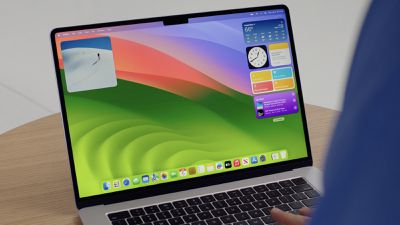
sonoma desktop wwdc
Registered developers can opt-in to the beta through the Software Update section of the System Settings app. Under Beta updates, toggle on the Sonoma Developer Beta. Note that an Apple ID associated with an Apple Developer account is required to get the developer beta. Public beta testers will need to follow the same steps after opting in to the beta through Apple's public beta testing website.

macOS Sonoma 14.1 includes updates for the Music app, introducing an option to favorite songs, albums, artists, and more, plus there's a new Coverage section in System Settings for keeping track of AppleCare+. No other major new additions have been found in the beta as of yet, and Apple's release notes don't add much.

This update provides enhancements, bug fixes, and security updates for your Mac including:
- Favorites expanded in Music to include songs, albums, and playlists, and you can filter to display your favorites in the library
- Apple warranty status for Mac, AirPods, and Beats headphones and earbuds are available in System Settings
- Fixes an issue where the System Services settings within Location Services may reset
- Fixes an issue that may prevent encrypted external drives from mounting
Some features may not be available for all regions, or on all Apple devices.
For detailed information about the security content of this update, please visit: https://support.apple.com/kb/HT201222

macOS Sonoma is likely to see a public launch next week following a week of RC testing.

Related Forum: macOS Sonoma

Popular Stories

Apple Event Logo

Apple Released Seven New Products Today

Wednesday March 11, 2026 7:05 am PDT by
Starting today, the seven new Apple products that were announced last week are available at Apple Stores and beginning to arrive to customers. The colorful MacBook Neo and all of the other new products are on display at most Apple Store locations around the world starting today. Apple Stores have inventory of the new products for both walk-in customers and Apple Store pickup, but...

iOS 27 Mock Quick

10+ New Features Coming in iOS 27

Friday March 13, 2026 2:13 pm PDT by
We're only three months away from Apple's WWDC 2026 event, which will see the company unveil iOS 27. With the fully revamped version of Siri possibly delayed until September, iOS 27 is shaping up to be the update we wanted iOS 26 to be. There will be new Apple Intelligence features, updates for the iPhone Fold, and more, with the latest rumors summarized below. Foldable iPhone Features...
Apple 50 Years of Thinking Different

Apple Announces 50th Anniversary Plans

Thursday March 12, 2026 6:10 am PDT by
Apple today announced that it will celebrate the company's 50th anniversary over the coming weeks, but it has yet to reveal any specific plans. Apple was founded on April 1, 1976, so the company will turn 50 on April 1, 2026. "While Apple is known for looking forward, this milestone offers a special moment to reflect on the journey that has brought the company here, to celebrate the...

Top Rated Comments

Realityck Avatar
32 months ago
Comparison of 14.1 RC to previous 14.1 beta 3

macOS 14.1 RC (23B73)

* Safari Version 17.1 (19616.2.9.11.7)
* System Firmware Version: 10151.41.12 (M1 based Macs)
* Darwin Kernel Version 23.1.0: Mon Oct 9 21:28:12 PDT 2023; root:xnu-10002.41.9~6/RELEASE_ARM64_T8103 arm64

macOS 14.1 beta 3 (23B5067a)

* Safari Version 17.1 (19616.2.9.11.6)
* System Firmware Version: 10151.41.10 (M1 based Macs)
* Darwin Kernel Version 23.1.0: Tue Oct 3 22:41:31 PDT 2023; root:xnu-10002.41.8~15/RELEASE_ARM64_T8103 arm64
Score: 6 Votes (Like | Disagree)
srbNYC Avatar
32 months ago

If this doesn't fix the following issues then I'm so formatting and reinstalling Yosemite and staying there:

* Desktop icons being completely buggy, not staying where I put them and stacking on top of each other
* Screen flashing red whenever new content is displayed
* Messenger being laggy as hell
*

Wow, I'm on an M1 MBA and have had none of these problems. It's been fast, smooth and great.
Score: 4 Votes (Like | Disagree)
32 months ago
Any rc's for Monterey or Ventura?
Score: 3 Votes (Like | Disagree)
Canubis Avatar
32 months ago
Does this perhaps bring back the dark-ish menu bar (when using dark mode)? Super annoyed by this being bright while dock, windows and all other major UI elements use dark theme.
Score: 3 Votes (Like | Disagree)
Mainyehc Avatar
32 months ago

[…]
macOS Sonoma 14.1 includes updates for the Music app, introducing an option to favorite songs, albums, artists, and more, plus there's a new Coverage section in System Settings for keeping track of AppleCare+. No other major new additions have been found in the beta as of yet, and Apple's release notes don't add much.
[…]
Typical Apple. 🤦‍♂️ Since they’re giving Music.app some attention, could you please check if they fixed the Recently Added view they just borked ('https://forums.macrumors.com/threads/music-apps-recently-added-view-completely-borked-by-apple-in-sonoma.2406996/'), or at the very least provided us with a workable alternative?
Score: 3 Votes (Like | Disagree)
headlessmike Avatar
32 months ago

Does this perhaps bring back the dark-ish menu bar (when using dark mode)? Super annoyed by this being bright while dock, windows and all other major UI elements use dark theme.
All it does is match your background image. Use a dark background and you'll get a dark menu bar.
Score: 2 Votes (Like | Disagree)










































