iPhone 13 Models Have the Same Amount of RAM as iPhone 12 Models
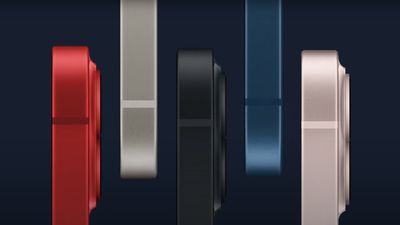
Apple never advertises the amount of RAM in iPhones, but based on strings contained within the Xcode 13 beta, MacRumors can confirm that iPhone 13 Pro and iPhone 13 Pro Max models are equipped with 6GB of RAM, while the iPhone 13 and iPhone 13 mini have 4GB of RAM. These amounts are unchanged from the iPhone 12 lineup.
The same Xcode strings accurately revealed the amount of RAM in iPhone 12 models last year and in several previous iPhone generations.
iPhone 13 models feature a more power efficient A15 Bionic chip based on TSMC's advanced 5nm+ process, but Apple has not indicated how much faster the chip is compared to the A14 chip. The A15 chip also has a new 5-core GPU in iPhone 13 Pro models — up from 4 cores — that Apple says delivers the "fastest graphics performance in any smartphone."
All four iPhone 13 models will be available to pre-order starting Friday, September 17 at 5 a.m. Pacific Time in the U.S. and over 30 other countries and regions. The devices are set to launch one week later on Friday, September 24.
Popular Stories
MacRumors contributor Aaron Perris has uncovered an image file from Apple for an unreleased Apple TV 4K, suggesting that a new model will finally be released soon. The image is specifically for an "Apple TV 4K (4th generation)" model.
Apple TV 4K (4th generation) image (on a gradient)
The image reveals that the Apple TV will have the same external design as the current model, with all of its...
Amazon has introduced a major discount on the 16-inch MacBook Pro with the M5 Max chip, 32-Core GPU, 36GB RAM, and 2TB SSD, now available for $3,499.00, down from $4,399.00. This is a massive $900 markdown on the high-end MacBook Pro, and it's joining a few other MacBook Pro discounts on Amazon this week.
Note: MacRumors is an affiliate partner with Amazon. When you click a link and make a...
Apple's next-generation iPad mini will feature the A20 Pro chip, a rearranged front-facing camera, and a new speaker system, leaked code reveals.
The information originates from Apple's own code (spotted by MacRumors contributor Aaron Perris) and also shows clear product images of the new iPad mini. Although images of the device only show the front, leaving any design changes of the rear or ...